
• This forum is the machine-generated translation of www.cad3d.it/forum1 - the Italian design community. Several terms are not translated correctly.

quotation on incorrect table

  • Thread starter Thread starter gianlucap
  • Start date Start date

gianlucap

Guest
Hello everyone, today I have a really strange problem.
I built my set, I created my table but at the time of listing it I noticed that quotating it with "general rate" the odds are not right, while quotating them with "basic line rate" yes.
I placed the axieme on the table giving him a view on flat face and from there the various projections, but after seeing the problem, trying to chiudre the whole and to remake the table the problem exists!
Has my problem happened to someone and can give me an explanation?
 
Do you have pieces from math files like igs or stp?
to me happens on some dowels imported from other cads, cut with faces not perfectly parallel.

Bye.
 
Do you have pieces from math files like igs or stp?

no, standard ipt files then put together!
but what happened to me is not really such a trivial thing, because if I sent to the workshop the table quoted in that way were ca.... bitter!!! It's kind of weird. !
 
Do you have pieces from math files like igs or stp?
no, standard ipt files then put together!
but what happened to me is not really such a trivial thing, because if I sent to the workshop the table quoted in that way were ca.... bitter!!! It's kind of weird. !
service pack? updated? ? ?
on the model the odds are all right? even setting the precisions to the maximum?
 
service pack? updated? ? ?
on the model the odds are all right? even setting the precisions to the maximum?
I'm self-explanatory. . .
I would not want the model to be "packed" for various causes, macro type that have touched some quota, or approximate manoeuvres with the ironing tools.
do not notice why you set the odds with 2 decimals, but when you make the tables and decimals are, for example, 4 then see that there is something that does not come back.
 
versione del sw ?
the version is 2008 and since it was installed I have never performed any update
I'm self-explanatory. . .
I would not want the model to be "packed" for various causes, macro type that have touched some quota, or approximate manoeuvres with the ironing tools.
do not notice why you set the odds with 2 decimals, but when you make the tables and decimals are, for example, 4 then see that there is something that does not come back.
nothing of all this, which makes me think that it is due not to the updating of service packs
but a doubt comes to me, how come the problem never happened to me until now despite never updated the service packs and boards of totals do I often? ? :confused:
One thing I looked at right away is that the odds didn't come in automatic horizontal or vertical depending on how I wanted them, but oblique that made me think I didn't put the piece on flat face, instead it is on flat face!!
but what a fear
 
Hello everyone, today I have a really strange problem.
I built my set, I created my table but at the time of listing it I noticed that quotating it with "general rate" the odds are not right, while quotating them with "basic line rate" yes.
I placed the axieme on the table giving him a view on flat face and from there the various projections, but after seeing the problem, trying to chiudre the whole and to remake the table the problem exists!
Has my problem happened to someone and can give me an explanation?
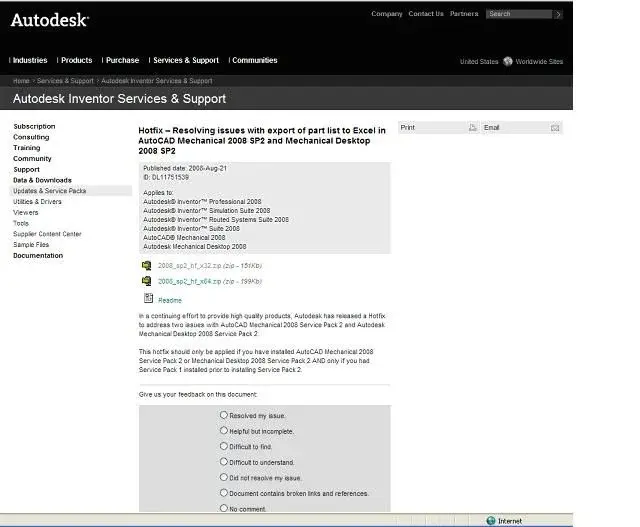
with this you should solve http://www.cad3d.it/forum1/showthread.php?t=4219
 
2008 is at 3rd sp.
I think it's better that you update it, even if it's not said that your problem is resolved.

Bye.
but to update the service packs must be in subscription? excuse my ignorance
just what I wanted to know!:4425:
the fact because something like that happens is due to the fact that the 3d model is not oriented (parallele or orthogonal) as the basic plans of origin (so you wrote).
but is there a function that can prevent this by going to change already in model 3d?

thanks you are great
 
but to update the service packs must be in subscription? excuse my ignorance


just what I wanted to know!:4425:
the fact because something like that happens is due to the fact that the 3d model is not oriented (parallele or orthogonal) as the basic plans of origin (so you wrote).
but is there a function that can prevent this by going to change already in model 3d?

thanks you are great
the sp download from the autodesk site:http://usa.autodesk.com/adsk/servlet/ps/kb/autoindex?siteid=123112&id=2334144&linkid=9242018for the alignment of the axieme with the fundamental plans there are assembly tools to be installed (already present in the inventory installation folder). between these tools there is one that leads to 0.0.0 selected parts. It is, however, a risky thing if the aid is very large because it may not be able to recalculate all the constraints with the other parts. I suggest you use the already described method of the right-click on the view.

Hi.
 
where do I insert exe and dll files?
Can I help them out of the folder?
from how I see you don't need to be in subscription
the alignment of the axieme with the fundamental plans there are assembly tools to be installed (already present in the inventory installation folder). between these tools there is one that leads to 0.0.0 selected parts. It is, however, a risky thing if the aid is very large because it may not be able to recalculate all the constraints with the other parts. I suggest you use the already described method of the right-click on the view.

Hi.
if it becomes too slender better to use this method
 

Attachments

  • Service pack.webp
    Service pack.webp
    29.1 KB · Views: 10
Service packs 1,2,3 are simple executables ( .msp extension), only be careful that they should be installed in the right order.
 
Service packs 1,2,3 are simple executables ( .msp extension), only be careful that they should be installed in the right order.
Well, I've seen it all before, when I have a moment of time I do this too!

thanks to all of the help
 

Forum statistics

Threads
44,997
Messages
339,767
Members
4
Latest member
ibt

Members online

No members online now.
Back
Top