• This forum is the machine-generated translation of www.cad3d.it/forum1 - the Italian design community. Several terms are not translated correctly.

radiated edges on design

  • Thread starter Thread starter tanticapelli
  • Start date Start date

tanticapelli

Guest
Hello everyone

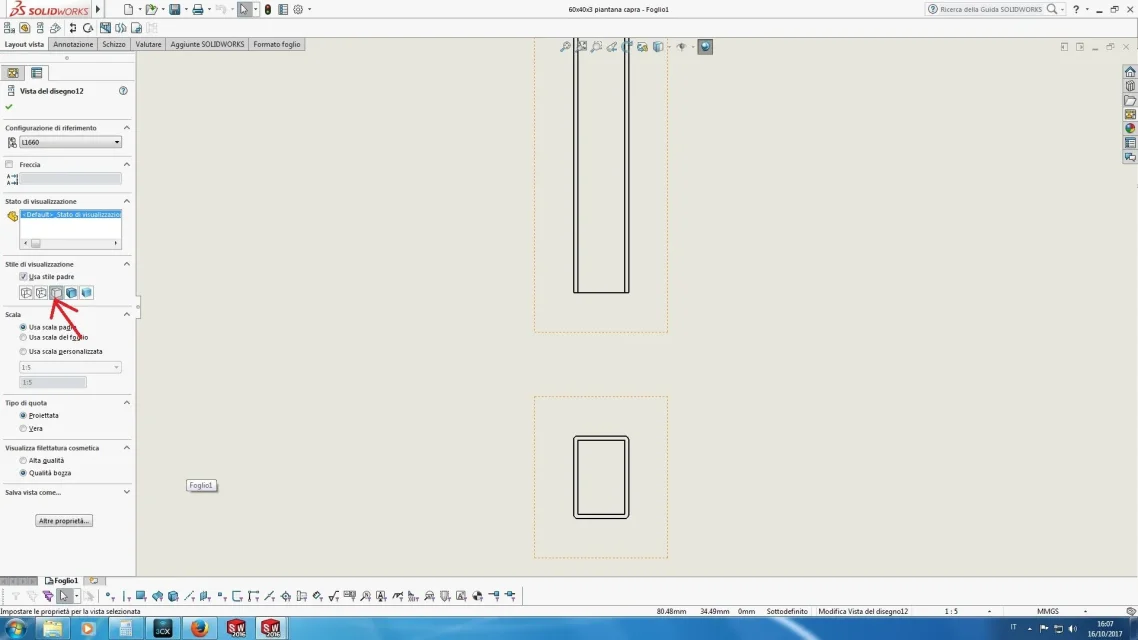
I was wondering if it was possible in the drawing views to avoid always seeing the ray lines of the rounded edges, which normally in the orthogonal projections of a piece tends not to represent.

which, at least until now that I have not found a faster system, obliges me to have to hide the lines to one by one.

place an image to make my request clearer.

Thank you.

so many hairs
 

Attachments

  • Spigoli raggiati in vista.webp
    Spigoli raggiati in vista.webp
    62 KB · Views: 18
  • Spigoli raggiati in vista 1.webp
    Spigoli raggiati in vista 1.webp
    71.5 KB · Views: 9
Try suspending the function while you put it on the table, I solved it like that.
once I have the saved pdf reactive function, at least I have the complete solid.
 
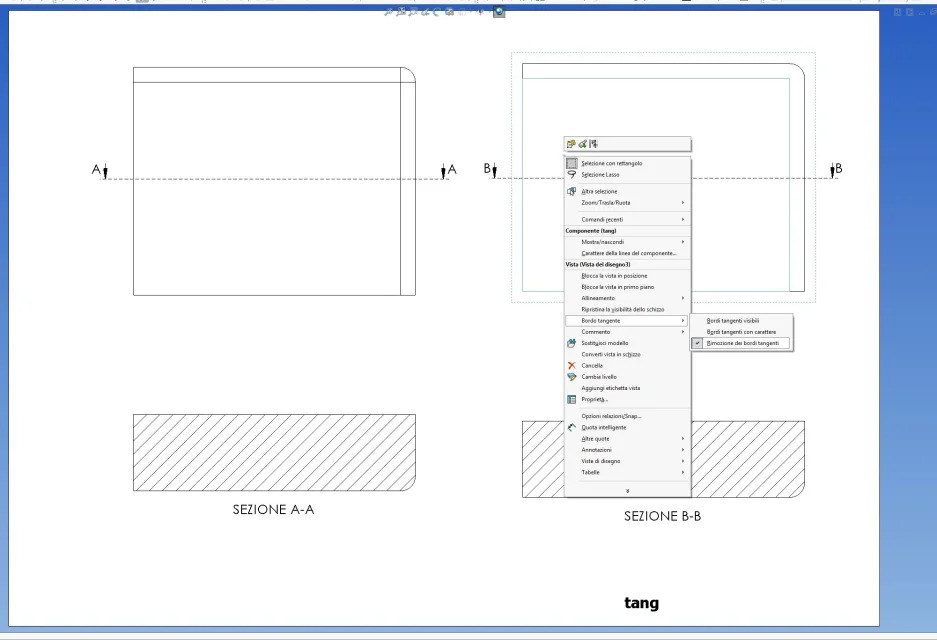
try to disable the display of tangent edges. right-click the view area and under the tangent border item select "removal of tangent edges".
- - - updated - - - -
 
Sorry if after 2 months I use it I don't know certain options! Still good to know I will save time too!
under the right mouse button there is a parallel world, explore it! Also when you approach a new program first you unplug the real menus and options, you will discover things you don't even imagine. this also applies to the various tools that the sw provides in the list of functions that you can find in the help and customization menu of the toolbars.
 
I'll add something. set in the options the way to represent the tangent edges you use most, so avoid having to change by hand in each view the same option. to do so go to the system-> drawings-> display type options and place the dot next to the option that interests you. I use "removes" and when I want to see them skillful "with character" (i.e. thin) in the view that interests me.
 
I'll add something. set in the options the way to represent the tangent edges you use most, so avoid having to change by hand in each view the same option. to do so go to the system-> drawings-> display type options and place the dot next to the option that interests you. I use "removes" and when I want to see them skillful "with character" (i.e. thin) in the view that interests me.
In this regard, I set short buttons
that allow me to have all the visualization combinations: shaded, shaded without borders, lattice, hidden edges... tangents with character .. etc. etc.
comandi.webp
 

Forum statistics

Threads
44,997
Messages
339,767
Members
4
Latest member
ibt

Members online

No members online now.
Back
Top