
solids
Guest
Bye to all,
sometimes I happen to duplicate a table file and then proceed with the "replace template" to create a new table but a piece similar to the initial one.
in this operation often in the feature manager sheets and views present the icon of the "route chain" because they require the model to be recharged. to do this just right-click and reload the model.
However sometimes I happen that the icon of the broken chain is not present on the icon of the sheets or views, but in the father icon of the whole table.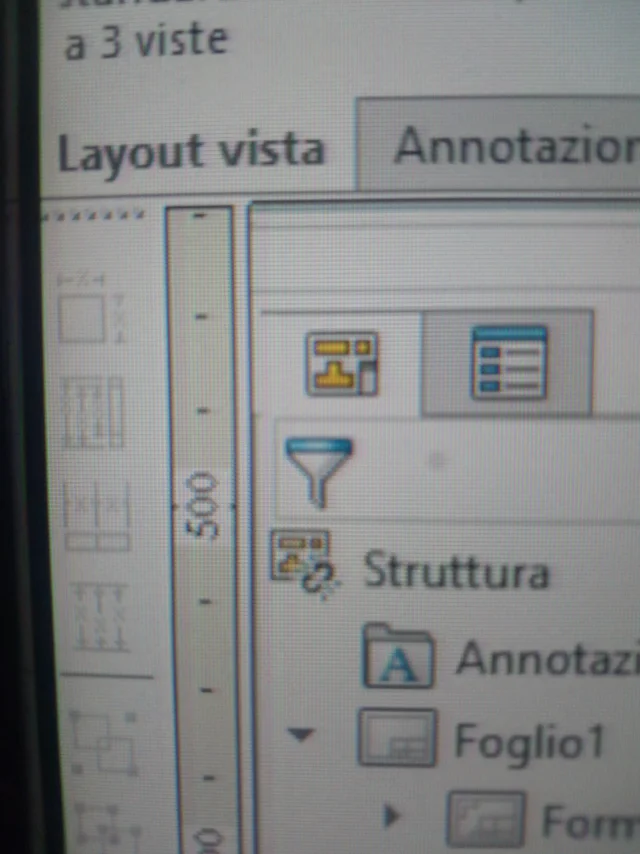 When I get it, it's a lot tern. Sometimes it doesn't matter, others won't let me save the file as it considers it "damaged". the fact is that this does not happen immediately after replacing the model, but also after having already worked a little with the new table.
1) How to avoid the occurrence of this failure to link (raw chain icon)?
2) when it happens, is it possible somehow to recharge the models to avoid the problem?
sometimes I happen to duplicate a table file and then proceed with the "replace template" to create a new table but a piece similar to the initial one.
in this operation often in the feature manager sheets and views present the icon of the "route chain" because they require the model to be recharged. to do this just right-click and reload the model.
However sometimes I happen that the icon of the broken chain is not present on the icon of the sheets or views, but in the father icon of the whole table.
When I get it, it's a lot tern. Sometimes it doesn't matter, others won't let me save the file as it considers it "damaged". the fact is that this does not happen immediately after replacing the model, but also after having already worked a little with the new table.1) How to avoid the occurrence of this failure to link (raw chain icon)?
2) when it happens, is it possible somehow to recharge the models to avoid the problem?