dinosalsa
Guest
Hello, everyone.
I'm starting to try making myself. use autocad 2005 and accurender 4.
with a thousand difficulties (and many aids I solved with the forum) I managed to make a decent rendering of a cottage.
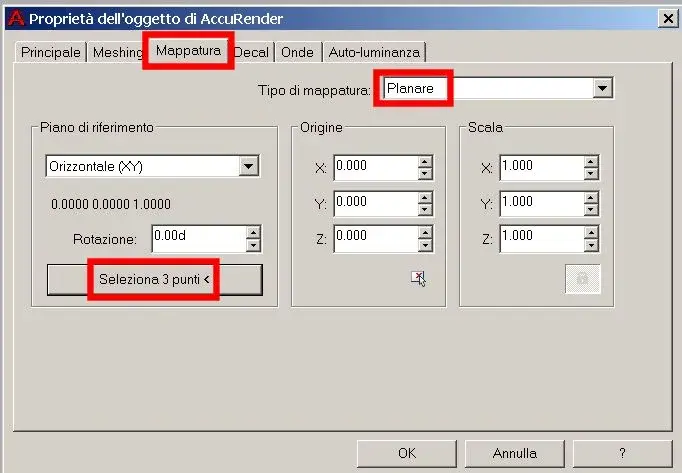
the only problem is the roof: when I apply the desired texture, the tiles do not follow the trend of the bonfires (then according to the maximum gradient line) but are positioned consecutively between all the bonfires. the effect of rendering is very much affected.
Where am I wrong? Any help?
Thank you.
I'm starting to try making myself. use autocad 2005 and accurender 4.
with a thousand difficulties (and many aids I solved with the forum) I managed to make a decent rendering of a cottage.
the only problem is the roof: when I apply the desired texture, the tiles do not follow the trend of the bonfires (then according to the maximum gradient line) but are positioned consecutively between all the bonfires. the effect of rendering is very much affected.
Where am I wrong? Any help?
Thank you.