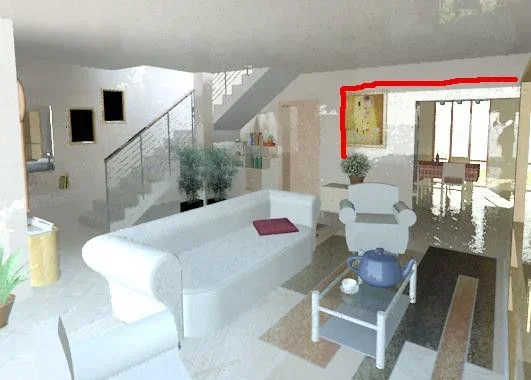
@meghe82 the person added in post is poorly discounted and you see that it is added, it also seems distorted.. on vizpeople there are beautiful tutorials explaining how to add people in post taking care of lighting and shadow. there are also free templates available
I'm here now! I'm going to take a look at vizpeople. I usually don't put people in the interior renderings, but it can always serve. the rest of making it look? lights, contrast and texture.
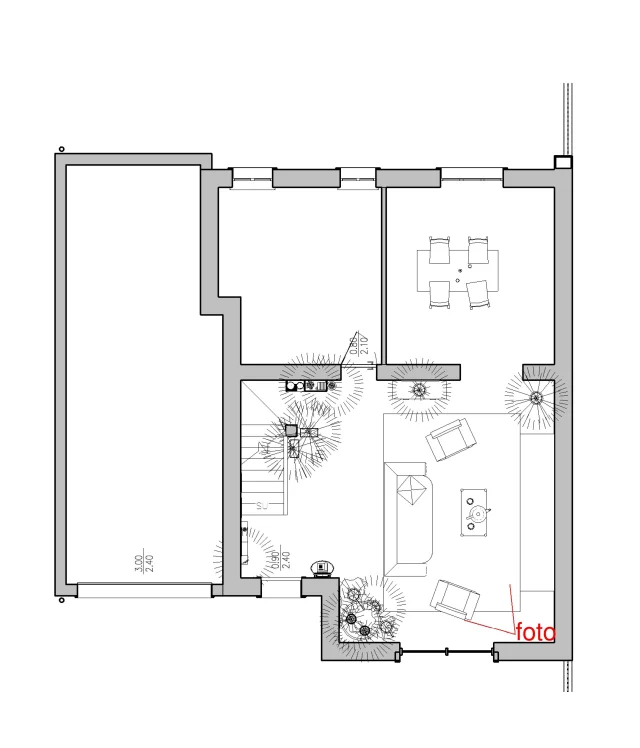
Hi, I'm sorry if I write to this post after a long time... .
I continue to make interior renderings of bad quality while seeing this photo of yours I understand to be very far away!! !
I would need some more precise consignments possible on the settings because I continue to change sects not much better than the quality. and also you used only revit?
Thank you in advance!
Hi, I'm sorry about your sentence (render54): opening the bottom or hiding the wall behind them to get lights in. I don't do anything internal, so I ask you: You've never seen the reflex of opening so obvious. If you look in the photo where there is the wall with the yellow picture you can see the cut of the opening behind the photographer's shoulders. to change something in exposure values? I highlighted in red the problem
First you see the white plaster material removing all the reflection part as you can see from the ceiling, I usually look around from my workplace, I look at the walls and the ceiling as they reflect the light that enters the window just to realize how in reality the light behaves. definitely removing a wall is a building that serves to make more light enter and significantly shorten the times to render.
Good job
♪
Big Make54! I immediately remained a little skeptical of your answer, since I had already tried to "manipulate" the plaster material of the wall. then I decided to remake the material from scratch and here below the result: Good. Thank you.