• This forum is the machine-generated translation of www.cad3d.it/forum1 - the Italian design community. Several terms are not translated correctly.

rendering of transparent surfaces with study

  • Thread starter Thread starter RudolfD92
  • Start date Start date

RudolfD92

Guest
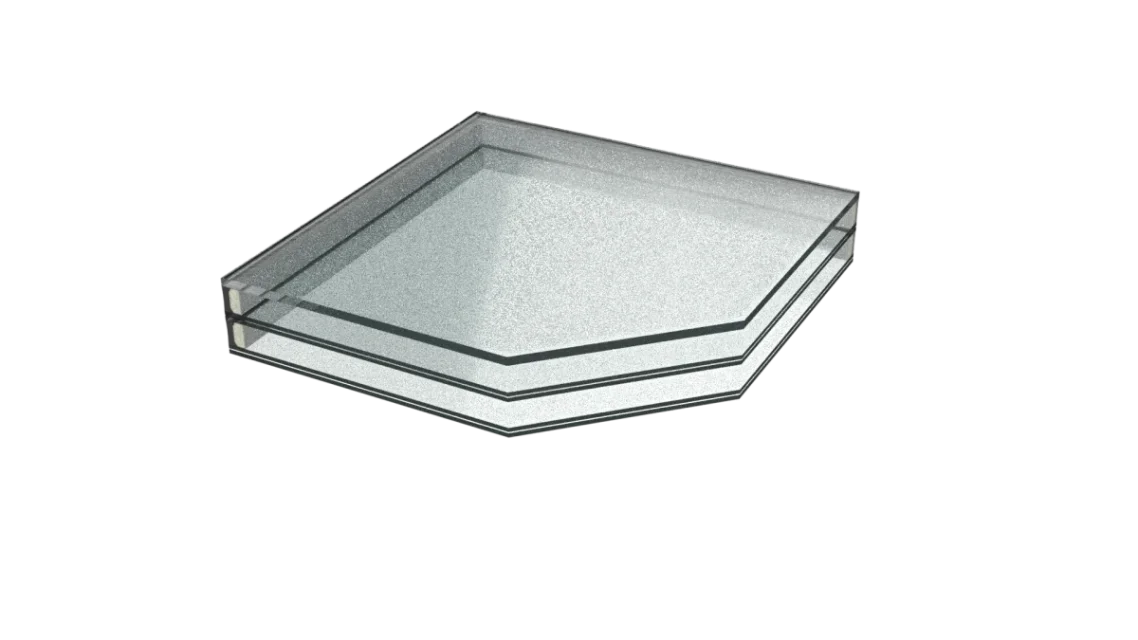
Good evening, everyone. I'm new to the forum. after the presentation in the specific thread, here I am to submit my first question. I am trying to render on inventor 2022 of a glazed surface, as attached. Although it has been rendering for over 21 hours, with a tenth generation cpu i9, I still cannot achieve a satisfactory effect. In particular, I would like to get rid of that "zigrinate" effect that appears on the glass. I tried to "play" with the material settings by trying virtually all combinations. at the end the best result I think I got it by setting the direct reflections to 1 and the transparency to 99. that annoying "puntinate" effect however is still present.

specific that is active setting to get an image with transparent background (Alpha channel)

suggestions?
 

Attachments

  • Vetro - assieme.webp
    Vetro - assieme.webp
    48.4 KB · Views: 11
I believe that for transparent surfaces, more than using real time rendering it is better to try with inventor study (integrated and included in inventor).
 
Thank you very much for the andrea answer, but as written in the thread title (I should have re-specified it in the message body), it is precisely with study that I am performing the rendering.
 
Thank you very much for the andrea answer, but as written in the thread title (I should have re-specified it in the message body), it is precisely with study that I am performing the rendering.
Excuse me, my fault I only read the body and not the title.. .
try to duplicate the appearance assigned to the material and set the parameters as from image:
1663083919305.webp
 
mmmh, I didn't get a good result. In fact, it looks like a completely black glass. I wish it was transparent, like the glass of a window.
 
is it strange, lights and possible background are there? is black even if radiated directly from the light point?
 
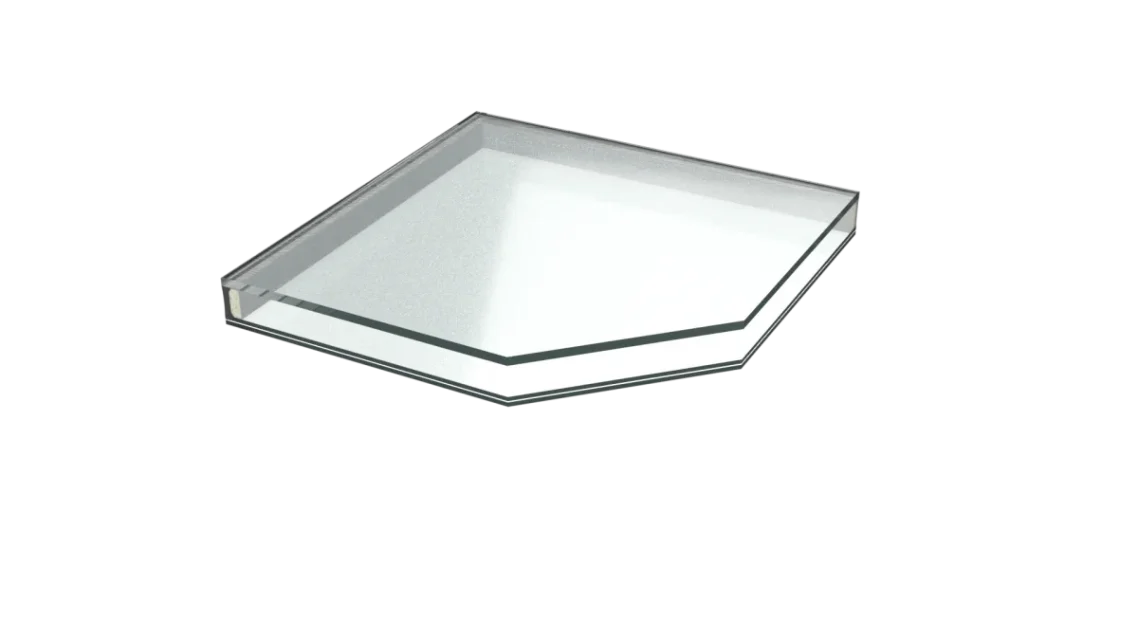
is in use the default ibl, while the background is transparent (active alpha channel). I attach the result
 

Attachments

  • Vetro - assieme.webp
    Vetro - assieme.webp
    24.8 KB · Views: 7
I think the best result gets with the following settings:

-image fade 0
-glossiness 100
-direct reflectivity 1
-oblique reflectivity 0
-transparency amount 99 (with 100 you do not see the color of the glass)
-image fade 0
-translucency 0
-refraction glass

allego result after a dozen minutes of iterations.
 

Attachments

  • Vetro - assieme.webp
    Vetro - assieme.webp
    83 KB · Views: 6

Forum statistics

Threads
44,997
Messages
339,767
Members
4
Latest member
ibt

Members online

No members online now.
Back
Top