• This forum is the machine-generated translation of www.cad3d.it/forum1 - the Italian design community. Several terms are not translated correctly.

replacement surface

  • Thread starter Thread starter summer3d
  • Start date Start date

summer3d

Guest
I find no solution to this question if not through the usual expedients:

is it possible to replace with create a flap of a surface obtained with the same feature but broken by the successive excluding those that do not interest? see image attached for clarification.

The only answer I gave is that it is not possible if not by circumventing as usual the problem. and it seems absurd.

I hope someone can deny mesostituisci superficie.webp
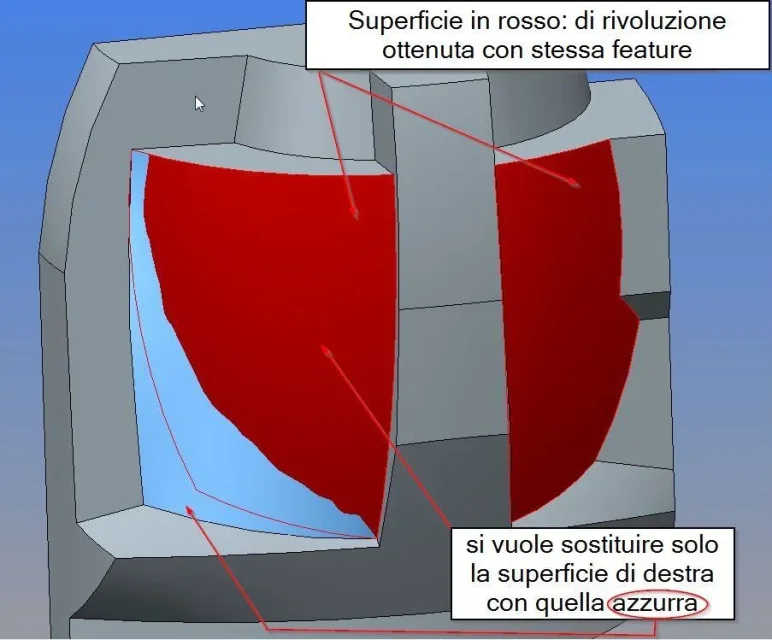
 
ps. I correct myself: you want to replace the red surface of the left with the blue one.
 
I'd say you have to create a surface union that includes the blue surface and then solidify everything. This is the easiest way for me, with 2 features do everything.
 
Hi.

you can also use two other methods:

-Selections the red surface to the left and -> remove

or

-make a copy of the blue surface then selecting the red surface on the left -> offset -> replace and select the newly copied surface.
 
Hello, thank you for the answers.

But I forgot to specify that the red surfaces are part of a solid, so:

1 - I can't put them on.

2 - I cannot remove the red surface to the left (because it is not part of a group of surfaces but of a solid).

3 - I cannot replace the offset surface as it would replace both red surfaces.

if I understand your intentions well

Thank you.


ps. correction: the removal in solid mode did not know it: Perhaps I could go through this solution even if it does not exactly what I hoped (i.e. tear down the two surfaces). But at least I will be useful on other occasions.
 
Hi.

the purpose however is to eliminate the surface you can also make a connection/smusso that completely covers the red surface on the left and then → remove by selecting the newly created connection/smusso.
 
hello, it is clear.. and that's what I mostly do, but on some occasions I can't with a simple bevel to overcome the problem, in some cases I really have to cut or smacchinare to create a jump that I can then use to replace the surface. . .
I was hoping there was a more immediate method. (like when you copy surfaces that let you uncheck those that you don't care even if you always fan part of the same feature)

Anyway thank you very much for the new ideas and answers.
 
Hi.

No.

many times I do not use the exact terminology (the last course goes back to “create a feature, two sides ....”), but in practical use I have a few years on my shoulders.
 
I know and know that the methods highlighted by bfausto work, but the most flexible for me provides solidification.
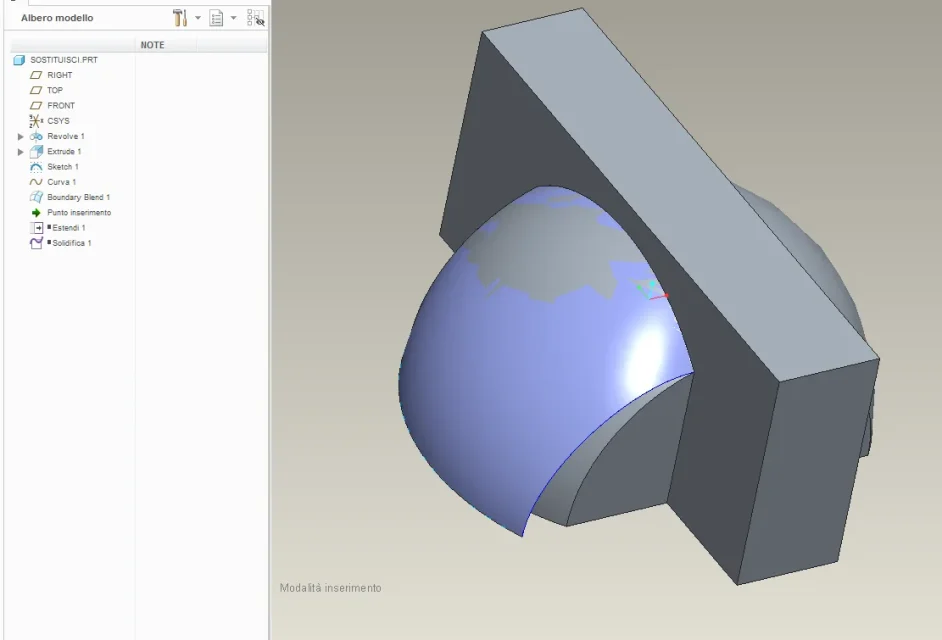
I'll give you an example like yours.Cattura.webpCattura1.webp
 
Hi.

there is also a possibility to use with solidification:
make a copy of surfaces and deselections that you don't care about while keeping one of the two redheads and then solidifying solidify the newly copied surface. at the moment it seems that nothing really happened you separated the right side from the left side and then proceed in the processing (remotion ....).
 
Hello, thank you: I am out of work now but tomorrow I try this too.
I also have another idea to try:

I select the surface I want to replace (the cad will highlight both) at this point I use the offset command (the relief or bas-relief displacement of the surface) and in this mode should make me clear the surface that I do not care.
this to break/differenten the two surfaces: After which I can use the command replace surface!
I've already solved, but I'll try this tomorrow.
 
Hi.

I forgot...
for some time have added the command (proven in creo2 and creo3)
change → surface division
that gives you the possibility to separate the two red surfaces and then go to remove.
find the help in English (split surface).
 

Forum statistics

Threads
44,997
Messages
339,767
Members
4
Latest member
ibt

Members online

No members online now.
Back
Top