
• This forum is the machine-generated translation of www.cad3d.it/forum1 - the Italian design community. Several terms are not translated correctly.

retino problem

  • Thread starter Thread starter flynight
  • Start date Start date

flynight

Guest
Good morning to all, I have a problem with a retino in autocad 2010.
precisely the gravel retino with the big and small stones.when I select it and choose the scale(in my case 0.03)I do not leave smooth but spigolose stones. I don't understand what the problem is. I tried to regenerate but nothing.
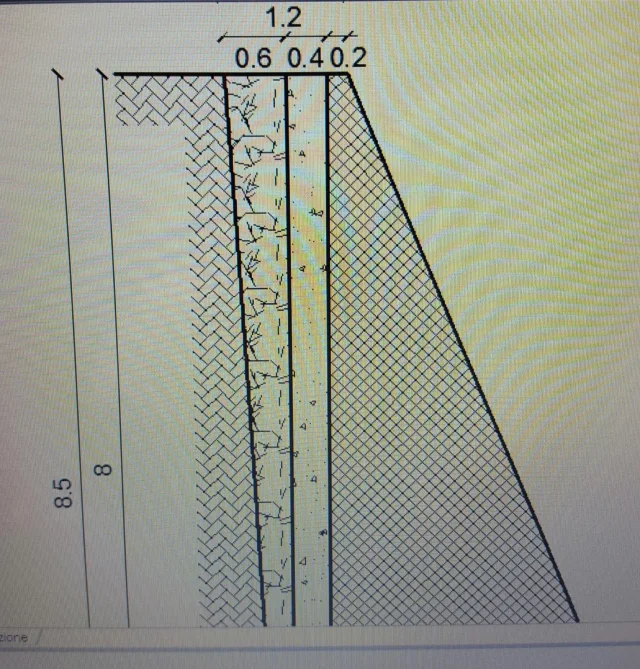
 
move all the drawing near the coordinates 0.0 or move the bird near the affected area premium to apply the retino.
 
in the case of retino already designed, here is a command, written long ago, to move its origin. select retini and new point of origin.
Code:
(defun c:ctratt	(/ point gru index)
 (setq gru (ssget '((0 . "hatch")))
       point (getpoint "\nselezionare nuovo punto origine tratteggi: ")
 )
 (setq index 0)
 (repeat (setq index (sslength gru))
  (vl-cmdf "_hatchedit" (ssname gru (setq index (1- index))) "n" "i" (trans point 0 1) "n")
 )
 (princ)
)
 
from the menu displays the commands regenerate and redesign and return to place. I don't know where it is in your interface, but the textual commands are: "_redraw", "_regen".

in the use of the model, autocad simplifies the lines to save the use of computer resources, but if you print the features are unchanged. If you want to see it well, use the commands indicated.
 

Forum statistics

Threads
44,997
Messages
339,767
Members
4
Latest member
ibt

Members online

No members online now.
Back
Top