• This forum is the machine-generated translation of www.cad3d.it/forum1 - the Italian design community. Several terms are not translated correctly.

rotates all the 90° hour axis on the x axis without losing mating: how?

  • Thread starter Thread starter reggio
  • Start date Start date

reggio

Guest
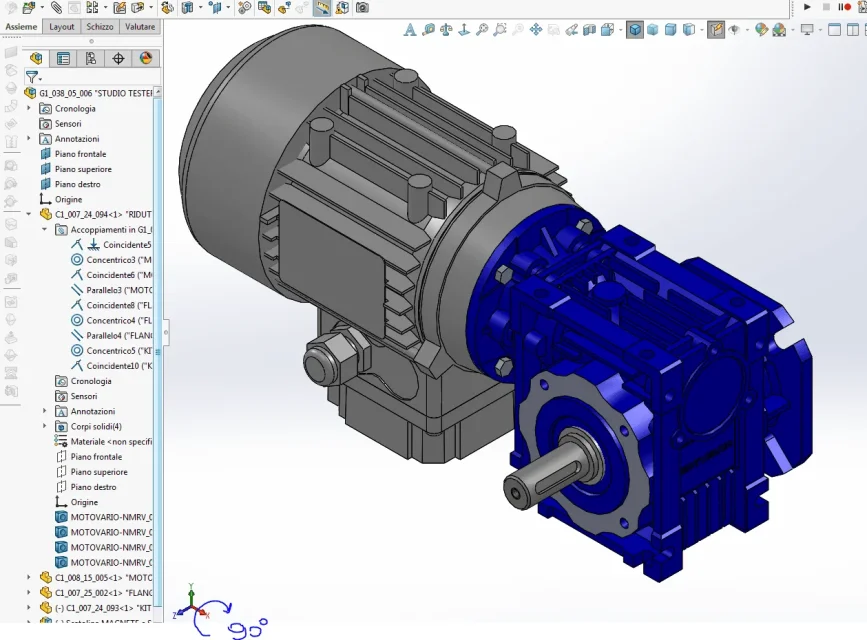
hi, I made a mistake, I started a set by wrongly placing the first component and now I would like to turn everything 90° on the x axis so that when I open or I put in an isometric view, the axieme is "standing" and not "drawn" as now.

this together below is trivial, but sometimes I happen with axioms much more complex or imported from step or iges...
Is there a way to "turn" everything in a blow without having to unleash the first component and win it back on the 3 main floors?
ruota tutto assieme di 90.webp
 
in closed eyes, I have no time to do tests, I would say to insert the axieme into a new set and to guide it correctly and then dissolve the subassieme
 
in closed eyes, I have no time to do tests, I would say to insert the axieme into a new set and to guide it correctly and then dissolve the subassieme
... and I overwrite .. I tried but to mè after makes visible but "untouchable" the parts of the axieme, in the sense that I see them but from the graphic area I can not select them/spost them/duplicarli/.. Nothing...

I thought there was a way to change the plan in the sketch or something.

:d good weekend.
 
I when amounting files from neutral formats like iges or step are always rotated with vertical z axis, so I rotate them with the component wheel command. the command in this case works x that the imported components are released, while in a finite set of modeling are obviously bound. The only thing I think you can do is suspend the constraints and rotate them. but perhaps it is better to change the constraints of the parent object or with escamotage that indicated you massive
 
Last edited:
That's what I meant before...
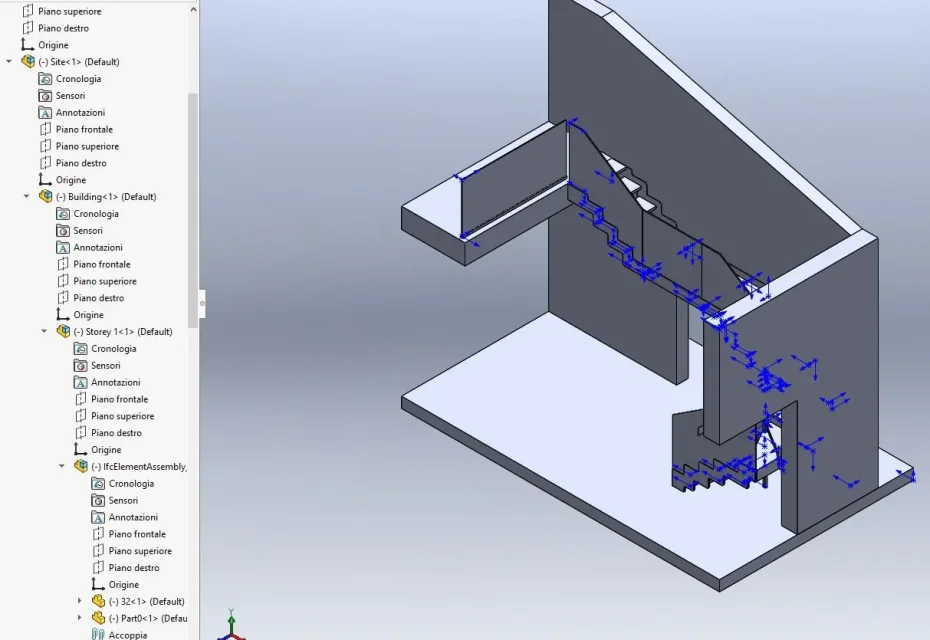
the first image is an import of a .ifc model so some I see it just opened in sw.
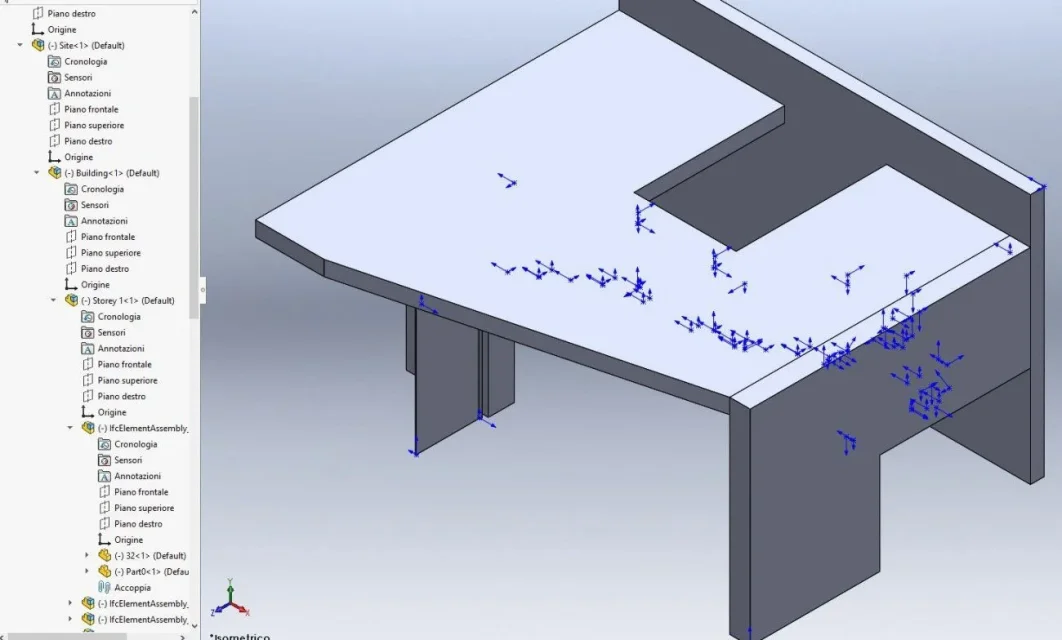
the second is the model as I see it after applying the rotation command of the model.1.webp2.webp
 
Excuse me, can you explain the procedures where you roar the axieme?
consider the initial request for reggio
Is there a way to "turn" everything in a blow without having to unleash the first component and win it back on the 3 main floors?
 
I assume that the thing works on the models imported from neutral files like iges, sat, ifc ect. ect., which I can rotate x which the imported model is completely released. In this case I do so...
select all the model with the drop-down command -> select everything. Then I run the component wheel command, in which I can choose different rotation options, I choose that from the xyz axes. imposed the angle of rotation and stick. the model is completely rotated. sw does not create a function in the helm, so the command is not editable to change it, but if you want to do it you must again execute the command. from this I have deduced that it is enough to unleash a set shaped in sw, in order to be able to apply the command. I didn't try it directly, but I think it works, the rest x that it shouldn't do it, it's completely analogous. Just try. the direct answer to the demand for reggio therefore it is... you have to unleash the first component, deleting the constraints or suspend them and then apply the command. at that point you have all the axieme rotated. Of course it is that once the first one is released, one can safely reinvigorate it in the new direct position with the application of new constraints. It's clear that if you don't release you can't do anything except the solution you recommended before. with the imported, as it referred, instead it works great.
 
the first one can safely win it back
Thanks for the attention :d unfortunately often in my big assemblies, it is possible that to the initial part are bound many other components, to release it, usually cause tzunami and floods, I prefer to avoid;)
do not overwrite. You have to close both axioms and reopen the last one. then overwrite
- I want to rotate pippo.sldasm
- I create together on the part/assieme (sw proposes together1.sldasm)
- posiziono pippo.sldasm rotated to pleasure on set1.sldasm
- I close pippo.sldasm
- I close together1.sldasm saving it as a whole1.sldasm
- reopen together1.sldasm, right click on "pippo.sldasm" + subassieme dissolves

At this point, as before, I can no longer touch anything... I see but I don't touch:eek:cry:

- I would have overwritten on pippo.sldasm...

... wait, now I overwrite on pippo.sldasm for test and ... it works !!! now I can select the parts and "touch them" (y)

....uhmmm though .. now the axieme is free ... and if you win using origin/origin everything comes back "storno" as before ... sob .. at this point I try to bind the 3 plans to please, but at this point I do first to stay on the original, throw the bond origin/origin and bind the 3 plans to pleasure avoiding to create new together, dissolve to save, overwrite or error?

try, it works, you will have to see if you row everything smoothly even on axiemi "structured" :rolleyes:
 

Forum statistics

Threads
44,997
Messages
339,767
Members
4
Latest member
ibt

Members online

No members online now.
Back
Top