• This forum is the machine-generated translation of www.cad3d.it/forum1 - the Italian design community. Several terms are not translated correctly.

rotation piece with directional keyboard arrows

  • Thread starter Thread starter Lorenz578
  • Start date Start date

Lorenz578

Guest
Good morning.
as always I press that I did a research to find similar topics, but I found nothing.
I ask if it is possible to rotate a part (or a set) through the directional keys of the keyboard.
this in solidworks is possible, I wanted to understand if there was a possibility to do it with inventor.
Thank you.
edit: Now if I press the arrows left and right the part moves on the vertical axis (up and down), while if I press the arrows up and down, the part moves very slowly on the horizontal axis (sx and dx)
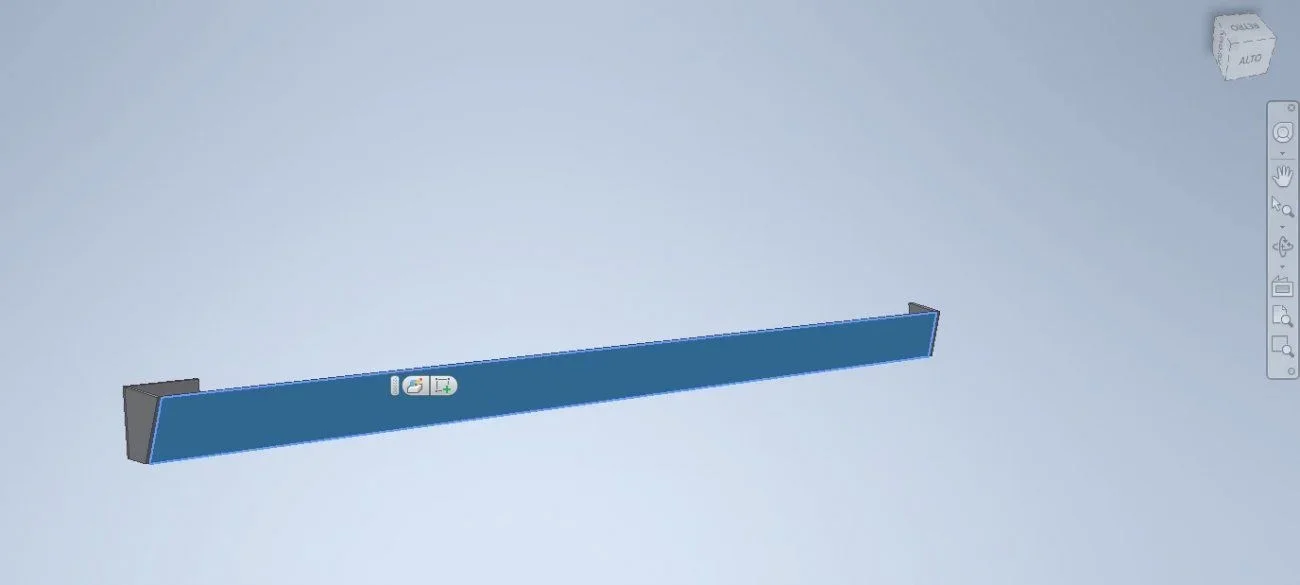
 
try if ctrl + arrows is what you are looking for...
(but I realized you could!)
edit: Now if I press the arrows left and right the part moves on the vertical axis (up and down), while if I press the arrows up and down, the part moves very slowly on the horizontal axis (sx and dx)
 
But is the f4 button too uncomfortable?
hello first of all.
Obviously my request is not clear.
apart from the fact that I do not use the f4 key for rotation of the pieces as I set the central mouse wheel to be able to rotate the piece freely without pressing any key, what I asked was a precise 90° rotation each time I press the arrow key.
example: I plan to a face - I press arrow up and the wheel piece of 90°.
I repeat, in sw can you do this, in inventor? Can you?
I hope I've been clearer.
Thank you.
 
the cube on the top right that is present in all autodesk programs
already tried.
only works if you put on a straight face (the cubes appear arrows to rotate)
My piece has a tilted face, if I plan to that the cube logically is tilted and does not allow you to rotate (the arrows do not appear).
Rotating arrows only appear if you plan to any of the cube faces.
 
select the flat face (any one, even inclined to the coordinate system. . )
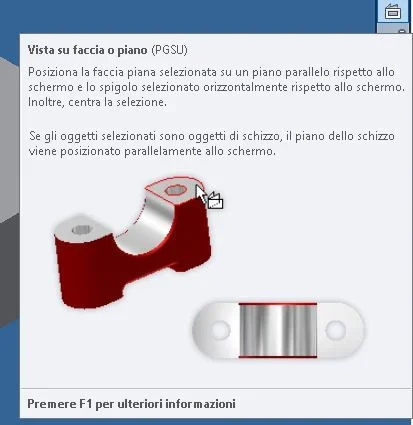
then "pgsu" (pgsu with the arrow up..) and the game is done!!
otherwise there is the special icon in the menu under the cube.
 
select the flat face (any one, even inclined to the coordinate system. . )
then "pgsu" (pgsu with the arrow up..) and the game is done!!
otherwise there is the special icon in the menu under the cube.
thanks for the suggestions, but unfortunately even if I press the button "pgsu" does not move anything?
But I found an alternative method.
select the flat face that interests me (in this case the tilted one) - open the cube drop-down menu - set current view as and select "top" (or even front, is indifferent) and at this point the cube returns straight and I can rotate 90° with the arrows of the cube itself.
It's strange, however, that you can use the "pgsu" button and not me.
 
What do you mean, nothing happens?
to me it works properly.
Did you change the selection filters? ?
you don't have to touch the cube, work only by keyboard, the key is the top left of the 6 keypad
opposite the canc button .. to click after you have selected the face (which you must highlight. . )
What version are you using?
Have you tried with other files??
 
What do you mean, nothing happens?
to me it works properly.
Did you change the selection filters? ?
you don't have to touch the cube, work only by keyboard, the key is the top left of the 6 keypad
opposite the canc button .. to click after you have selected the face (which you must highlight. . )
What version are you using?
Have you tried with other files??
- means if I press pgsu the piece does not rotate
- no, I didn't change any selection filter.
- I don't touch the cube in fact and I do exactly what you wrote.
- inventor 2021
- Yes, also tried with other files, but same result.

of the 6-key keypad, the only one doing something is the "end" button that allows optimized zoom.
 
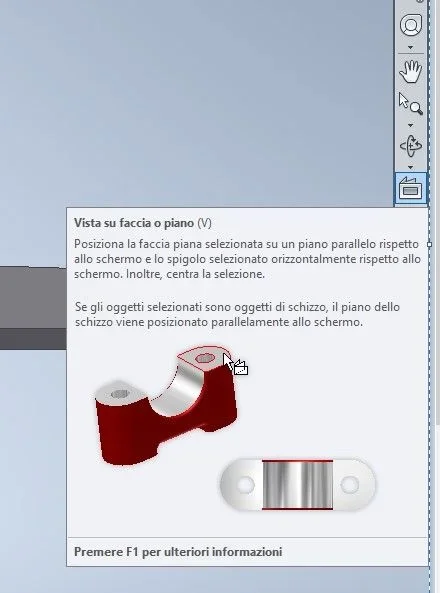
if you go to the appropriate icon (the last one down in the left menu ..) what writing appears ??
I would not want them to have removed the option that I have in my version (+ old of your)
Hi.
 
if you go to the appropriate icon (the last one down in the left menu ..) what writing appears ??
I would not want them to have removed the option that I have in my version (+ old of your)
Hi.
You mean this icon?inventor.webp
 
Yes, just that, if you stand on it, the tooltip appears with the writing. .
What do you think?
 
That's probably where the trap is.
in my version is in fact different.
At this point, instead of typing pgsu, try "v" to see what happens
 
buttons if you do not conflict with other commands, you can assign
baptizing them to please
 

Forum statistics

Threads
44,997
Messages
339,767
Members
4
Latest member
ibt

Members online

No members online now.
ciao
Back
Top