Lorenz578
Guest
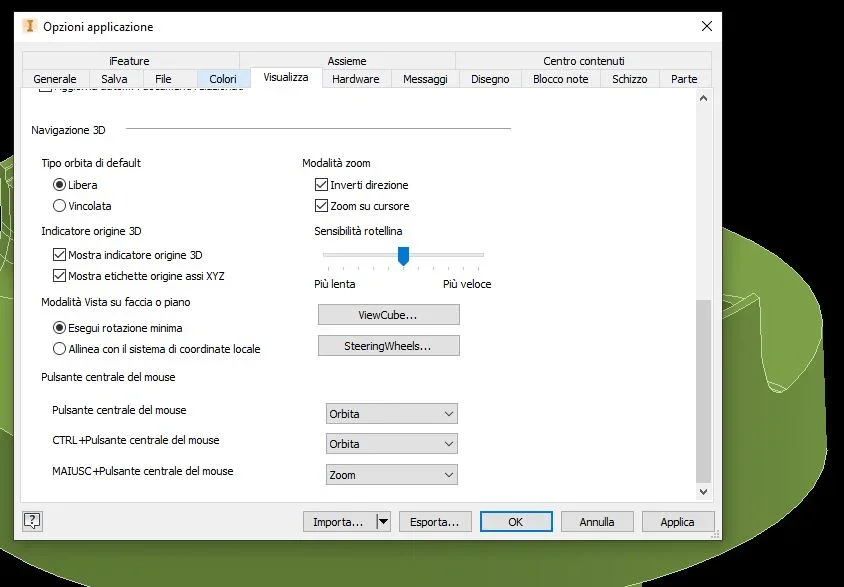
I already assigned that command!! I mean exactly the icon I marked you in the image.That's probably where the trap is.
in my version is in fact different.
At this point, instead of typing pgsu, try "v" to see what happens

I already assigned that command!! I mean exactly the icon I marked you in the image.That's probably where the trap is.
in my version is in fact different.
At this point, instead of typing pgsu, try "v" to see what happens
I thought I could baptize a button with a command.buttons if you do not conflict with other commands, you can assign
baptizing them to please
Here I am, I assigned the pgsu button as in your image. the result does not change.Yes you can, but try to assign the arrow up or pgsu .. what you want

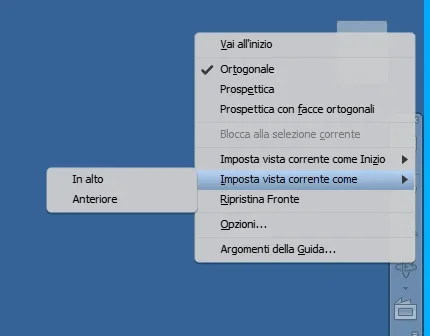 would actually be pretty and "hinder" to apply an option type alt+freccia = 90° rotation, I couldn't set it via keyboard shortcut.
Hi.If I did not understand the request is to turn the view of 90° "dry" in a single stroke.
- by keyboard I can't
- the viewcube works but not if you're "torted"
- view on face or plane aligns to the face but the viewcube remains "stored" and you can not rotate 90°
- you can align the viewcube face to the tilted viewcube you want to use as a reference, so the viewcube straightens and the fast rotation brakes work; alignment settings can be reset if they are uncomfortable.View attachment 60939would actually be pretty and "hinder" to apply an option type alt+freccia = 90° rotation, I couldn't set it via keyboard shortcut.
no problem... a don't servo almeno 4before the second coffee I am asleep, sorry for repetition


I can do it using it as a classic mouse... but in this way I can't take advantage of the little joistick. .on 2022 I did so I do not know whether there is useful or whether it has already been said