• This forum is the machine-generated translation of www.cad3d.it/forum1 - the Italian design community. Several terms are not translated correctly.

search for file properties

Donald Haxhiu Work

Guest
Good morning. I'm getting crazy, please help me.
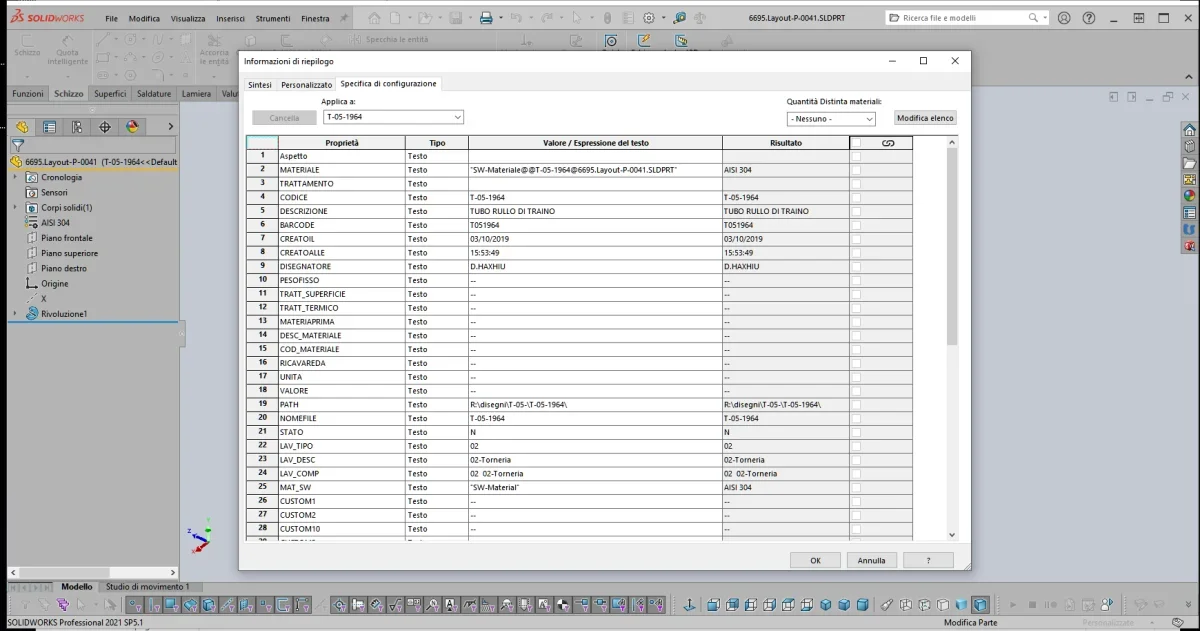
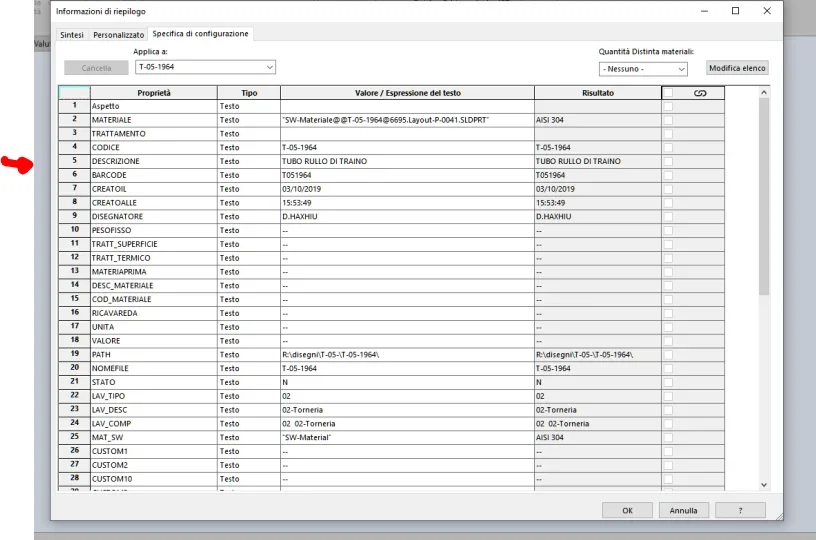
I would like to perform a research on file ownership of solidworks and I don't know how to do it. I love any method, as long as I can search for Description (so a solidworks property) a component saved in a folder with a 3d file cauldron. someone has a method in particular to show me to perform a search without pdm for the fact.
 
Good morning. I'm getting crazy, please help me.
I would like to perform a research on file ownership of solidworks and I don't know how to do it. I love any method, as long as I can search for Description (so a solidworks property) a component saved in a folder with a 3d file cauldron. someone has a method in particular to show me to perform a search without pdm for the fact.
you have to activate the search button.. .
1677157201318.webpthen go to the description option
1677157350334.webpand enter the description. I hope it works without pdm.
 

Attachments

  • 1677157339351.webp
    1677157339351.webp
    19.4 KB · Views: 15
I know there is a solid search function. very uncomfortable. But I'm pretty good at nothing. It's just that I'm okay with it anyway. The only problem is that it doesn't work as you can see from the photos. If I already give him the multi-filter path for description, and I put him the name of the description he has to find me in the entire assigned folder, of all the components that have that description. He doesn't find me anything. (look at photos)
 

Attachments

  • 1.webp
    1.webp
    57 KB · Views: 13
  • 2.webp
    2.webp
    44.5 KB · Views: 12
I know there is a solid search function. very uncomfortable. But I'm pretty good at nothing. It's just that I'm okay with it anyway. The only problem is that it doesn't work as you can see from the photos. If I already give him the multi-filter path for description, and I put him the name of the description he has to find me in the entire assigned folder, of all the components that have that description. He doesn't find me anything. (look at photos)
The only thing that comes to me is that you write everything in case, it changes description with description in the file and see if it works.
 
See, I don't know exactly how ever, in the video you clicked 2 times description, 1677158747189.webpcmq tries to change with description, wrapped solidworks does not recognize data if they are written differently.
 
if the property "description" is present in the property of the windows file you can configure the folder where the files are allocated so that you always show the description column or you can use a program (eg. dirhtml) that makes a list of all the files present in certain folders provided that you also capture the desired property.
 
but I actually wanted another system. because with windows I can not search for description. I wanted more of a program than then the description of windows I can look for it somehow. or a program and/or an addition of solidworks I know. that when saving the solidworks file automatically saves me an excel file with all solid properties. Something like that. so that I can search with windows inside the files the words.
 
but I actually wanted another system. because with windows I can not search for description. I wanted more of a program than then the description of windows I can look for it somehow. or a program and/or an addition of solidworks I know. that when saving the solidworks file automatically saves me an excel file with all solid properties. Something like that. so that I can search with windows inside the files the words.
Hi.
Take a look at this
 

Forum statistics

Threads
44,997
Messages
339,767
Members
4
Latest member
ibt

Members online

No members online now.
Back
Top