• This forum is the machine-generated translation of www.cad3d.it/forum1 - the Italian design community. Several terms are not translated correctly.

select similar

  • Thread starter Thread starter graziano-g
  • Start date Start date

graziano-g

Guest
Bye.

so it is called an acad command that I find very useful.

Is there also in sw?

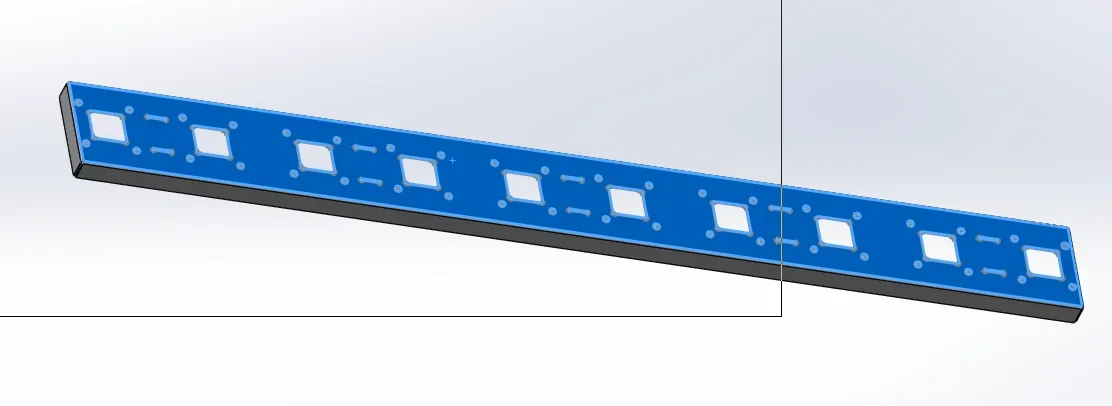
I designed a sheet: Basic flange tab, on the same I projected a geometry with the convert entity command so I executed an extruded cut.
the projected geometry is composed of ray rectangles that will define sunshades and circles on which to insert a series of flared avdels.
I have the need to do the devading on all holes (40, but only on a face ) and I do not want to have to select one by one.
I can not use the selection rectangle because it would take the edges on the two faces and because between the holes are included 10 square and 10 shaped consoles.

Is there a command that acts only on the geometry taken to reference and only on a selected face?
Hello, thank you.
 
No.
but if to make 40 holes you used the guided drilling just change the parameters of that function or make the bevel on a hole and then use the repetition guided by sketch and use the sketch of the guided drilling to propagate the bevel.
 
Bye.
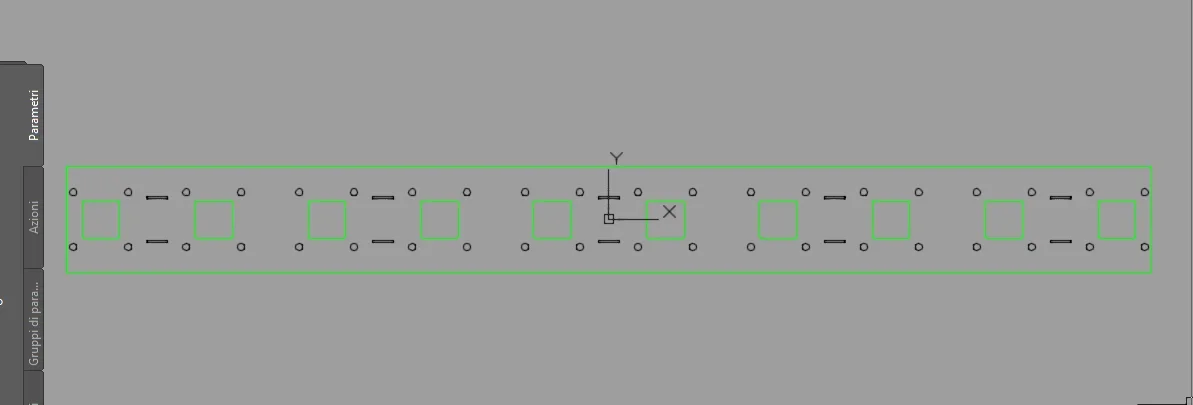
I forgot a small detail, the geometry projected comes from acad and was inserted in a sketch with ctrl+c / ctrl+v then projected on the face of the sheet.... .capture-20170521-122234.webpcapture-20170521-122319.webpPerhaps it is better to import the centers instead of the circles then proceed with guided drilling that allows to insert the rigging in real time therefore possible modification.
in these conditions I understand that there is nothing left but selection one by one....
Hi.
 
importing from autocad is not exactly the maximum, if it is a fairly simple and repetitive geometry you can do it again with the aim of optimizing functions. . .
by now that you have frittata is fairy you just have to select according to how you did the job.
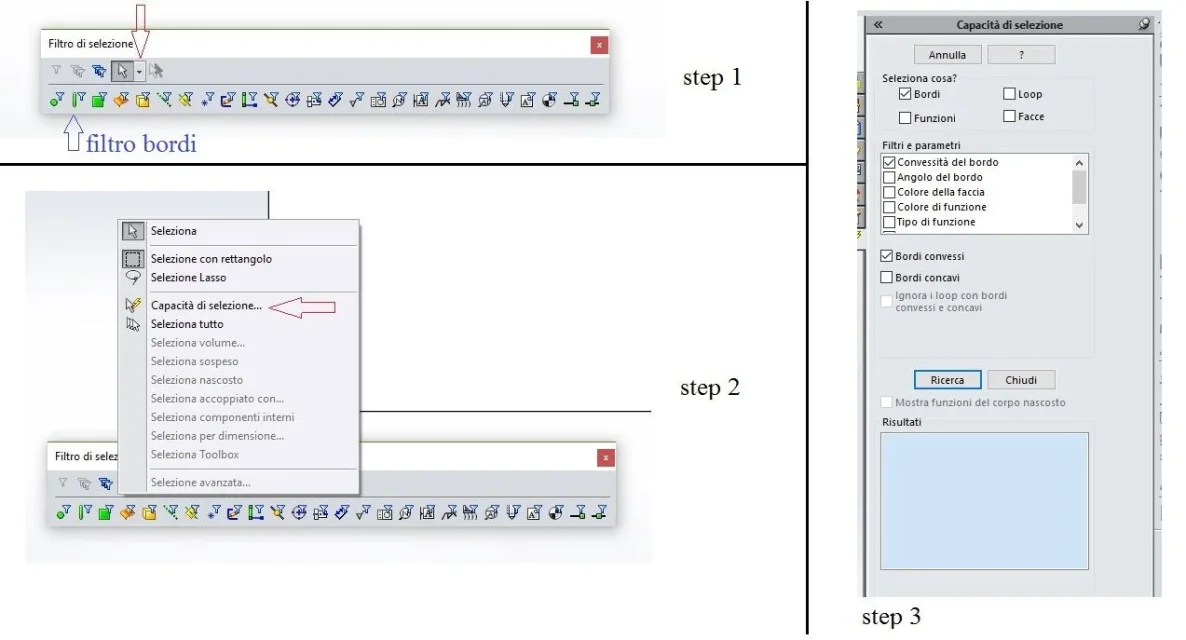
with the selection filter toolbar you can try the various options you have (in the image the various steps to do to have the n°3) prompt. for example if the holes you made them with a special function and not together with the square cuts, put the spuns to select what>boards, parameter filters> function name, enter the name of the cut-extrusion function1 or what it is, new search.
In this way you have selected all edges of the holes, even those on the other side of course. selecting the names in the search list is highlighted of which it is and you can delete those on the side that you do not want to beveled.
the procedure is not said to be very fast and must be refined for how the model was made... to the good fact the model to the good made the selection.

otherwise always with the filter selection bar active only the edges (blue arrow in the image) and one by one selections as I have already written in the previous messageImmagine.webp
 

Forum statistics

Threads
44,997
Messages
339,767
Members
4
Latest member
ibt

Members online

No members online now.
Back
Top