• This forum is the machine-generated translation of www.cad3d.it/forum1 - the Italian design community. Several terms are not translated correctly.

selection problems

  • Thread starter Thread starter wall87
  • Start date Start date

wall87

Guest
Good morning to all
I am using nx 11 and in the context together I have a selection problem, I explain better:
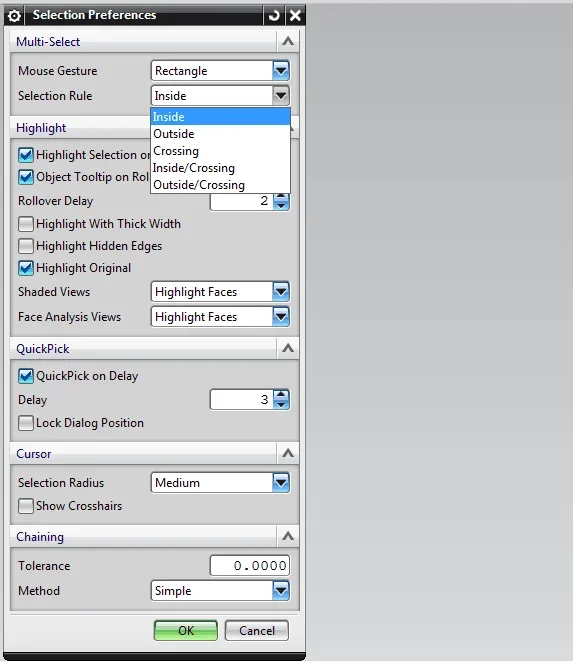
in this together I have various parts and sub-assistances, when I go to untie them through a selection rectangle, this selects only some of these components when instead I would expect it to select them all (of course the selected components are all within the selection rectangle).
Can someone tell me where I'm wrong or if there's any setting to set up? because I honestly don't know where to bang my head because I'm a new nx user.
Thank you in advance.
 
hi, maybe you have an activated selection filter (top left)
 

Attachments

  • selezione.webp
    selezione.webp
    16.1 KB · Views: 12
Unfortunately not, the filter you talk about is set to "no selection filter" and so I think that so includes all the filters below.
 
si alexfunk, are both set as you put them in the image.
baskets1959 even the settings that you inserted me are the same as I have.
is for what I asked for help, I tried to spray any kind of settings that seemed to me centered on with selection but without success unfortunately... .
 
Good morning to all
I am using nx 11 and in the context together I have a selection problem, I explain better:
in this together I have various parts and sub-assistances, when I go to untie them through a selection rectangle, this selects only some of these components when instead I would expect it to select them all (of course the selected components are all within the selection rectangle).
Can someone tell me where I'm wrong or if there's any setting to set up? because I honestly don't know where to bang my head because I'm a new nx user.
Thank you in advance.
I'm curious about this.
two questions :

what type of components are not selected? in particular those who do not select are 'deformable' parts?

are there solid body in the type of objects that nx does not select you when you make the selection pane?

are only the parts contained within the subassembly those that nx does not include you in the selection?


sent by my col-l29 using tapatalk
 
mi incuriosisce questa cosa.
due domande:
Actually they are 4:d
what type of components are not selected? in particular those who do not select are 'deformable' parts?
I don't understand, what do you mean by deformable?
are there solid body in the type of objects that nx does not select you when you make the selection pane?
All parts or subaxes contain one or more solid bodies.
are only the parts contained within the subassembly those that nx does not include you in the selection?
No, there are also parts that are inside sub-axioms, maybe these sub-axioms only select some parts while others do not.
 
have you tried to see if the components are in layers only visible and not selectable?
Could you post a short film that reproduces the problem?
 
Actually they are 4:d

I don't understand, what do you mean by deformable?
I mean those components created by parameters such as to make it deformable or (I sometimes have the same behavior on objects of that type )
All parts or subaxes contain one or more solid bodies.
Clearly. but distinguish two types: pure solid body and real parts (see allgaoti )
No, there are also parts that are inside sub-axioms, maybe these sub-axioms only select some parts while others do not.
As baskets say, also check that you have no parts or solids on layers that are 'visible only' (in that case you won't be able to select them anyway).

In general, when I have these inconveniences I have noticed (at least so I happen) that depends on how 'fast' is the system especially in very large assemblies.
when I make the selection rectangle, I do not create it and 'mollo' immediately, but I wait a few seconds with the selection rectangle still active (so I do not leave the left mouse button quickly ) but I keep it active for 3-4 seconds.
In this way, I see that nx does 'in tense' to include all parts even in subassy.

excluding other issues to be exposed in case...
 

Attachments

  • body.webp
    body.webp
    253.8 KB · Views: 7
  • parti.webp
    parti.webp
    229.2 KB · Views: 7
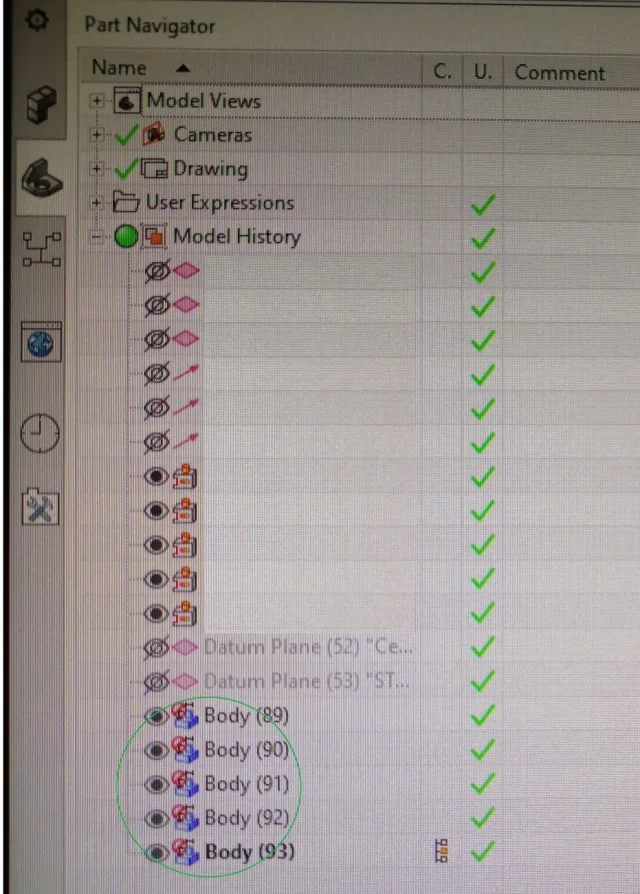
for my experience, I realized that the leotards cannot be selected with the selection rectangle, not even setting the filter on solid body.
a video is selected (red) but in the part navigator no.
 
while I thank you for the answers; However, for the moment I managed to solve it thanks to my former colleague.
Apparently the settings I had were all correct and all the things you suggested to me were just as, from what I could understand, there was some kind of conflict between the nx program and the user of windows 10 that seemed to have corrupted and created problems.
we have deleted this user and created one again and at this point it seems to have returned everything normal.
Don't ask me why this happened because I couldn't answer.
for the moment I returned to normal and thank you again for the help :)
 

Forum statistics

Threads
44,997
Messages
339,767
Members
4
Latest member
ibt

Members online

No members online now.
Back
Top