MAX.SS
Guest
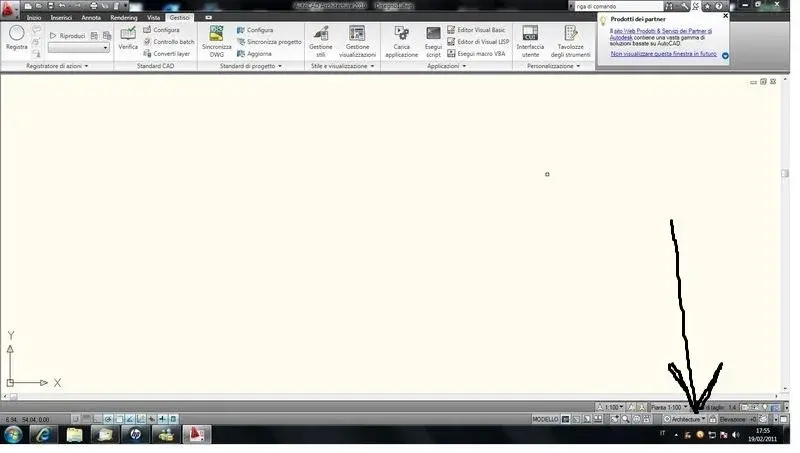
Hello I read that to have the bar with the classic commands in autocad 2010 you have to select it on "work areas" my problem is that I find only one area of work called "architectures"..how can I do to solve this? Thank you.

in architecture as in civil 3d does not exist by default the classical work area. check if you have a profile <<autocad>> (in civil there is) otherwise it is up to you to build it alone</autocad>thanks for the answer
no there is... in fact I had tried how to put it but not finding the solution I opened a discussion... how can you do it?
there is no autocad profile.. .in architecture as in civil 3d does not exist by default the classical work area. check if you have a profile <<autocad>> (in civil there is) otherwise it is up to you to build it alone</autocad>
ok with f2 comes out but is not integrated.. opens it as another window of autocad..test with f2
ok the command line is set. . .for the command line ctrl + 9
to change the work area see if you can change menus, search in the pc if there are acad.cui or acad.cuix.
Yes but first you have to download the cuix of architecture, otherwise it makes him a big mess!menu command, and go to select the whosex you found. check that the path is placed in options/file
of course you have active this:...but is it normal that icons are so large?on rhinoceros are much smaller. .
Thank you. !of course you have active this:
options -> display -> uses large buttons for toolbars
solved by writing the command in Italian on the macro.. :smile:Thank you. !
other question. .
I was trying the various commands when I press it says to me:
command: _fillet command unknown "fillet". press f1 for the guide.
while the top says:
command: _chamfer command unknown "chamfer". press f1 for the guide.
what can depend on?
edit:
if I write fitting on the command line goes...while it does not go from the icon and the drop-down menu.. .