• This forum is the machine-generated translation of www.cad3d.it/forum1 - the Italian design community. Several terms are not translated correctly.

setting stage revit 2012

  • Thread starter Thread starter tiazzo
  • Start date Start date

tiazzo

Guest
Hello, everyone!

are a new member of this forum (about 10 minutes) and use revit recently.. I have seen that here are very helpful people and so I hope to find answers to my questions. I ask you only to "talk in a simple way" because with absurd words from computer I don't understand anything unfortunately. . .

Here is my first question! I would have this problem: I make a project and impose a prospective view in 3d. then I find the point of view that I like most and make the render. But when I close the program and reopen it I don't have to save the point of view that I have decided but all the perspective... so I have to return, move and try to take the same view (practically impossible..). so I wanted to know if there is a way to block a view as it is to always have equal (a little as in sketchup when you do "create scene" or something like that).


I don't know if I explained well... I tried.


Thank you all!
 
It is not that the thing is clear, if you go to "default 3d view" or plant positions a "telecamera" and how you find the point of view that best suits you.
Anyway I tried in my 3d and how I move remains the last view
The thing you have to do is find your point of view.
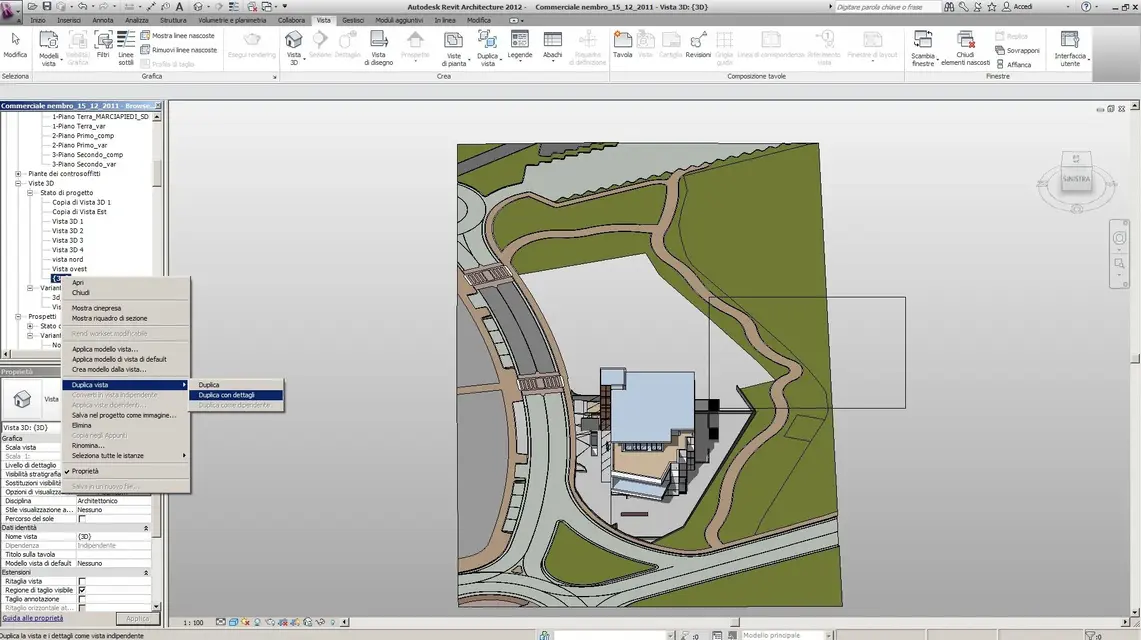
If you want to have a new point of view go to 3d views, duplichi your view and in that you look for a new point of view and so below
 

Attachments

  • vista prospettica.webp
    vista prospettica.webp
    189.7 KB · Views: 27
  • vista prospettica2.webp
    vista prospettica2.webp
    198.1 KB · Views: 24
No, I know what you mean. I do exactly as you do. just that if you decide to make a perspective for example but then you move in perspective, when you close the file and reopen it does not remain the exact place where I put myself... but only the general perspective. Do you understand now?
 
When you close the file and reopen it doesn't remain the exact place where I put myself... but only the general perspective.
What do you mean by "general perspective"? :confused:
You are an architect, speak with appropriate terms! Thank you.
 
So... imposed a 3d view through the camera. I'll fix it as I want... I open its sight and see what I wanted to see. But then I move in to the view to look for a detail, the part that interests me and then I come to assume another position within the same perspective. I'm doing my nice render and I'm fine. I close the program and go to bed. the next day there are changes to be made because the project was not good (for example: I have to make a view of a kitchen and change the table -> I have to do it again) and I have to remake the render. shore on the view and opens the perspective and not the exact point I had used before to make the... so I have to remove myself within the perspective and look for the right position that will certainly never be the same as before.. I'd like that.
 
What are you moving into perspective? What instrument do you use?

edit: and what version of revit are you working with?
 
it would be the case that I did some screen image to better understand, because to me if after positioning the camera and activate the view I move I remain memorized the last position and if I reopen the view is always that of the last position
 
I did a test on my home computer and I have to say that I actually had some problem:
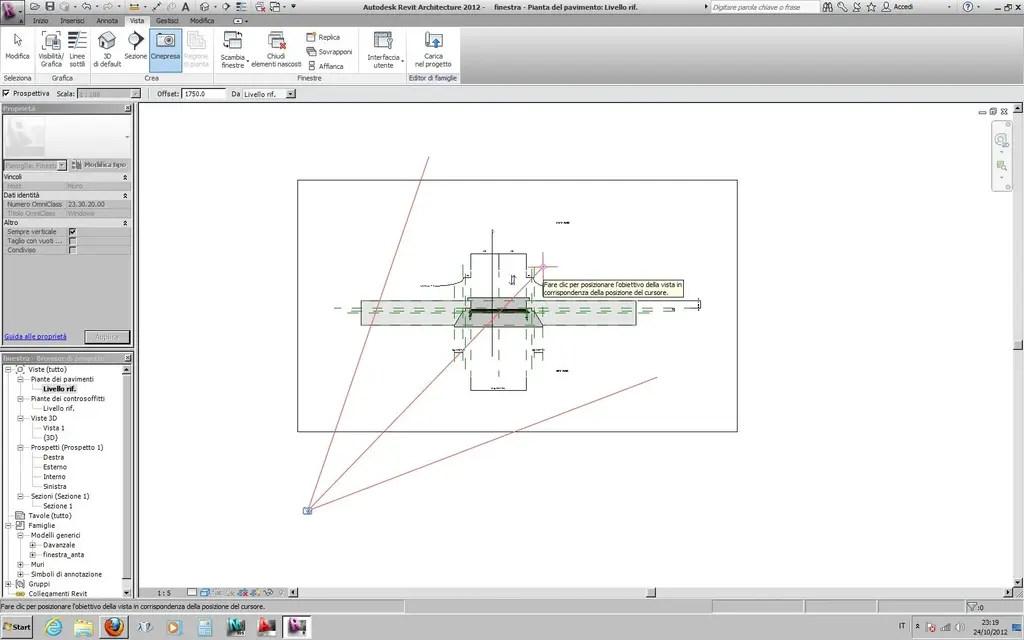
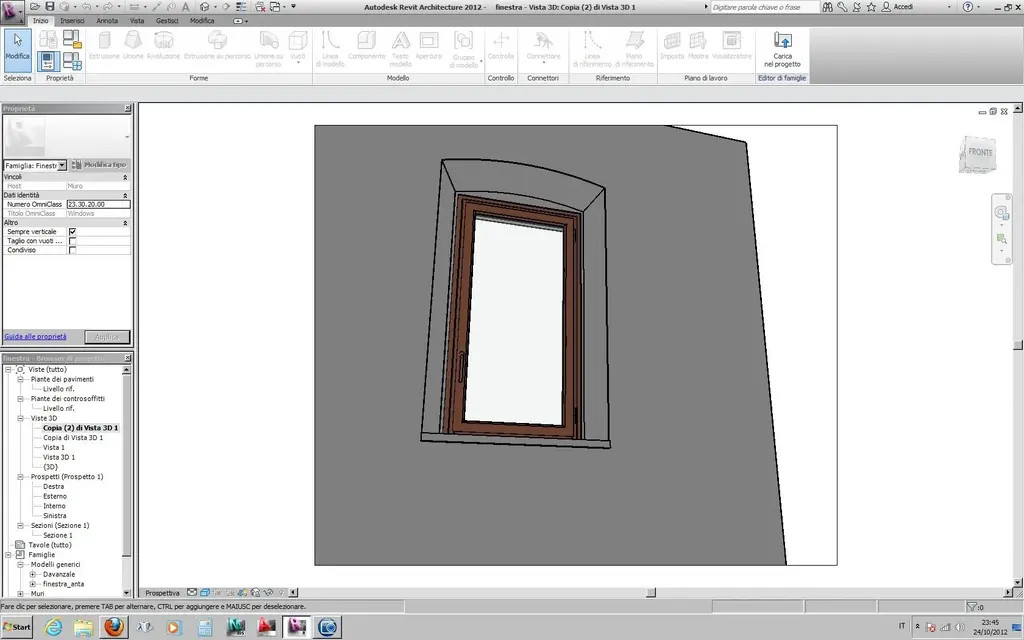
open a project (family window) and positioned camera - image 1
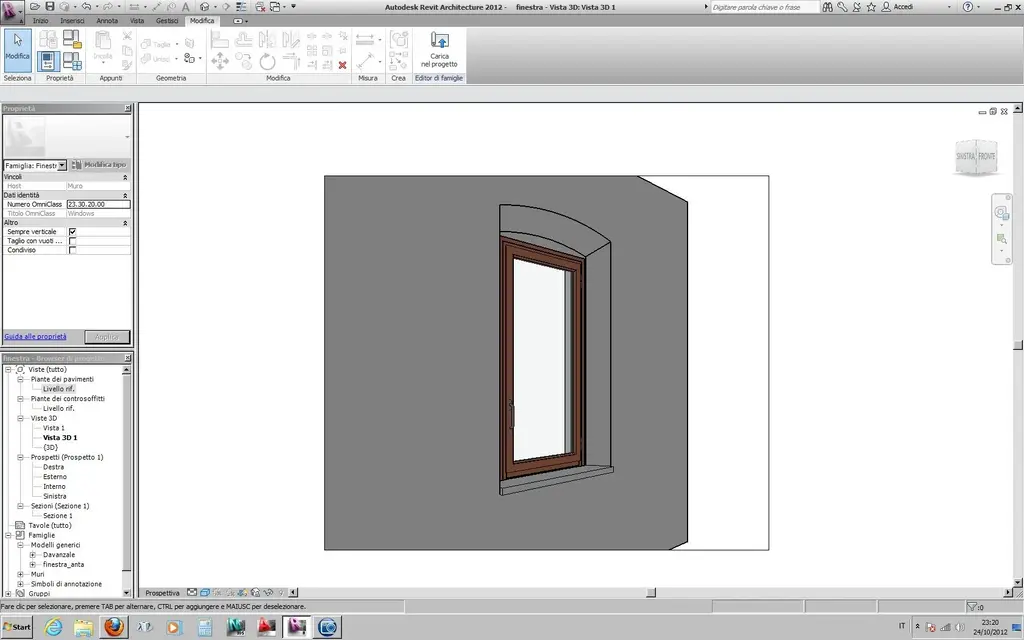
image 2 : 3d view obtained
image 3 : using the cube I rotated the view
closed the project
reopen the project and open the view and kept the starting view as it happens to you - image 4
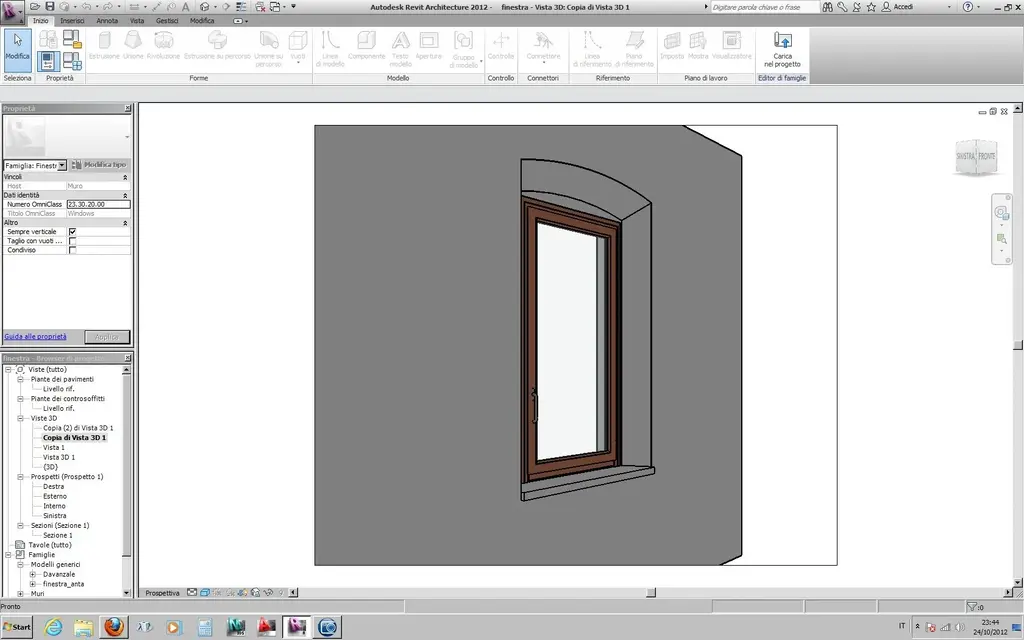
at this point I duplicated the view and made it rotate
I redoubled the view and closed the project
reopen the project and the last copy has kept the change - image 5
:confused:
 

Attachments

  • 3d-1.webp
    3d-1.webp
    103.3 KB · Views: 11
  • 3d-2.webp
    3d-2.webp
    91.7 KB · Views: 10
  • 3d-3.webp
    3d-3.webp
    101.2 KB · Views: 10
  • 3d-4.webp
    3d-4.webp
    95.3 KB · Views: 8
  • 3d-5.webp
    3d-5.webp
    104.9 KB · Views: 11
as soon as I have a moment I want to try to see if the same thing happens with steering wheels
 
It's exactly how you showed up with pictures. I use the mouse but I think it's the same thing using the cube to rotate the view. But I didn't understand... She finally did it right to you? You had to duplicate the view twice, and then you kept it? I had already tried, but he didn't save me the exact position. Meanwhile, thank you! At least now my problem is a little clearer. . .
 
:confused:
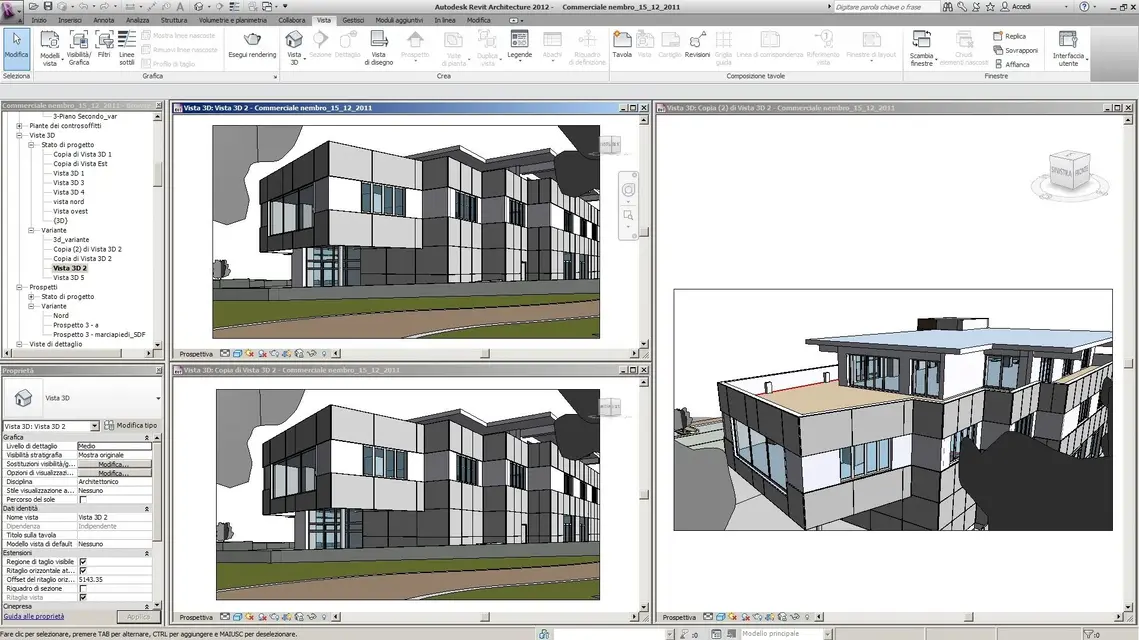
remade the iter in the office with another 3d
basic I have in variant the "view 3d 2", the duplic in "view copy 3d 2" and I modify the view as in "copy (2) view 3d 2" (which however I create later)
close the project and revit
reopen all and "view copy 3d 2" is equal to "view 3d 2"
I rename the view and dupl "view copy 3d 2" in " copy (2) view 3d 2"
close the project and revit
reopen all and "view copy 3d 2" is equal to "view 3d 2", but "copy (2) view 3d 2" maintained the change
as seen from the image attached
more and more:confused:
 

Attachments

  • vista prospettica3.webp
    vista prospettica3.webp
    235.4 KB · Views: 14
The same thing happens to me.
I had never noticed this "bug" (if so can be defined) so long that tiazzo did not place the problem.
but this does not happen (and therefore the modified view remains such even after the closure of the program and subsequent reopening) if the new modified 3d view (at least to me it maintains the last position and without having to copy new views)
 
thank you make54! Unfortunately it does not work... I did a test with a cube and that comes, but when I do it with my project doesn't go... anyway thanks.

I'm sorry, manuel, but how do you "luck" your sight?
 
Hi.
3d views that serve to be printed and/or rendered must be blocked to accidentally avoid having to change the view itself.
to block the view 3d go down where you have the commands "show elements" (the bulb), hide/island (the glasses) and then you should find a cottage with a padlock (if the lock is opened the view is unlocked, if it is closed is blocked) ... "element watson!" :tongue:
 
hello to all

if I understand the problem

I have always done so:
with 2012

1) I create perspective view
2) Modify it with the mouse or cube
3) the duplic

and the view remains modified after saving


Hi.
 

Forum statistics

Threads
44,997
Messages
339,767
Members
4
Latest member
ibt

Members online

No members online now.
Back
Top