• This forum is the machine-generated translation of www.cad3d.it/forum1 - the Italian design community. Several terms are not translated correctly.

shape chain with bows

  • Thread starter Thread starter brn
  • Start date Start date

brn

Guest
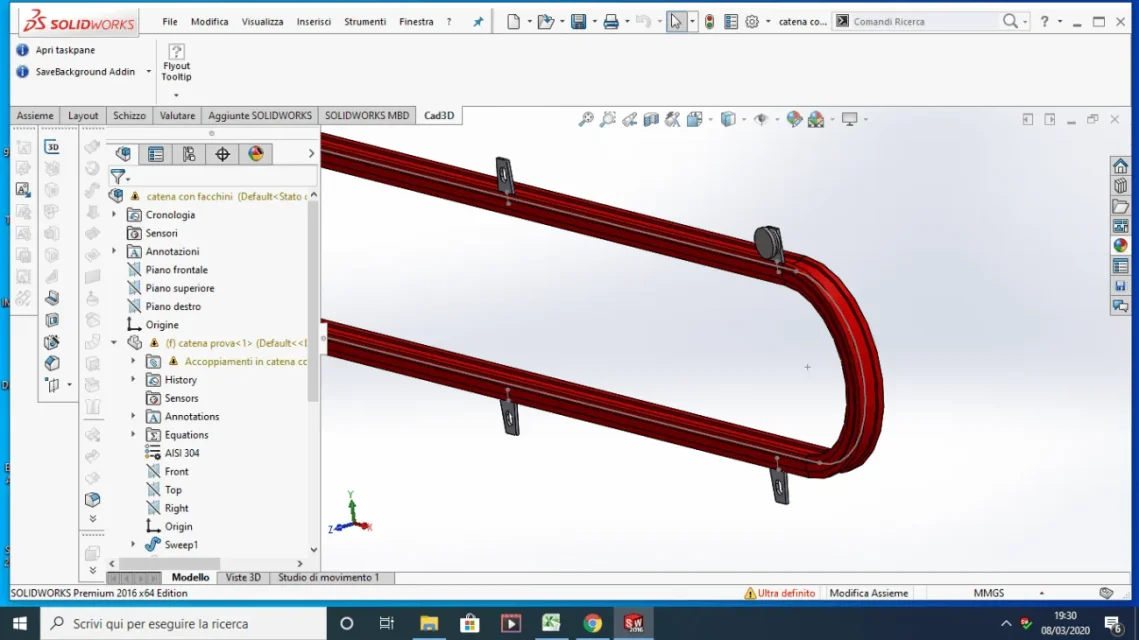
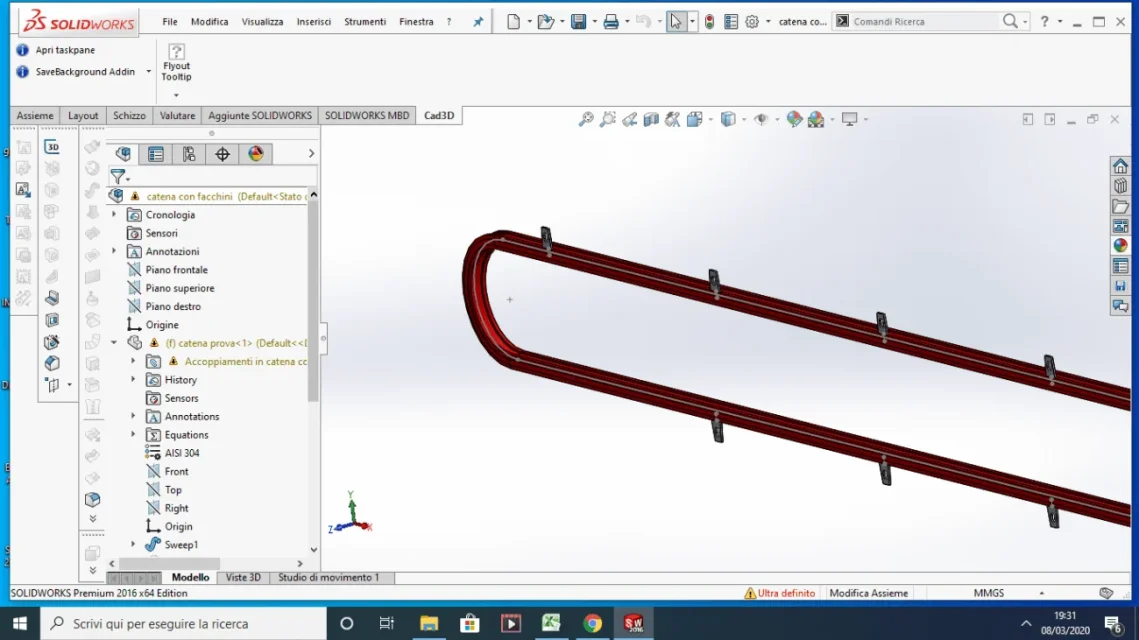
hello to all I would have a problem: I'm supposed to shape a chain with handkerchiefs, I don't care about the chain itself that I shaped like a sweep with its profile to assess its footprint. I am interested instead to model the position of the carpenters along the chain according to a parameter that gives me the position of the first bundle, I tried with the chain repetition but the result does not come back: in some points I have holes, moreover if the point on dynamic does not put me correctly the carpenters on the return of the chain.
I attach the file together and the step file.
Thank you very much
 

Attachments

  • prova cad 3d.rar
    prova cad 3d.rar
    372 KB · Views: 4
  • buchi.webp
    buchi.webp
    73.4 KB · Views: 32
  • prova catena.webp
    prova catena.webp
    76.8 KB · Views: 29
Let's see if I understand:
the stride is 241,3
the repetition should be of 76 earrings
the product is therefore 18338.8 which is the length of the chain measured in the average axis.
but the bundle is rested on the outside of the chain that has a length of 18735.4 pairs to 77,6 lockers.
I think this is the mistake that brings you a wrong result and that is the repetition is based on the sketch created to make the chain when it should have a dedicated sketch (maybe you can also choose the loop of the edge, in 2014 there is no this command is going to memory)
is a deduction extracted from the step file so I could not analyze how the axieme was developed.
 
then I noticed the problem and in the part of the bundle I drew a sketch with a point that went to take the primitive measure of development, so in theory the process should be right. I tried to project a sketch on the outside where the bow is supported but I did not notice differences
 
I remade the model and using the middle axis of the chain the result back, maybe before I had wrong to insert some value. I'll coach you.
I made two repetitions: one on the average axis and one on the outside; I made 77 repetitions instead of 76 to highlight that the circle closes correctly in the first case and not in the second.
from your images but you do not understand what the problem is; talk about holes, but in the first picture there is only one element that should fall immediately before the curve start. the second image I didn't understand what it should show.

tomorrow I look at the complete axieme, if you can add some more information such as: What does it mean that the result doesn't come back, what result and why doesn't it come back? What's this about the holes?
 

Attachments

Hello thank you for the help I see that you to solve the problem did not use chain repeat from the axieme but the repeated guided with curve inside the part. I like the same as a solution, indeed it is probably more manageable.
the first attached screen shows that missing a earmark right on the curve and this is the problem, means that the repetition is wrong. the second image was only to show what I had to repeat.
thanks for the help
 
I used part repetition because in 2014 I have at home there was no chain repeat command together.
doing some tests by manually modifying the number of instances 8fill path) and clicking on doing the same spacing you notice that it does not accept equal instances and this would prevent the closure of the repetition.
Now I don't have time to analyze the situation, if something happens, I'll take you
 

Forum statistics

Threads
44,997
Messages
339,767
Members
4
Latest member
ibt

Members online

No members online now.
Back
Top