• This forum is the machine-generated translation of www.cad3d.it/forum1 - the Italian design community. Several terms are not translated correctly.

sheet metal hopper, 2 non-symmetrical surface development

  • Thread starter Thread starter rizzifrizzi
  • Start date Start date

rizzifrizzi

Guest
Good morning, I tried to search the forum and it seems to me that the subject has never been treated.
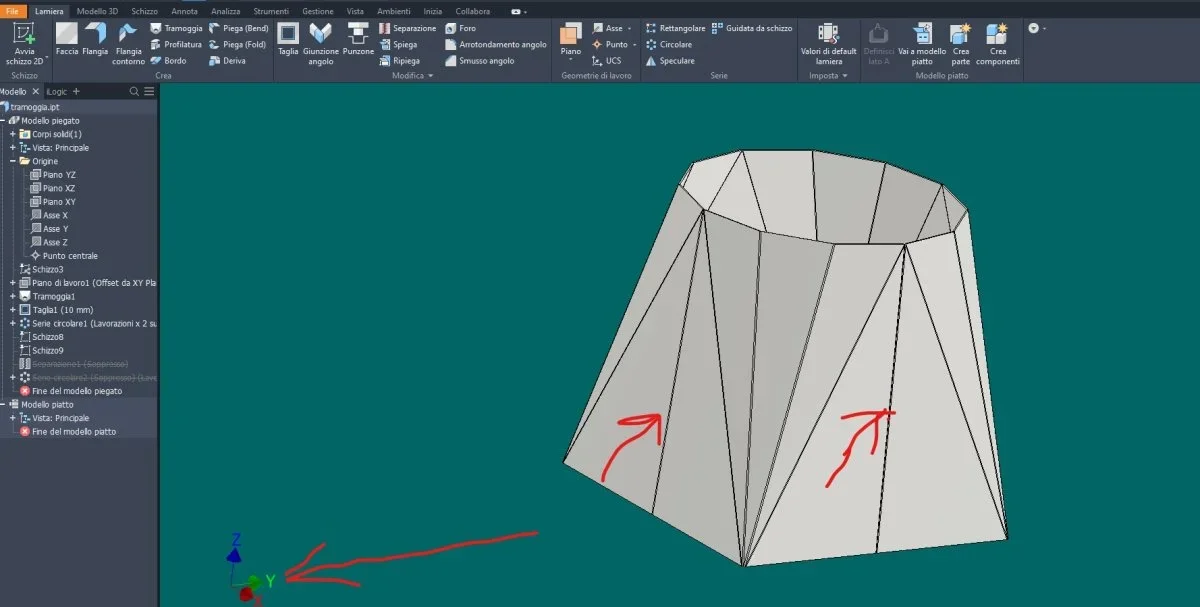
If you make a sheet metal hopper, then I'll put it along a line (or through separation or through extruded cut) I can obtain the flat development. All clear.
1672216412607.webp 1672216441613.webpeven if I separate the hopper 2 times creating 2 equal specular parts (making a further diametrically opposite separation or with the extruded cutting tool passing) I can see the flat development of one of the 2 parts that is obviously identical to the other.
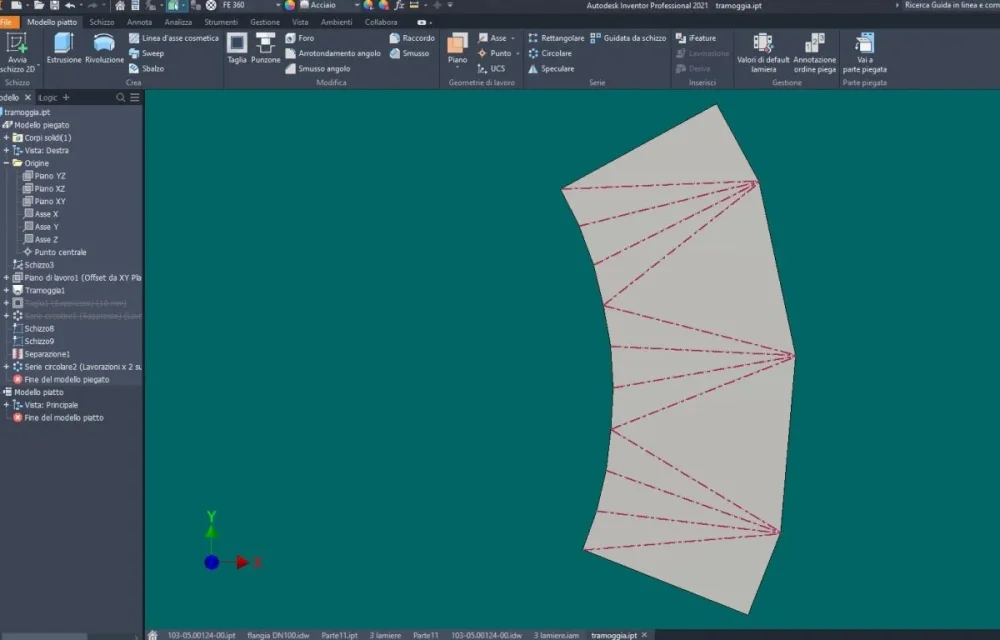
1672216570470.webp 1672216604699.webpWe suppose instead of cutting the hopper in a quarter, the program returns me the development plan only of that quarter. Does anyone know how to see the development of the remaining 3/4 hoppers? Is there a way?
1672216894064.webp 1672217074732.webplong ago I asked who sold us the package and as quite experienced on the functions even a minimum of post-sales assistance but he also knew nothing about it.

Thank you.
 
I'm struggling to understand the question. .
the developments created them all, what do you miss?

for info, I personally find it more convenient to use multiple parts and create the welded axieme, since the actual creation would be that in case of 4 parts or 2 separate parts, developed, folded and then welded.
 
I think I can guess (the description of the problem is a little lacunous so the shot) that you are always working on the same solid, where I had yours:
1) created the hopper
2) divided the hopper
3) try to create developments
This procedure does not work: inventor does not develop multibody and at least guesses if the various pieces are different parts. if you have used the split tool and/or created a solid multibody you can easily, with the tool command>create components divide into various files the hopper and get individual developments
1672223279055.webp
 
Thank you for replying. @catcher : I did not create a multibody, for me remains a single part. and yet development gives it. but from the development of the fourth, instead I would need the development of the remaining 3/4.

1672245904406.webpwhat is not clear to me is based on what logic returns me an explained part rather than the other when I dissect the part asymmetrically. .
 
hi, I also tried (Inventor 2021 ) and came to these conclusions:
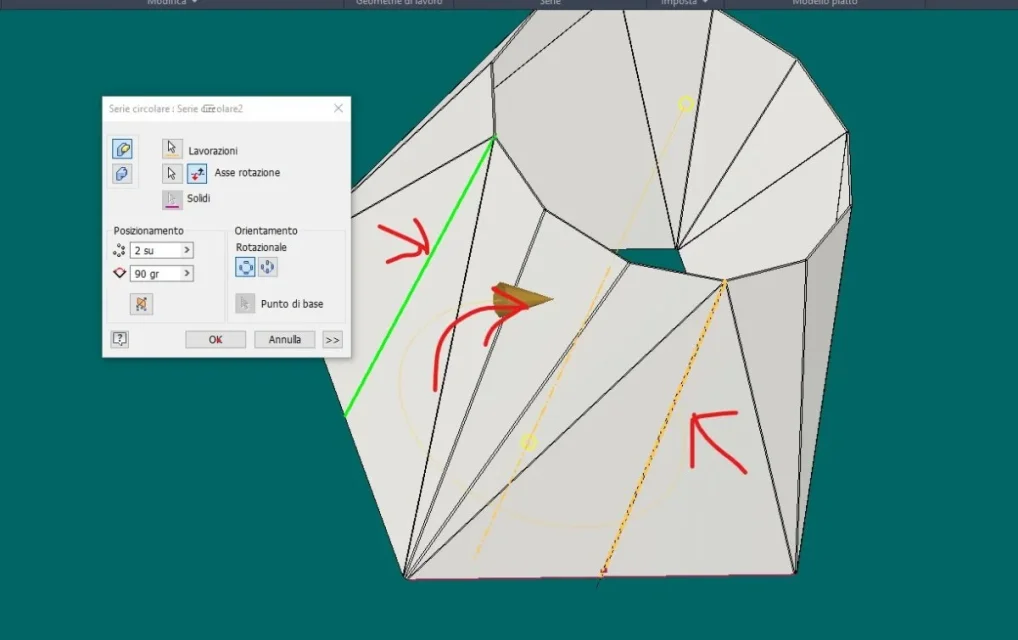
  1. making a cut, then a repetition of the same 2 times at 90° the development that makes is always the largest one regardless of the sense of repetition, hourly or anti-clockwise.
1 cut images from 1 to 4
  1. if I make a repeated separation 2 times to 90° it makes me the development of 1/4 or 3/4 depending on the direction of rotation, hourly or anti-clockwise, of repetition.
pictures separation to and separation b

Hi.
 

Attachments

  • separazione B (1).webp
    separazione B (1).webp
    59.8 KB · Views: 4
  • separazione A (2).webp
    separazione A (2).webp
    43.9 KB · Views: 2
  • separazione A (1).webp
    separazione A (1).webp
    47.5 KB · Views: 1
  • taglio 1 (4).webp
    taglio 1 (4).webp
    49.4 KB · Views: 1
  • taglio 1 (3).webp
    taglio 1 (3).webp
    37.8 KB · Views: 1
  • taglio 1 (2).webp
    taglio 1 (2).webp
    57.2 KB · Views: 1
  • taglio 1 (1).webp
    taglio 1 (1).webp
    44.5 KB · Views: 1
  • separazione B (2).webp
    separazione B (2).webp
    49.9 KB · Views: 2
if I make a repeated separation 2 times to 90° it makes me the development of 1/4 or 3/4 depending on the direction of rotation, hourly or anti-clockwise, of repetition.
That's right.
Thanks what I was looking for.

I then share what @ drbarde says that the best thing is to join the individual parts together but for what I need to do now is enough so.
 
This procedure does not work: inventor does not develop multibody and at least guesses if the various pieces are different parts. if you have used the split tool and/or created a solid multibody you can easily, with the tool command>create components divide into various files the hopper and get individual developments
That's right.

create a multibody, carry out different components (such as separate parts, depending on the mother part, multibody).

successful development you do it on the part exported by multibody, after re-associating the rule for sheet metal and having defined the face that remains fixed during development.
 

Forum statistics

Threads
44,997
Messages
339,767
Members
4
Latest member
ibt

Members online

No members online now.
Back
Top