• This forum is the machine-generated translation of www.cad3d.it/forum1 - the Italian design community. Several terms are not translated correctly.

stained shadows on renders

  • Thread starter Thread starter Lôrd Andrew
  • Start date Start date

Lôrd Andrew

Guest
Hello, guys, I'm new to the forum, but I've been following it for a long time for its usefulness.
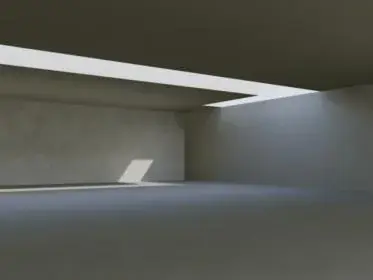
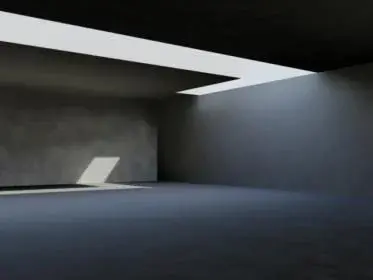
I have a problem to which I am devoting too much time without solving it and I wanted to ask you treddisti if you could help me. then the problem is as follows: when I make a scene with autocad 2011 with solar lighting and with active final gathering I noticed that it makes me shadows on the stain surfaces, to make them disappear I added some dot lights, but since I need to make a scene only with solar lighting of interiors I don't understand how to make these strange shadows disappear, I have dismantled a little between the parameters without results. I hope you have the solution!

I'll get you an image of the problem on the fly.
 

Attachments

  • 1.webp
    1.webp
    4.1 KB · Views: 82
in global lighting options choose uses radius and set a sufficiently high value (vary according to the scale used and the size of the premises)
 
I tried to raise the values even high but the watercolor style stains remain, they are lightly cleared and then I global lighting disables always when active other lights or the sun, it also recommends autocad.in the shadow zones create these surreal spots also using different textures.

place the modified image with radius values 10,0000 I also tried 10000.0000 but looks equal, the only thing that changes is the rendering time.I also tried to raise the photons, but nothing.

some other method?:frown:
 

Attachments

  • 2.webp
    2.webp
    3.5 KB · Views: 45
Of course! are 4 walls enclosed by floors, nothing that is an example that I did to test the lighting also to speed up the tests in rendering. I hope to solve soon because I have to apply it then to the model I'm working on and I hope to deliver as soon as possible.

I created a view with name (1) to make that part exactly.
 

Attachments

Of course! are 4 walls enclosed by floors, nothing that is an example that I did to test the lighting also to speed up the tests in rendering. I hope to solve soon because I have to apply it then to the model I'm working on and I hope to deliver as soon as possible.

I created a view with name (1) to make that part exactly.
I am not an expert, ste will certainly give you a more sensible answer, but from your model I noticed a few things:

1. the material has a strong index of refraction and I do not think that of the walls (if not the Venetian plaster) they describe a reflective effect so accentuated, to me they gave prioprio a mirror effect.
2.use American lighting units, I generally use or generic or international (but this may not mean anything).

now the render... I did a test and putting the rays and the final gatering effect decreases much (test1) then I made a test to show you what should affect by changing the rays, to do so I used a small radius and disabled the finalgathering(test2)

Maybe you won't need anything but since I did the evidence, I wanted to understand whether or not I took it.

Now we wait for your answer.

sin only that autocad does not save the settings of renders in the dwg...
 

Attachments

  • Test1.webp
    Test1.webp
    9.4 KB · Views: 68
  • Test2.webp
    Test2.webp
    14.8 KB · Views: 63
I'm doing some lost time trials, too. the problem arises from the lighting of the sky. tomorrow I have a little time maybe I look better
 
I am not an expert, ste will certainly give you a more sensible answer, but from your model I noticed a few things:

1. the material has a strong index of refraction and I do not think that of the walls (if not the Venetian plaster) they describe a reflective effect so accentuated, to me they gave prioprio a mirror effect.
2.use American lighting units, I generally use or generic or international (but this may not mean anything).

now the render... I did a test and putting the rays and the final gatering effect decreases much (test1) then I made a test to show you what should affect by changing the rays, to do so I used a small radius and disabled the finalgathering(test2)

Maybe you won't need anything but since I did the evidence, I wanted to understand whether or not I took it.

Now we wait for your answer.

sin only that autocad does not save the settings of renders in the dwg...
hi, first of all thanks to the answers and the evidence you have done, I just wanted to know that version of autocad uses, because the library of materials present in autocad 2011 is not seen in the same way from the previous versions (I would like to understand why). example: a glass with certain characteristics made with 2011 is not seen in making similarly from other previous versions and maybe that's why you see the wall too reflexive. Then I tried to perform a render with your same parameters on global lighting increasing the rays even at the final gathering but the stains are still there, I don't come as in your first test.comunque specific that as the intensity factor of the sky I put 10,0000 to make the scene less dark.

I'll test it with your parameters.
 

Attachments

  • 99.webp
    99.webp
    3.3 KB · Views: 31
for these tests I used a demo version of 2011 (it's for what I'm doing with new settings too)

leaving your lighting and material settings unchanged, I noticed that the bundles tend to disappear by setting the radius value in the final harvest 5000
rendering slows down considerably but the spots disappear or in any case you notice much less.
 
maybe this is the post that I do for me....you place the renders made with autocad 2011...and 2008 in the sense that some materials I uploaded them working the file on aud 2008 others on aud 2011. .
the problem that I think most is that of the extreme darkness of some areas of the model... and of the excessive brilliance of others. (the model is oriented with the main windows to the south and the date is that of 20 June at 12)
I don't have the paramentaries here as soon as I get them back, but I want to ask a few questions to begin with.
I press that I make with autocad for 3' years now (with versions with mental ray obviously) the other manco if they could call make... .
in making facts time ago I didn't have these problems....but since I think that making you make settings that you find, I never let myself get rid of standard values... before I always try to find new combinations....
these renders that place are made with quite high gi and fg settings and the energy multiplier is average to 4.
I usually do not put material on the inner walls I prefer to play with the colors from pantone layer....and this I begin to think is a mistake...I made various tests increasing and decreasing the ray of the photons of the gi and fg but the results were always scarce....in addition I use the photometric lights meaning with what I put the units on international....not that I insert physical lights.. .unless the spotlights you see that nn are real spots but of the spheres of glass material with a self-enlightment increased to the inverosimile. All this because I think in a daylight the artificial lights are not enough.
I wonder what I said?
1) Is it possible that I put material on the walls to create these objections?
2)When imposed sun and sky background the orientation counts at the end of the brightness of rendering?
3) I felt that drawing the model in a scale rather than in another count...but even if I put physical lights?
4)Last use often the display window render (esposizrender) to manage contrast brightness and average tones....but in this case did not work with average high values in print the renderings were very dark.

Greetings to everyone and a thank you to those who would give me some tips I in the meantime keep looking for the solution!
 

Attachments

  • a.webp
    a.webp
    20.7 KB · Views: 57
  • b.webp
    b.webp
    18.1 KB · Views: 40
  • c.webp
    c.webp
    18.1 KB · Views: 39
  • d.webp
    d.webp
    20.6 KB · Views: 31
  • e.webp
    e.webp
    21.7 KB · Views: 34
hi, first of all thanks to the answers and the evidence you have done, I just wanted to know that version of autocad uses, because the library of materials present in autocad 2011 is not seen in the same way from the previous versions (I would like to understand why). example: a glass with certain characteristics made with 2011 is not seen in making similarly from other previous versions and maybe that's why you see the wall too reflexive. Then I tried to perform a render with your same parameters on global lighting increasing the rays even at the final gathering but the stains are still there, I don't come as in your first test.comunque specific that as the intensity factor of the sky I put 10,0000 to make the scene less dark.

I'll test it with your parameters.
I used autocad 2011 and in fact I noticed also that of the settings of the materials already made with previous versions.
However in general I noticed that the management of lights in autocad is really tough... not so much for complexity, but because you can't understand how to do what... once in a way it works, then just have a file made from other sources and the same method does not work... Mah... mysteries
 
...
However in general I noticed that the management of lights in autocad is really tough... not so much for complexity, but because you can't understand how to do what... once in a way it works, then just have a file made from other sources and the same method does not work... Mah... mysteries
Lucky there's 3d studio!
 
Lucky there's 3d studio!
Unfortunately with 3d studio I do not have the same knowledge that I have on autocad, although I would like to learn it to realize more realistic and beautiful renderings to see.:frown:
 
Hey, sorry I'm late. To solve the problem, you have to act on g.i. , if you want a real advice though... abandon autocad to make the renders, it is very slow and not from adequate results, I now make the models with autocad, then save them in dwx 2004, I pass them on rhinoceros (which has a very similar interface to cad) to give it the materials and I make it with maxwell plug-in rhino... .
maxwell is a simulator of light, which means you will forget about eternal settings and failing results, just send the rendering and get spectacular images, it is not a champion of speed but also autocad is very slow... Good luck!
 
Hey, sorry I'm late. To solve the problem, you have to act on g.i. , if you want a real advice though... abandon autocad to make the renders, it is very slow and not from adequate results, I now make the models with autocad, then save them in dwx 2004, I pass them on rhinoceros (which has a very similar interface to cad) to give it the materials and I make it with maxwell plug-in rhino... .
maxwell is a simulator of light, which means you will forget about eternal settings and failing results, just send the rendering and get spectacular images, it is not a champion of speed but also autocad is very slow... Good luck!
thanks to the advice, if you say it is not complicated to set the parameters type 3d studio I will try to make something with rhino to see the differences.
do you have any photos to post just to understand the skills and level of realism that you can get with rhino?
 
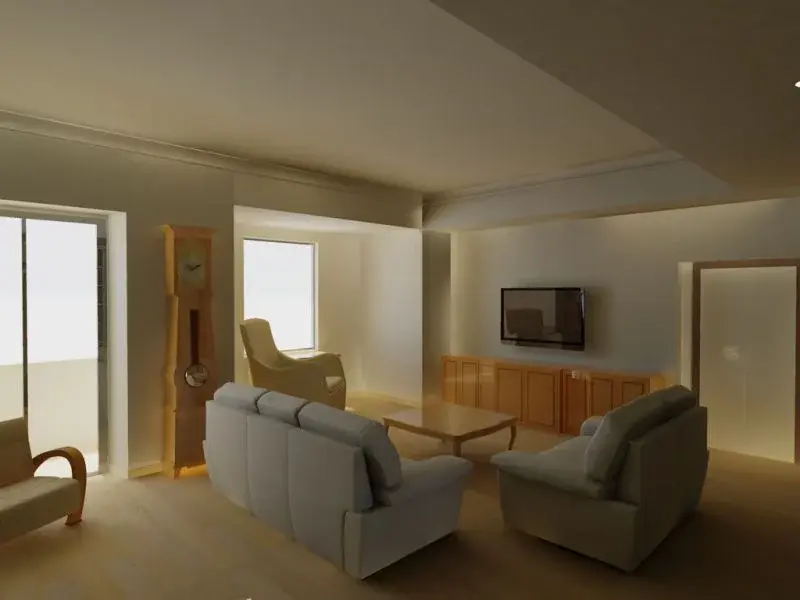
...premitting that I am a beginner, this is a make-flight... look at the quality of light.... and you don't have to set anything! !
p.s. do not make with rhino... use rhino to make with maxwell, which can also be used as a plug-in for rhino.. .
 

Attachments

  • interno3.webp
    interno3.webp
    195.2 KB · Views: 33
...if you care, then I'll explain how to install maxwell on rhino...
good job!
Yes I care!not bad as lighting, just because the image is so dotted? Is it always something that needs to be set? or as you told me by flying it you didn't move any parameters.
 

Forum statistics

Threads
44,997
Messages
339,767
Members
4
Latest member
ibt

Members online

No members online now.
ciao
Back
Top