apextar
Guest
I'll explain.
autocad-
you can send only one render at a time
works for "tassellation (when you send the render you create a square after the other on black background).
completed the image render is finished.
Maxwell-
you can send more render simultaneously
the time of rendering is infinite, you can decide when to stop and save the image
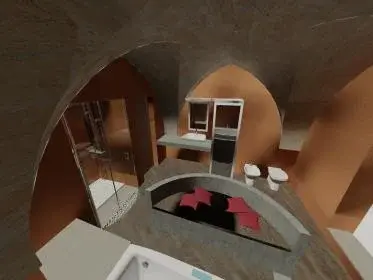
the screen starts from an image full of "puntini" which, later on, the more they are refined.
(the dots you saw are typical of a stopped render after a short time, do not fit with the settings)
the only settings you do on maxwell concern materials and type of lighting, the rest is created for light simulation automatically acting as on a camera with iso, focal length etc.
to install maxwell, download maxwell plug-in rhino (such as demo from the internet or on e-mule) then go on rhino properties and load the maxwell plug-in, done this all the time you launch a rhino render will be exploited maxwell render as a motor and you will load on the main string the curtain with the scene manager and the database manager, in order, to set the scene and to search the materials in the... .
to start:
scene managers
1st tab_material_transmit the materials you want to use from libraries
2°tab_camera_regulating image resolution and iso(luminosity) which you can adjust even in progress to render.
3°tab-imposti position and now as in autocad
4°enveiroment- here imposed the type of light sky dome( diffuse light) indicated for the industrial and physical sky that is the simulation of sunlight with the usual parameters of atmosphere, intensity, color etc....(for now negligible)
It's very simple. .
Good luck!
autocad-
you can send only one render at a time
works for "tassellation (when you send the render you create a square after the other on black background).
completed the image render is finished.
Maxwell-
you can send more render simultaneously
the time of rendering is infinite, you can decide when to stop and save the image
the screen starts from an image full of "puntini" which, later on, the more they are refined.
(the dots you saw are typical of a stopped render after a short time, do not fit with the settings)
the only settings you do on maxwell concern materials and type of lighting, the rest is created for light simulation automatically acting as on a camera with iso, focal length etc.
to install maxwell, download maxwell plug-in rhino (such as demo from the internet or on e-mule) then go on rhino properties and load the maxwell plug-in, done this all the time you launch a rhino render will be exploited maxwell render as a motor and you will load on the main string the curtain with the scene manager and the database manager, in order, to set the scene and to search the materials in the... .
to start:
scene managers
1st tab_material_transmit the materials you want to use from libraries
2°tab_camera_regulating image resolution and iso(luminosity) which you can adjust even in progress to render.
3°tab-imposti position and now as in autocad
4°enveiroment- here imposed the type of light sky dome( diffuse light) indicated for the industrial and physical sky that is the simulation of sunlight with the usual parameters of atmosphere, intensity, color etc....(for now negligible)
It's very simple. .
Good luck!