
• This forum is the machine-generated translation of www.cad3d.it/forum1 - the Italian design community. Several terms are not translated correctly.

steel rods

  • Thread starter Thread starter Mone89
  • Start date Start date
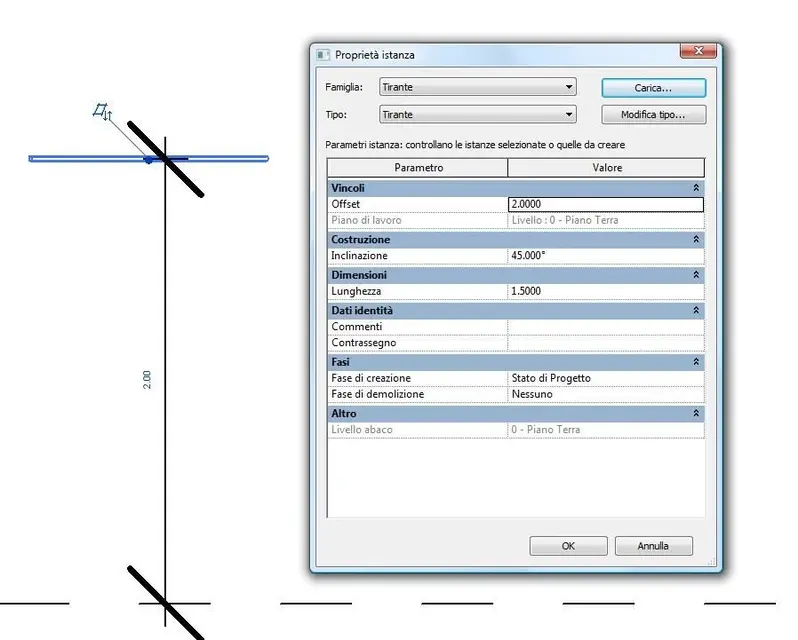
ah I add that always the tie you sent me does not respect the levels of plan. or if I put ground floor that is altitude 0 are 3 meters high respect and if I put a quota of offset from ground floor reason a little as he wants..es my pillar is 4.5m and if I put 4,5 offset ends up above the pillar without attacking.. .
 
ok calma...
ah I add that always the tie you sent me does not respect the levels of plan. or if I put ground floor that is altitude 0 are 3 meters high respect and if I put a quota of offset from ground floor reason a little as he wants..es my pillar is 4.5m and if I put 4,5 offset ends up above the pillar without attacking.. .
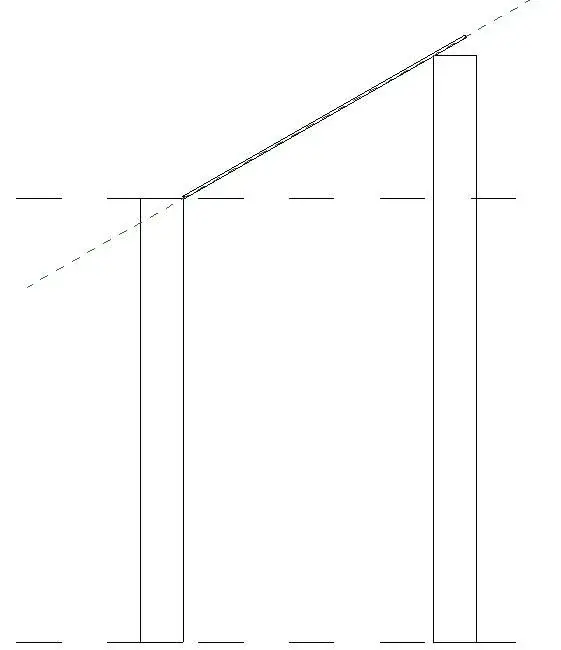
check well because I work correctly I attach an image (tirante 3)

As for differences in odds do so. .
  1. open the family
  2. click su parameter category
  3. the flag based on work plan
  4. reload the family into the project.
  5. drawings and nominations of the working planes between the various pillars so that the tie has the correct inclination.
  6. click pull component on worktop position
  7. imposed or select one of the plans you have created
  8. added length and rotation of the steering wheel from the propitiage
 

Attachments

  • tirante 3.webp
    tirante 3.webp
    39.1 KB · Views: 13
  • tirante 2.webp
    tirante 2.webp
    4.8 KB · Views: 10
as a work plan I make draws a reference plan pull a line that joins the 2 pillars but I can not set it as a work plan and if amount the tie and I tell him choose the work plan nn makes me select the line I created... How do I do that? I'm sorry if you're so close to me, but I'm crashing my brain with wires. .
 
draws the reference plan
the selections and in the properties instance in name you name the nominees.
move to a view of planimetry so to a viewing range that shows you everything.
component
you have the possibility to place it on a surface or on a working plane.good the second.
in the options bar you will find positioning plan and next to a drop-down menu.. expand it.
you should find the name of the plan you created and be able to set it as a plan of work...if you do not click on select>name and in the drop-down menu you set it.:finger:
 
Thank you 1000... I did it. or did you make me understand ahah... I really wasn't getting anything anymore, I was running out. you have given me a hand immense thanks anchor;) :finger:
 

Forum statistics

Threads
44,997
Messages
339,767
Members
4
Latest member
ibt

Members online

No members online now.
Back
Top