graziano-g
Guest
Bye.
I recently started using sw 2015 premium sp5, I need to build a frame with a square tube 15x15x1.5, section that however under sections - standard iso / type - square tube / size was not present, there were only 4 sections the smallest of which 20x20.
after asking a question to the right person I found an old discussion with a link to a beautiful library that for convenience found below: https://www.cad3d.it/forum1/attachment.php?attachmentid=17855&d=1290672000
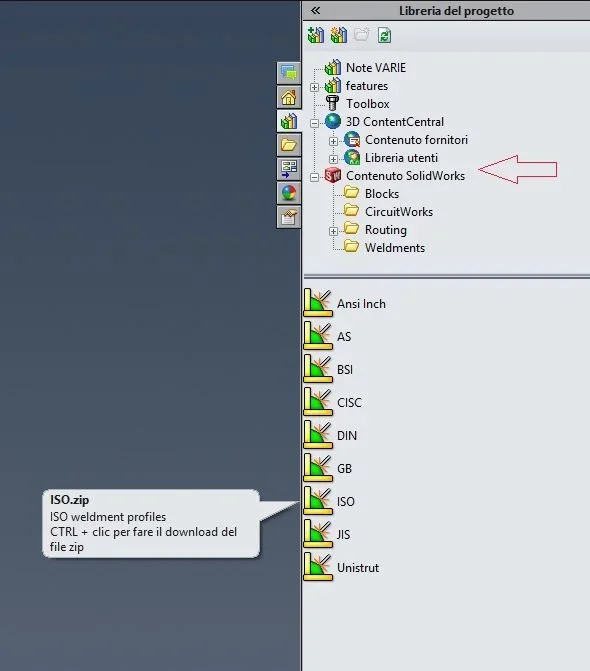
to complete this path in which to insert the content of the .zip file
c:\program files\solidworks corp\solidworks\lang\italian\weldment profiles\iso
But now there's something to fix, when I insert the profile, this message appears to me: Is there any pious soul who has time and desire to do what is recommended in the message?
Hello, thank you.
I recently started using sw 2015 premium sp5, I need to build a frame with a square tube 15x15x1.5, section that however under sections - standard iso / type - square tube / size was not present, there were only 4 sections the smallest of which 20x20.
after asking a question to the right person I found an old discussion with a link to a beautiful library that for convenience found below: https://www.cad3d.it/forum1/attachment.php?attachmentid=17855&d=1290672000
I was able to use the section I needed as in the library.I insert a library for "standard" profiles in fe.
had been created and posted taaanto time ago by the user gabriele swx. is well done and very useful:View attachment 17855simply add them to the weldment profiles folder (or from options point the system directly to the new folder) and will be available in the "welding module" as structural members.
greetings
Marco:smile:
to complete this path in which to insert the content of the .zip file
c:\program files\solidworks corp\solidworks\lang\italian\weldment profiles\iso
But now there's something to fix, when I insert the profile, this message appears to me:
Is there any pious soul who has time and desire to do what is recommended in the message?Hello, thank you.