• This forum is the machine-generated translation of www.cad3d.it/forum1 - the Italian design community. Several terms are not translated correctly.

sweep a 2d profile according to two trajectories

  • Thread starter Thread starter RitaCarmen
  • Start date Start date

RitaCarmen

Guest
Hello guys I've started using autocad recently so I have little experience. I have a problem: I can't use the sweep command using as trajectories more than a polyline yet I'm sure you can do it because if I don't remember bad I saw it do by someone.
Can you help me? Maybe I'm lost in a glass of water or I remember badly!
Thank you.
 
from the menu "edit" :
> polyline
you are asked to select the existing polyline that in this case you want to convert to spline
appear in the command line various options, type s corresponding to spline
and the game is made
 
from the menu "edit" :
> polyline
you are asked to select the existing polyline that in this case you want to convert to spline
appear in the command line various options, type s corresponding to spline
and the game is made
What's the matter with you? asked how to use more than one sweeping beads and you turn a polyline into a spline?? What's up? ?
I can't use the sweep command using trajectories more than a polyline
do not use sweep, use loft with guide option
 
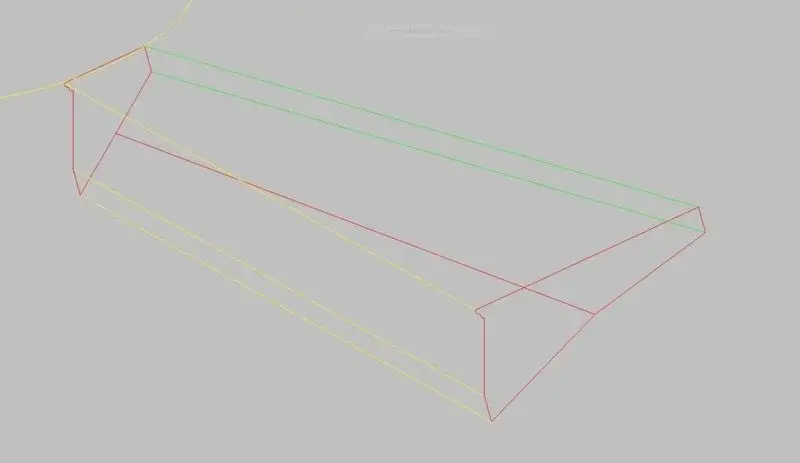
no you did not understand I want to sweep a profile 2d second not only one trajectory but two. This does not succeed me because as soon as I go to select the first polylinea that should act as a first trajectory, autocad already sweeps me without giving me the possibility to select together with the first polylinea that in my intentions should act as a second trajectory.

all I need to create a type step with custom profile of a stone helical scale.
 
Maybe by attaching a screenshot you can understand me better:)
 

Attachments

  • selezione.webp
    selezione.webp
    7.4 KB · Views: 31
Last edited by a moderator:
I tried to create the other 2d profile to make the loft but I can't even this time :s. tells me that the type of cross section selected is invalid yet I created two regions. I just can't figure out what's wrong! I hope you can help me.

p.s. Sorry to bother you!
 
try to post the profiles in question with the sections. that we take a look at him; if I don't remember badly the sweeppare sections must be perpendicular to the guides.
 
If this was the hoped result, do it with the loft command, as tristan suggested some post back!
 

Attachments

  • Profilo Scalino.webp
    Profilo Scalino.webp
    3.5 KB · Views: 10
I tried to create the other 2d profile to make the loft but I can't even this time :s. tells me that the type of cross section selected is invalid yet I created two regions. I just can't figure out what's wrong! I hope you can help me.

p.s. Sorry to bother you!
Since you created the second profile, did you try to make a simple loft only from cross-sections? I think I understand that trajectories are straight lines, so what do you need? ?
 

Forum statistics

Threads
44,997
Messages
339,767
Members
4
Latest member
ibt

Members online

No members online now.
ciao
Back
Top