• This forum is the machine-generated translation of www.cad3d.it/forum1 - the Italian design community. Several terms are not translated correctly.

symbol of circumference in quotas

  • Thread starter Thread starter Riccardo81
  • Start date Start date

Riccardo81

Guest
in the 2008 version you can manage the ø symbol style in the odds? if the symbol is inserted automatically is always different from the text style of the quota!

 
try editing the text, and type alt 157 (holding pressed alt key type 157 and axe everything...), you don't know if that's what you need, but try the same!
 
the symbol I can put it, that's not the problem.. .

For example: I have to quote the diameter of a hole in a section view where I only see the inner walls, to quote point on a segment of the hole and then on the opposite one, inventor gives me the diameter without the ø symbol. At that point I manually change the quota and insert the symbol in question. the style of the symbol is rightly similar to that of the value of the quota.
in all other cases though, when it is inventor to put ø, the style is always the default one not set by me!
 
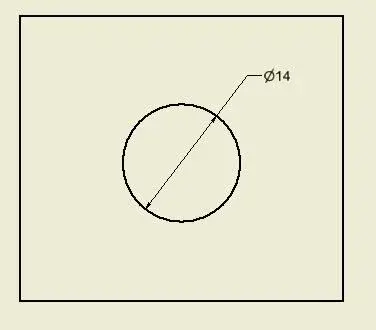
the symbol ø or ø puts it automatically only in the quotas that measure the "diameter" (see attachment), when quoti, for example, a hole in section for inventor is simply a distance between 2 lines, does not understand that it is a diameter.

Hi.
 

Attachments

  • Cattura.webp
    Cattura.webp
    3.5 KB · Views: 8
I have to quote the diameter of a hole in a section view where I only see the inner walls, to quote point on a segment of the hole and then on the opposite one
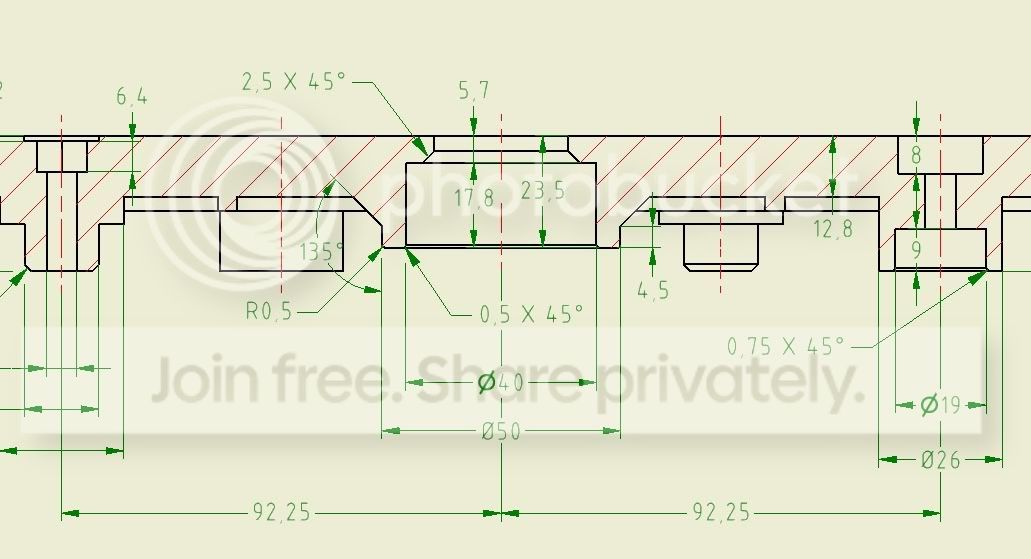
instead touches the segment that connects the two you use currently, with a careful choice of references you will have much less to edit.
 
per intenderci:
ce31949b.jpg
 

Forum statistics

Threads
44,997
Messages
339,767
Members
4
Latest member
ibt

Members online

No members online now.
Back
Top