• This forum is the machine-generated translation of www.cad3d.it/forum1 - the Italian design community. Several terms are not translated correctly.

text size according to the size of the surface on which you have to write

  • Thread starter Thread starter EUROTRAS
  • Start date Start date

EUROTRAS

Guest
Good day to all,
I can't fix this.
I have the need to write a text ex.e100p with character height 2 which then will be extruded on the curved surface of a tondo d.100 mm managed by ilogic.
the problem is that in relation to the size of the round must change the size of the writing and also the product code
ex.
tondo d.100 = text size 2 and article code e100p
tondo d.200 = text size 3 and article code e200p
etc.

I hope you can help me kindly.
Thank you again.
 
Hi.
As you manage with ilogic, the + logical thing is to enter into your rule of conditions where according to the diameter between (use less < and > greater) , go set the text height and the text value itself


diameter = 100

if (diameter > 0 and diameter <= 100) then
height_testo = 2
value_text=e100p

elseif (diameter >= 100.1 and diameter <= 200) then
height_text=3
value_testo=e200p

end if
 
Hello Matteo
I can't change the text height in relation to the diameter.
for now I managed to:
change the code according to the diameter: Okay.
logo extrusion height in solid: Okay.
text height in relation to the diameter: No.
Thanks again
 
perfect,
Thank you very much...
now the logo resizes according to the diameter.

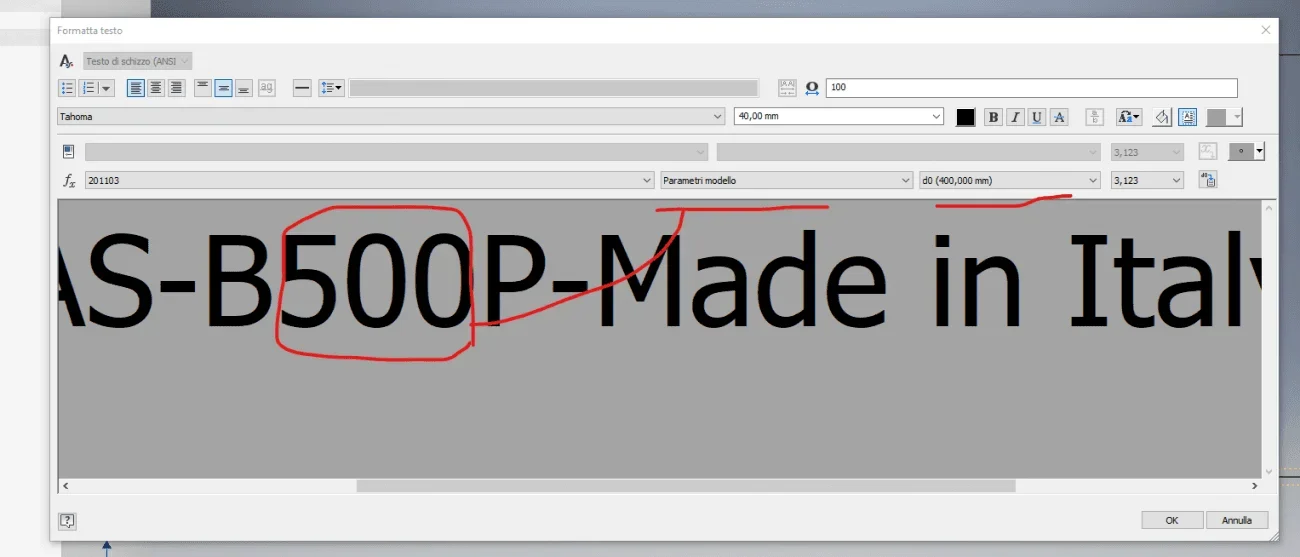
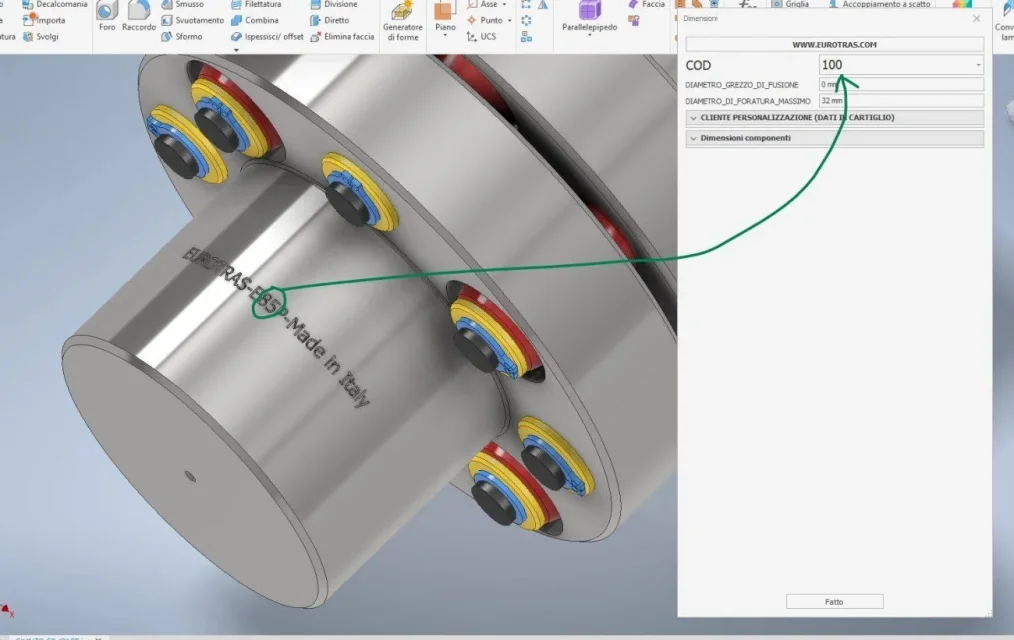
But now in the writing that includes the logo I also have the size(of the transmission joint), which must vary according to the size of the joint (image allego)
How can I do that?

Thank you in advance.
Annotazione 2020-11-03 164632.webp
 
Hello Matteo
thanks to your celery answer,
I tried your file but it doesn't work,
I don't know.
if various diameters and then various also "size"....the size value engraved in the solid does not change.
 
Hi.
I don't know what to tell you. I tried to ask english forums.
I have the 2020.3 version at the moment. autodesk says that with their trial version 2021.2 works, and they advised me to try to upgrade at least to 2020.3.3 and try. I don't have time for the moment to update inventor. If you want to try, you let me know.
 

Forum statistics

Threads
44,997
Messages
339,767
Members
4
Latest member
ibt

Members online

No members online now.
Back
Top