• This forum is the machine-generated translation of www.cad3d.it/forum1 - the Italian design community. Several terms are not translated correctly.

thread is not seen in solid

  • Thread starter Thread starter andrea1974
  • Start date Start date

andrea1974

Guest
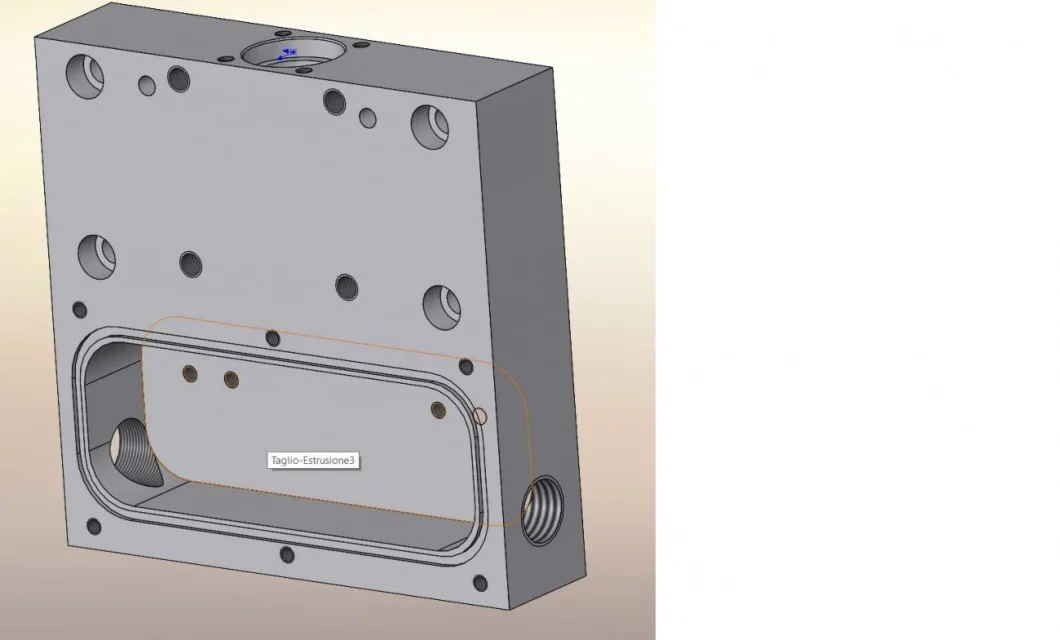
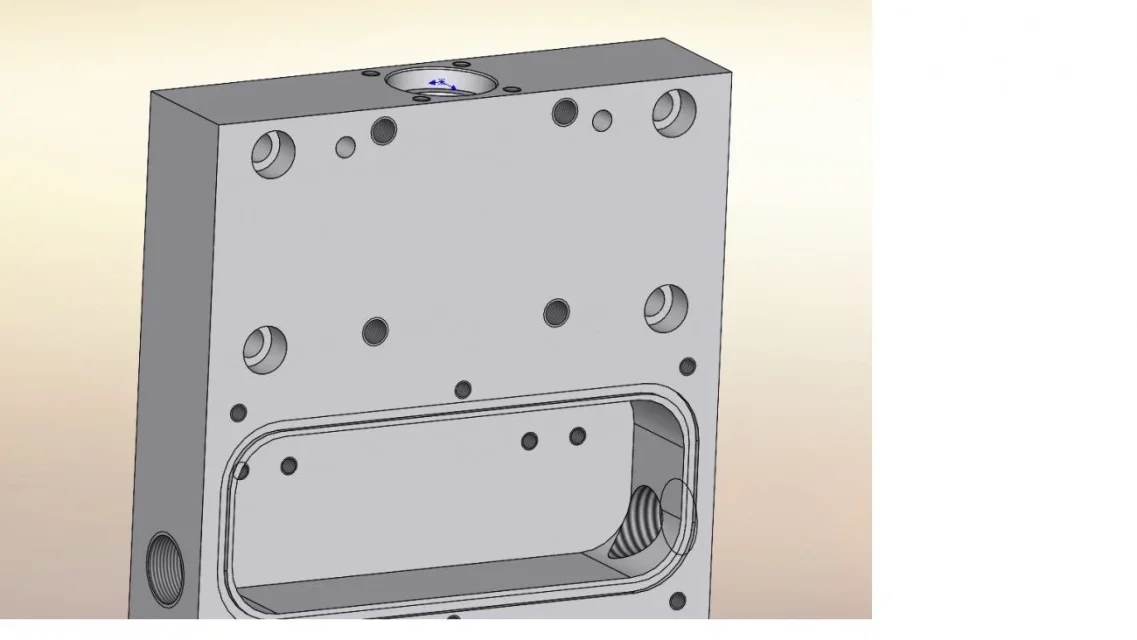
I've already seen that you've talked about it but not in solidworks 2021 that I use... You don't see the threads in the solid, I mean, I'm gonna make a m10 threaded hole, and you just see the 8.5 hole where the thread went? applies to any threaded hole, din, iso; hooks, etc...
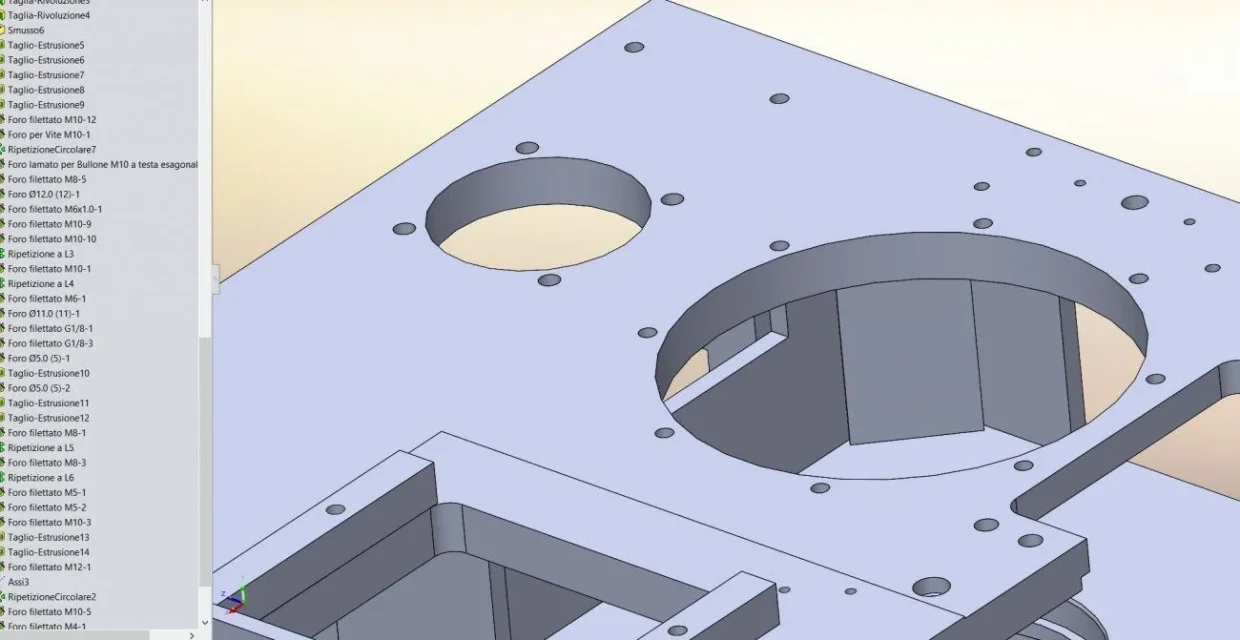
 
eehhhhhh mystery mysterious.... how do we guess without files, without images, without description of the utlized functions.... would you succeed?
 
these are largely threaded but you do not see.. .
 

Attachments

  • FILETTI MANCANTI.webp
    FILETTI MANCANTI.webp
    64.9 KB · Views: 64
certainly with that image is all clearer.
could be:
the annotations off
not inserting cosmetic thread
suspension of cosmetic thread
......
 
annotations -> details -> display filter (cosmetic fixtures, shady cosmetic threads)
 
... annotations -> details -> display filter ( cosmetic fixtures, shady cosmetic threads) ...
Wait.. in the table or solid?
 
annotations -> details -> display filter (cosmetic fixtures, shady cosmetic threads)
refers to the annotation card of the function tree in the environment part on which you have to press right button.
and with this we would be at 4 possible reasons why you do not see the threads.
 
controls to do to circumscribe the problem:
-to verify that the cosmetic thread was included at the time of creation
-to verify that the annotations are visible (menu displays>hides/shows> all annotations)
-to verify that the cosmetic threads (if present) of the drilling functions are active and visible
-check that the item cosmetic threads of the details card are selected
 
controls to do to circumscribe the problem:
-to verify that the cosmetic thread was included at the time of creation
-to verify that the annotations are visible (menu displays>hides/shows> all annotations)
-to verify that the cosmetic threads (if present) of the drilling functions are active and visible
-check that the item cosmetic threads of the details card are selected
nothing has been known about the mystery, so I'd say you brilliantly solved the problem. Congratz! :
 
No wait, I'm still blaspheming... :cool: now I see it on the table but not in the solid..... It's already a step forward. .
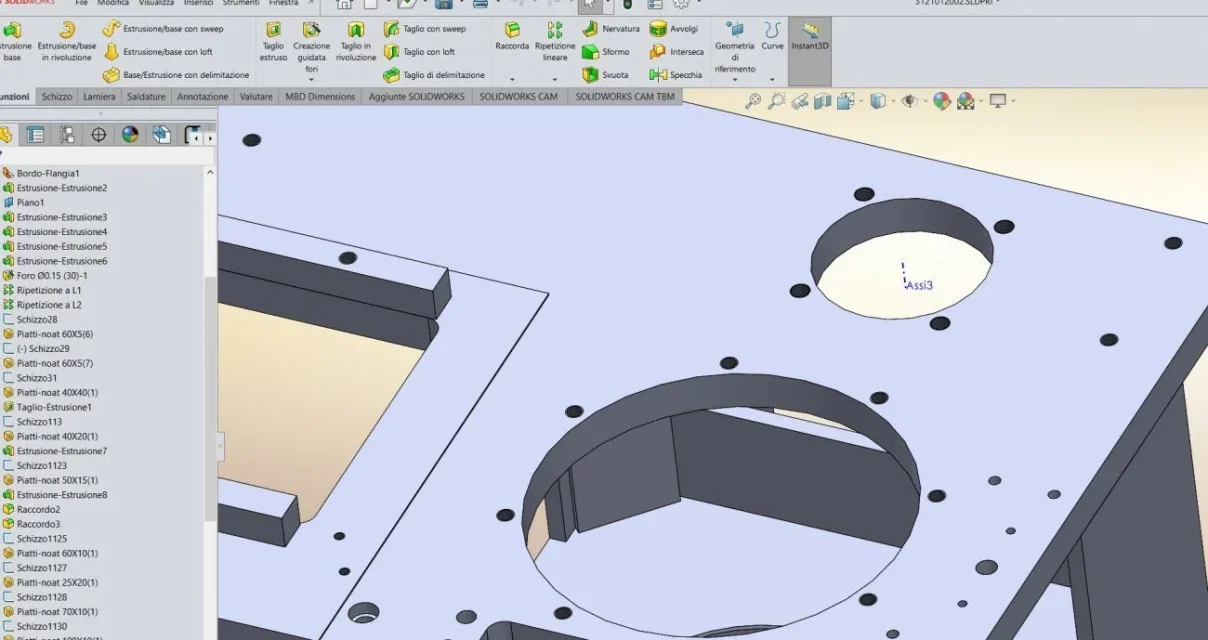
 
if you see them in the table means that in the model they are present; this narrows the field of possibilities.
if you do not write that you have made the checked and their result and/or if you do not attach any images (details, menu show/hide for example) that can help you understand or even better the file or write that you have made the checked you are limiting our chances to help you.
 
ok now you see .. hide all kinds of annotations was disabled, but now I lost them at the table.. .
 

Attachments

  • FILETTI SI.webp
    FILETTI SI.webp
    81.2 KB · Views: 59
.... check that the view is in mode high quality e non in in bg. . .That's all right. . .
 
I seem to have solved, now we see both in the solid and also at the table.. .
you are mythical:-)
 
As the 1/2" hole is made in two parts, a father and a mirror, I had marked the cosmetic only on one of the two and doing the section, the other in the table I did not see the thread. Now I made them both on the solid and they both see each other at the table
 

Attachments

  • 2.webp
    2.webp
    39.7 KB · Views: 41
  • 1.webp
    1.webp
    34.5 KB · Views: 42

Forum statistics

Threads
44,997
Messages
339,767
Members
4
Latest member
ibt

Members online

No members online now.
Back
Top