
• This forum is the machine-generated translation of www.cad3d.it/forum1 - the Italian design community. Several terms are not translated correctly.

transparency image background

shizuru88

Guest
Hello, everyone! I am trying to insert a modified png image with photoshop in an ipt to make a decal. but the background is always white even if I gave it transparency. How can I do that? Maybe I have to use another extension? I also tried with the gif.
 
I modified the image with photoshop...and saved in png. I deleted the background. but when the amount in inventor sees the white background.
 
open the sketch where the image was inserted.
right-click the image icon on the browser.
click properties.
here turn on "use mask" on transparency.
In any case, to extrude it, you have to create the track "calculating" the image.
Alternatively, you can use "rasterizer" software to convert the image to vector, then save the track to dxf. from here import into the sketch.
I hope I've been helpful
 
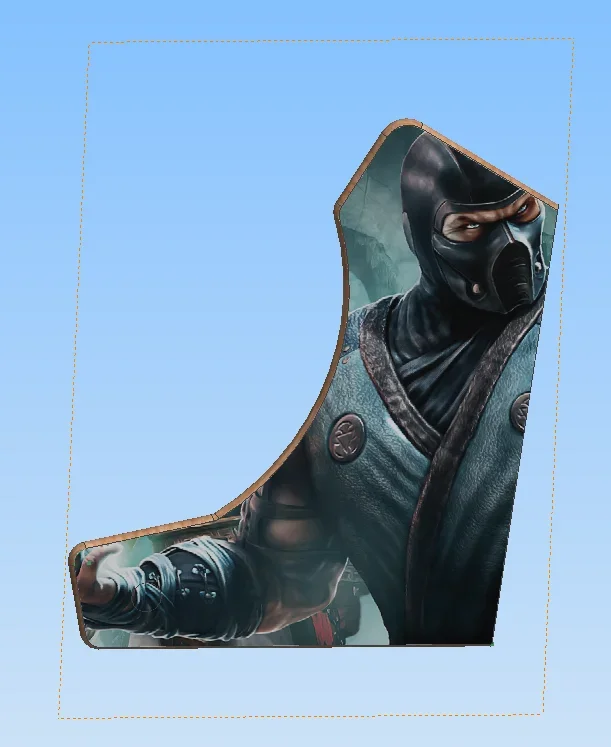
I'm hooking up with the discussion. I would need to apply an image (.png) to a template. I created the sketch, inserted the image, and applied transparency. now I have 2 problems:
1) I can not bind the image (I can only use the contour... )
2) I need to remove the visibility to the contour, but the image goes away.. .

I attach a screeshot
Cattura2.webp
 

Forum statistics

Threads
44,997
Messages
339,767
Members
4
Latest member
ibt

Members online

No members online now.
Back
Top