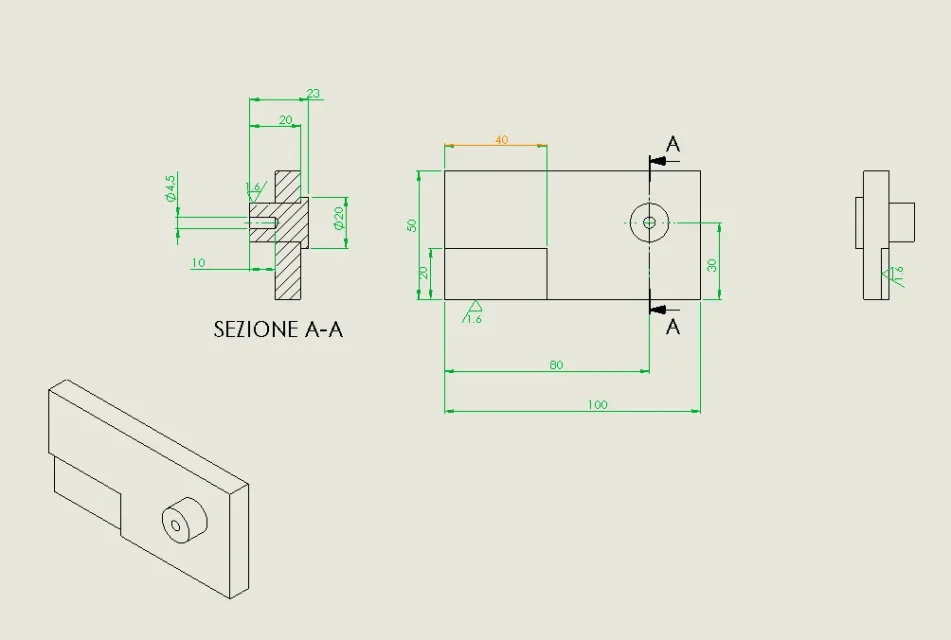
• This forum is the machine-generated translation of www.cad3d.it/forum1 - the Italian design community. Several terms are not translated correctly.

update mirrored table

  • Thread starter Thread starter cacciatorino
  • Start date Start date
I'm the leftovers. the escamotage was to make mirror part, insert in the left part the function of welds and then re-print the analogue. from sp 3.0 began to block the properties of the folders of the sx files and so you can no longer manage the chart.

Keep in mind that in proe welds as well as in swx do not exist, if you need something like there is the efx package and costs about 4500 euros. does not generate multibody parts but traditional assemblies, so I do not know if it is so immediate to make a left of a somewhat complex frame.
 
I'm the leftovers. the escamotage was to make mirror part, insert in the left part the function of welds and then re-print the analogue. from sp 3.0 began to block the properties of the folders of the sx files and so you can no longer manage the chart.

Keep in mind that in proe welds as well as in swx do not exist, if you need something like there is the efx package and costs about 4500 euros. does not generate multibody parts but traditional assemblies, so I do not know if it is so immediate to make a left of a somewhat complex frame.
Okay. Thank you.
Let's say I almost never had a carpenter mirror.
the bug you mentioned was precisely that of the block of the properties?
 
The odds and annotations jump, there's nothing to do as I know. the problem is the model change under the table and I explain better.
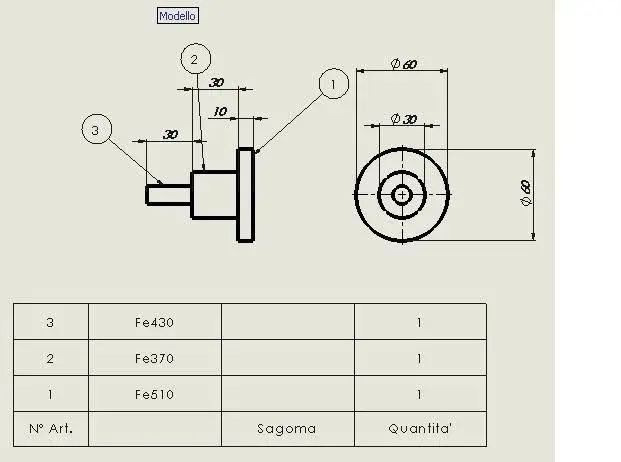
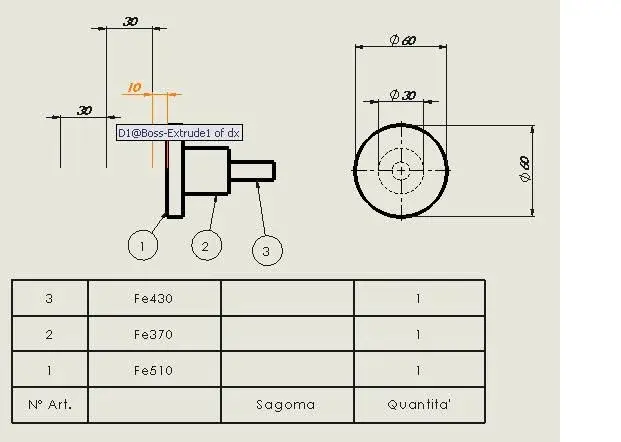
If I create a model and make the table, I make a copy of the model, I change it (at size level) and with the above methodologies I restore the table I find everything in place. at the moment when I mirror the "id" of the entities of the right side does not hesitate anymore in the left as the mirroring acts on the solid body does not preserve the bonds of id between dx and sx entities.
hello king, you can do it.
create a fictitious set and put in the mirror part.
use the axieme function 'specchi Components' and in one of the options you tell him to generate the symmetric as a configuration.
close the assist without saving.
in the part you will find a folder with inside a non editable function of 'copy/wheel) and an extra configuration that would be symmetry.
Now cover the table and open it.
now change configuration in the view and everything updates.
 
hello king, you can do it.
create a fictitious set and put in the mirror part.
use the axieme function 'specchi Components' and in one of the options you tell him to generate the symmetric as a configuration.
close the assist without saving.
in the part you will find a folder with inside a non editable function of 'copy/wheel) and an extra configuration that would be symmetry.
Now cover the table and open it.
now change configuration in the view and everything updates.
That's right.
everything updates ... except for the quotas brought in as elements of the model.
 
I honestly didn't try, I went to memory.
It's weird, can you attach your file or one you can practice on?
hi soliduser,
Here, I'll tie you up with the symmetrical config, the odds are imported from the model.
 

Attachments

  • dx.zip
    dx.zip
    108.5 KB · Views: 5
  • dritta.webp
    dritta.webp
    13.6 KB · Views: 39
  • specchio.webp
    specchio.webp
    14.2 KB · Views: 32
It works exactly as hunter says.
Imported shares are placed in dx configuration.

hunting, did you try "right" for the bubble?
I confirm it works.
 
hi soliduser,
Here, I'll tie you up with the symmetrical config, the odds are imported from the model.
I reported the problem to the var and a technician answered me as I carry here below:
"I analyzed the two drawings and the part, try to do the following:

1 open the part
2 double left click, in the fm, on one of the extrusions you made in order to show in the graphic area all the dimensions relative to the same: as you can see the size will appear in the middle of the blank space and not applied to the solid bodies for which the problem you carry is not at the design level but comes directly from the solid model.

the “move\copy” command in fact moves only the solid body and not sketches or sizes related to the same and features.

I have verified that this behavior is present at least from sw 2006, in fact this is not a kiss but rather a limitation of the functionality “move\copy” (an account is to move a body maintaining all references to the initial positions, all another pair of sleeves is to translating into sketch block, size and references of any kind).

in light of the above I invite you to write an enanchement request through the var return centre. "

I certainly send him an er, I hope you will.
 
I reported the problem to the var and a technician answered me as I carry here below:
"I analyzed the two drawings and the part, try to do the following:

1 open the part
2 double left click, in the fm, on one of the extrusions you made in order to show in the graphic area all the dimensions relative to the same: as you can see the size will appear in the middle of the blank space and not applied to the solid bodies for which the problem you carry is not at the design level but comes directly from the solid model.

the “move\copy” command in fact moves only the solid body and not sketches or sizes related to the same and features.

I have verified that this behavior is present at least from sw 2006, in fact this is not a kiss but rather a limitation of the functionality “move\copy” (an account is to move a body maintaining all references to the initial positions, all another pair of sleeves is to translating into sketch block, size and references of any kind).

in light of the above I invite you to write an enanchement request through the var return centre. "

I certainly send him an er, I hope you will.
And for the problem of the welded sinisters, would you give me a hand? I reported it and solidworks took over the problem by opening a sr, but they told me that if the demands are few... you will see if and when they will solve the problem.
try reading qui, I tried, but as you see, I didn't get answers from anyone... .
 
I'm sorry if I reassemble this old discussion, but I was trying to "close" the odds disconnected as a result of a reflection, and I just can't. I take the red terminal and drag it on the geometric entity that interests me, and the sign of the bond appears, but when I leave the mouse button the quota returns where it was. I have to press some secret key like ctrl, alt, etc?

I searched the manual but I did not find info about it.
 
I'm sorry if I reassemble this old discussion, but I was trying to "close" the odds disconnected as a result of a reflection, and I just can't. I take the red terminal and drag it on the geometric entity that interests me, and the sign of the bond appears, but when I leave the mouse button the quota returns where it was. I have to press some secret key like ctrl, alt, etc?

I searched the manual but I did not find info about it.
Are you going to sign me?
Why?
because the behavior of what you're asking has changed, I don't know when.
now you have to click + click.
 
Are you going to sign me?
Why?
because the behavior of what you're asking has changed, I don't know when.
now you have to click + click.
You're right, it also works on 2010! It's just that I'm used to dragging and I didn't think dif is what you say.

Hello and thank you!
 
I revive the discussion a bit because I have not yet understood if there is a system to simplify the life of us designers in making tables of right and left pieces!

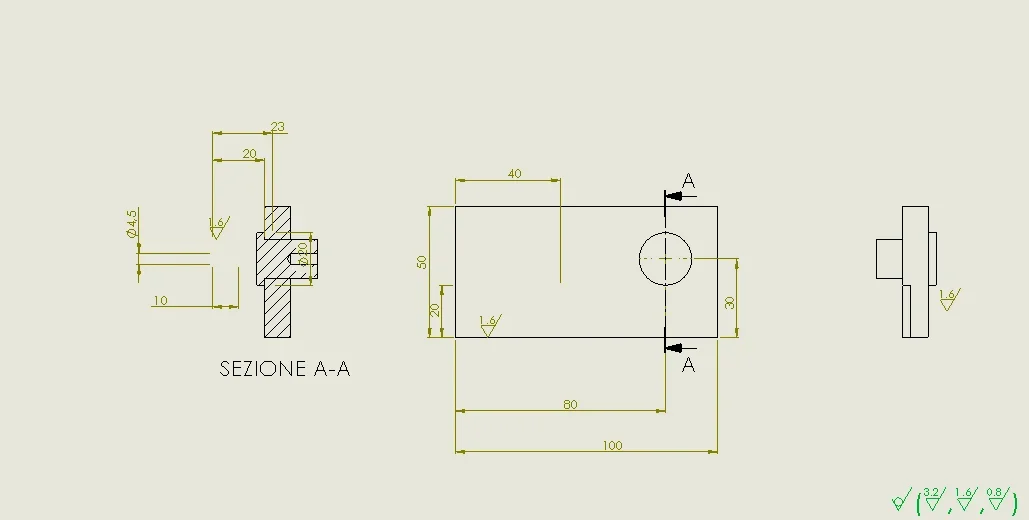
I have a part shaped with his respective table as a figure.

now whatever I try to do to get the opposite version in 2d, mirrors, opposite hand versions, reference changes, there is no solution, quotas lose all references and I have to manually reassociate one by one.

There is a more efficient way or we have to send a complaint to dassault :lol:
 

Attachments

  • 1551088059494.webp
    1551088059494.webp
    14.6 KB · Views: 15
  • 1551088498349.webp
    1551088498349.webp
    11.1 KB · Views: 15
from 2018 (write the version in the please profile) in the table you can create the specular design
you must select the first view inserted and in the property manager, under the list of views, you will find the mirroring options
 
scattered annotation:
-the opposite hand version is used in the environment together and has nothing to do with the table environment.
-that might well be a particular multibody
- the quotation is bad
 
using the opposite hand (meaning that you create a specular version of the multibody part using a fictitious set) and setting up create configuration should keep the quota constraints because in fact a new body is not created, but the original one is rotated/moved.
It must be borne in mind that any reference is managed with an id of the entity to which it is linked.
this id can, to the good, sum up with 'type entity/body name/file name/type'. This id of course is unique.
if for example shorten a plate cutting, instead of moving, one end the shortened edge will not be the same as before and will blow the constraints; moving it will always remain that.
if in the opposite hand version you create a new derived file in the id there will be a different parameter (filename) that will blow the constraints; anyway if in the side file you make a mirror of the bodies and then you delete the original ones
 
I have 2017! that still makes available the function you speak massive.
I have seen the thing that is missing at the forum: but fortunately it is a piece designed to do two tests with sw!

Anyway I don't like the design mirror function because it makes me lose control. I mean, I'm an extremely fast example.

Usually it is used to make a solid part in the right and left configuration that then "swimming" the two tables in the right and left configuration. but by doing the command breaks the two tables remain both related to one part in a unique configuration and we do not like it.

I think I have found a couple of interesting escamotages, now I try a little and then put a procedure that partially resumes the solution provided in 2010 by soliduser
 
the solution provided by soliduer requires to set, at the time of mirroring in the set, to create a configuration in the existing file.
as explained previously this does not create a new body, but it moves and rotates the existing one keeping here the same entities to which the quotas are bound. this is the only way to keep the table with all quotas while wanting two distinct parts
 

Forum statistics

Threads
44,997
Messages
339,767
Members
4
Latest member
ibt

Members online

No members online now.
Back
Top