• This forum is the machine-generated translation of www.cad3d.it/forum1 - the Italian design community. Several terms are not translated correctly.

variable threads

  • Thread starter Thread starter Solid User
  • Start date Start date

Solid User

Guest
Good evening, everyone.
Can someone tell me if the depth of the thread and the diameter of the cosmetic thread are variables that can be inserted in the solidworks configurations?

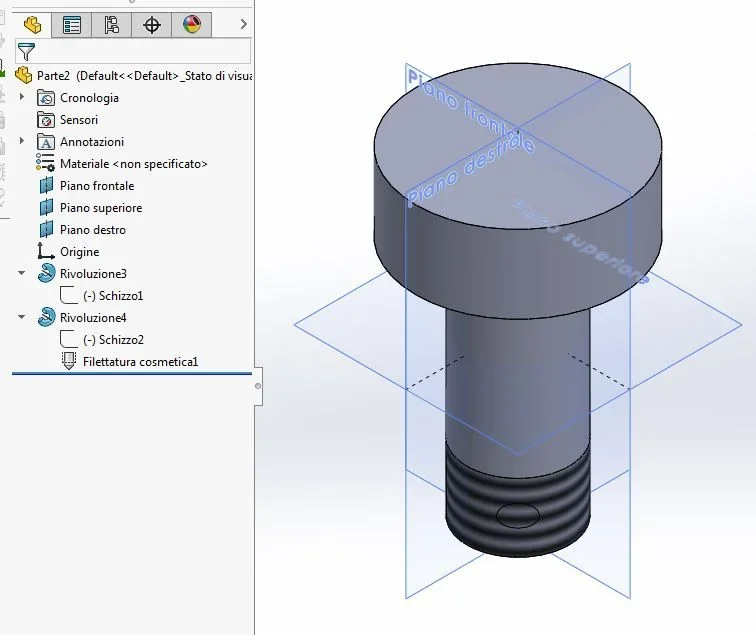
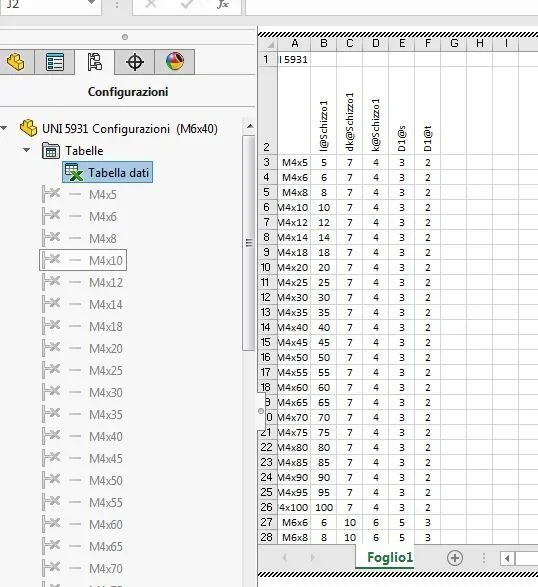
I am creating a library of screws and I cannot insert in the configuration table the variable regarding the length of the threaded part of the stem.

I would also like to make sure that if the diameter of the stem is ø6mm it automatically recognizes me a m6; instead in a configuration where I inserted a diameter ø12mm it automatically updates me a m12.

Thank you in advance.
Hi.
 
Of course you can.
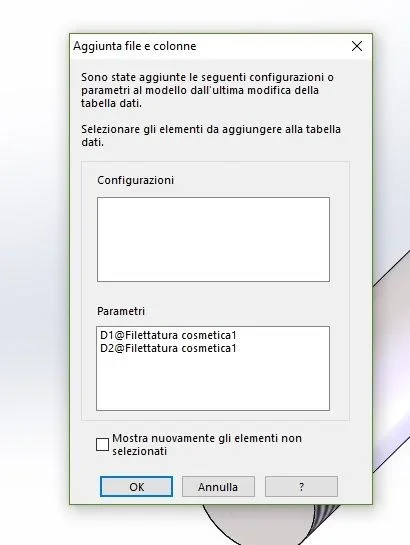
expand the function that created the cylinder find the cosmetic thread; double-click the odds and changes by indicating this configuration (you must have at least two of course). Now when you open the excel table you exit the window with the two odds to add to the list.
I would also like to make sure that if the diameter of the stem is ø6mm it automatically recognizes me a m6; instead in a configuration where I inserted a diameter ø12mm it automatically updates me a m12.
You can't. the table takes only numerical values and yes/no to activate/suspend functions; instead you can use the calculation of excel to insert in the cell the formula that draws the diameter of hazelnut (diameter you have it while the step inserts it into a special column that is not read by solidworks)
 
Thanks for the answer. But I can't. .
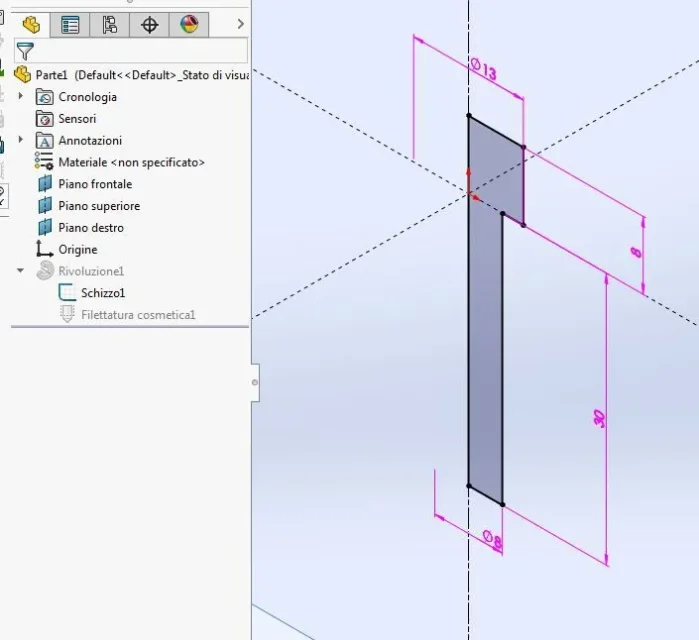
my idea was to have a table variable that commanded me the depth of the blind thread (red arrow). Capture.webp this in order to have only and only the variables corresponding to the catalogs of vines.

the only thing that comes to mind is to make a cylinder for the threaded stem part and a cylinder for the non-threaded stem part. in the cylinder for the threaded part, in the cosmetic thread, put until next. Capture4.webpIt's a bit barbaric, but it works. if someone has other suggestions. . .

Thank you, hello!
 

Attachments

  • Capture 3.webp
    Capture 3.webp
    45.5 KB · Views: 40
  • Capture 2.webp
    Capture 2.webp
    24.3 KB · Views: 2
Before giving you the advice I checked that it worked.
I repeat the steps
1 double click on the cosmetic thread function
2 double click on one of the two odds (hazel diameter and length)
3 set the value to this configuration4 repeat for the other quota
5 open data table
6 the parameters add window appears (fig. 1 )
7 select the two items related to the quotas concerned
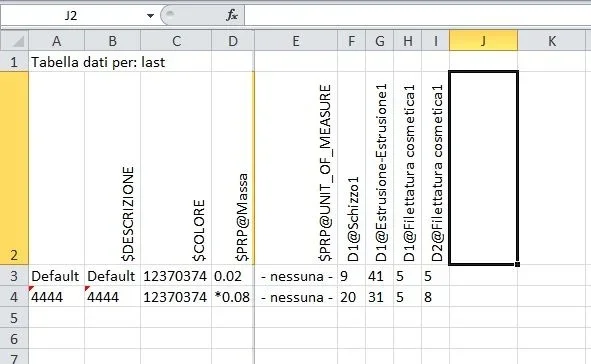
8 open data table and update the two new columns (Fig. 2)

otherwise you can enter the two columns manually by writing in the column header the name of the quota (in fig.2 d2@filettatura cosmetica1 and d1@filettatura cosmetica1). I checked the operation

Immagine.webp


fig 2Immagine2.webp
 

Forum statistics

Threads
44,997
Messages
339,767
Members
4
Latest member
ibt

Members online

No members online now.
Back
Top