• This forum is the machine-generated translation of www.cad3d.it/forum1 - the Italian design community. Several terms are not translated correctly.

vegetation

  • Thread starter Thread starter Erikilrosso
  • Start date Start date

Erikilrosso

Guest
how do I recover the vegetation used in the old versions of revit and copy them to the 2012 version rendering composition library?
in the manual I couldn't find a procedure to put in the library a vegetable from me photographed, a pear.
Since most sites offer many images of non-local trees for sale, I would like to build a library of trees specifically referred to my region.
always that he did not properly search.
Thank you.
 
If you're talking about "accurender" trees, nothing to do. mental ray and accurender are not compatible.
if you refer to the texture (by assimilating the same texture the photo of a tree) you use the "personal" archive.
the same, however, where to be applied on an object of equal form (profile) , but it would be useful only in renderings of prospectuses and sections. in 3d view renderings cannot be used
 
Thank you gfrank.
the problem is that I opened to update it a project of 2006 (finally, perhaps, do something) and the trees that I had inserted then, of the marine pines, have disappeared. So now, even if I still had a 2006 revit version, I can't go back because I automatically updated the job at 2012.
Of course the library of the current vegetation is quite poor.
What prevents you from using our photo in 3d views? Is a particular type of photograph necessary?
 
..... so now, even if I still had a 2006 revit version, I can't go back because I automatically updated the job at 2012.
....
... when you open old versions, always use the "Save with Name" command that preserves the old version...
...I'm sure the library of current vegetation is pretty poor.
What prevents you from using our photo in 3d views? Is a particular type of photograph necessary?
I'm not in this sense, but I think it's a matter of sw, in the sense that accurender, uses its own format, while mental ray uses the rpc (I think).
such files, are paid, see if it is worth "spending" ...
otherwise you could use dwg files in 3d, which are easily found on the web, to which you will apply library materials (or customized). Unfortunately, the use of dwg in 3d (if well done) considerably weighs down the revit file (in this regard there are discussions with the intervention of render 54 that knows the matter). If necessary, you can use for dwg 3d the connected files, or for the vegetation (trees, hedges, etc.) instead of "hold them" in the same file of the building, put them in a specific file, and then collect them with the file of the building in the file "master". the master file (final) will always be "heavy", but at least you can work on the "lighter" building file until the final union.
 
Last edited:
I was hoping to put my photos in, but I see it won't be possible. I didn't think it was so complicated.
I can try the dwg 3d road, hard to get a good result and exploit the linked files. Surely they will be heavy, but with the 2008 version I worked with a 360 mb master, so the thing does not scare me much.
first however, I will see around what is available at a reasonable price.
Thank you.
 
so much to say something about the dwg inserted in revit:
Revit file 20 mb, dwg file of an evermotion tree 40 mb
added make a 60 mb file, I duplicated the tree 5 times
total file 62 mb, times of rendering not modified from time to time between 1 and 6 trees
(but I have so much ram)

ps.
the evermotion has put on sale a cd with a hundred images of png trees with transparent background to 60/70 euri
I used them for my revit renderings saved as png image and added to background with corel photo paint
 
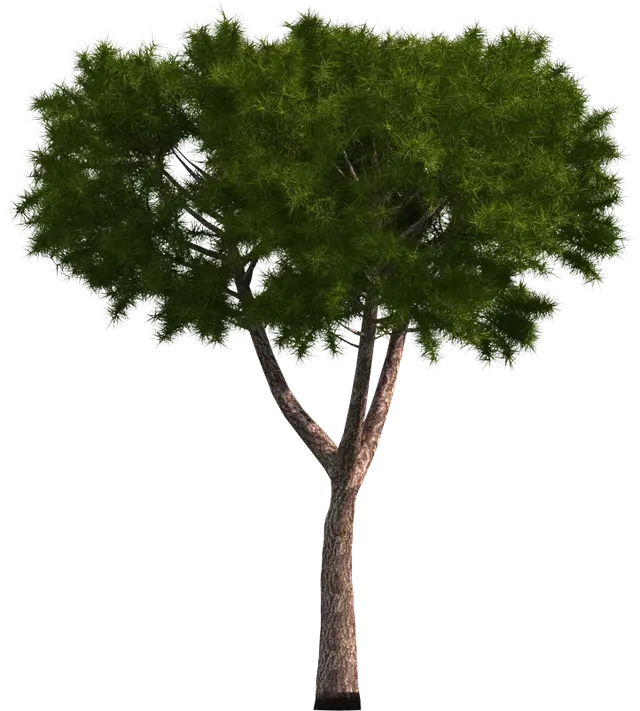
I am sorry to return to this subject, but I have the need to find a pine or a larch or a fir-tree or a simple and any conifer, to be inserted in a revit rendering, because the trees in archive refer to essences that grow or thrive or in plain or other countries and that here in the mountains are out of context. also for sale in addition to the baobabs, there is not much.
Thank you.
 
also this
however go on evermotion and download the catalogues in pdf and extract the images of the plants
or with 60 euri you buy their cd of plants in 2d already discounted png
the ones I posted to you come from there
My hands have typed my paypal code and bought it for not having to tribulate anymore
 

Attachments

  • 118c.webp
    118c.webp
    146.8 KB · Views: 15
make 54 excuse the delay, but I had a little problem that put me k.o. for a few days. thanks for the pictures and for the advice, I will provide.
 
hi sn new of the forum, but reading it seemed to me to understand that you would like to insert a rpc of a tree that nn is present in revit. if I understood well I can recommend rpc creator of the archive, it is free only need to register. on the internet then there is a tutorial that uses qst program in which I describe all the procedures to follow to create your own rpc. for qnt refresh the discounted images of plants but also of people you can see on vyonix.
cmq for me it is better to add people cn photoshop and the result is better, for plants nn so nn I still tried.
 

Forum statistics

Threads
44,997
Messages
339,767
Members
4
Latest member
ibt

Members online

No members online now.
Back
Top