citri
Guest
Hello everyone
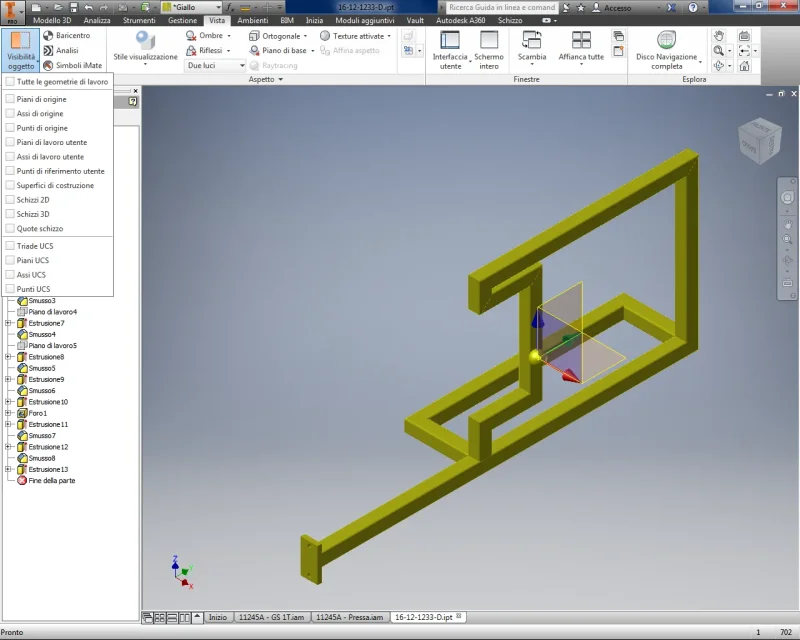
Perhaps the title of this debate is not very clear. practically anyone can tell me how to delete the display of the plans and axes as shown in the image?
I appear in the axieme but is tied to an ipt in fact, opening it, I also appear in the part and is something that at the long time bothers me, especially in the axieme. Thank you.
Perhaps the title of this debate is not very clear. practically anyone can tell me how to delete the display of the plans and axes as shown in the image?
I appear in the axieme but is tied to an ipt in fact, opening it, I also appear in the part and is something that at the long time bothers me, especially in the axieme. Thank you.