Ghirarduzzi.G
Guest
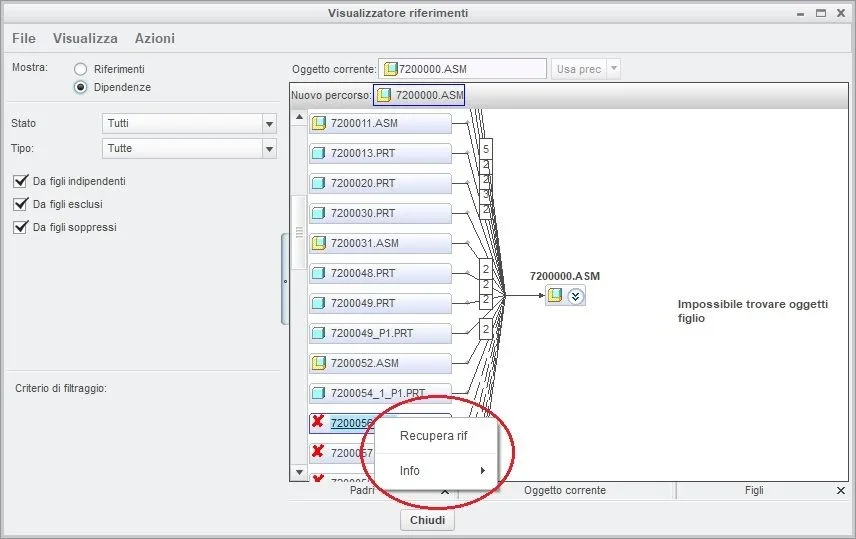
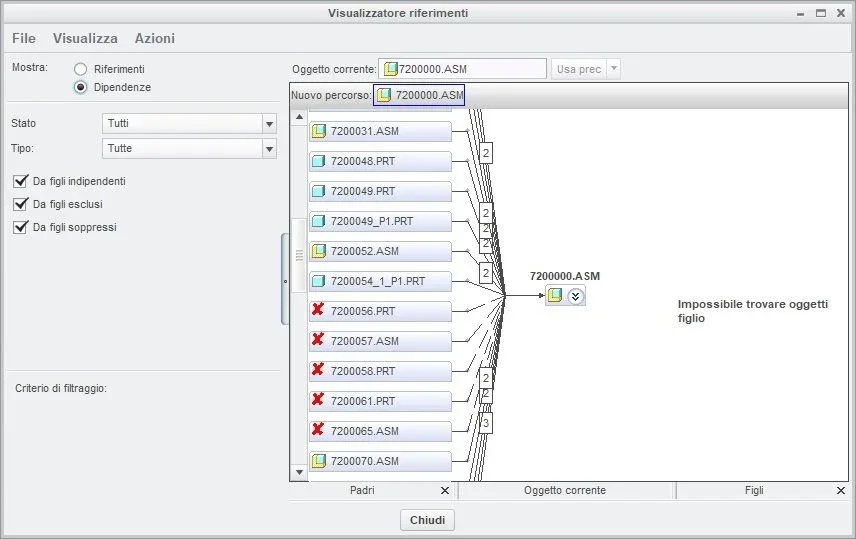
boys, in this together, if I make "tools - to view references", after various cleaning operations I still show these references with the red cross (see attachment). I just can't figure out how to remove them. also because it does not show me any path or connection with existing models. not by chance the lighter below turns out green.
I add that when I open the model if, before doing any operation, I click on "cancella not displayed" removes some (not all) models highlighted with the red crucible. therefore it is evident that there is some model that is somehow linked to these models. but if I can't make me say which is practically impossible to find this link. It is obvious that I can't open every feature of every model in the machine to check if there is an external reference within that feature.
and unfortunately also deleting from the work directory these models does not make me "fall" the connected features then the problem does not solve. I can also not delete these models because they also present on other machines so this is not the right round.
Can you help me?
Thank you so much!
I add that when I open the model if, before doing any operation, I click on "cancella not displayed" removes some (not all) models highlighted with the red crucible. therefore it is evident that there is some model that is somehow linked to these models. but if I can't make me say which is practically impossible to find this link. It is obvious that I can't open every feature of every model in the machine to check if there is an external reference within that feature.
and unfortunately also deleting from the work directory these models does not make me "fall" the connected features then the problem does not solve. I can also not delete these models because they also present on other machines so this is not the right round.
Can you help me?
Thank you so much!