• This forum is the machine-generated translation of www.cad3d.it/forum1 - the Italian design community. Several terms are not translated correctly.

visibility edges behind a section

  • Thread starter Thread starter Carmar
  • Start date Start date

Carmar

Guest
Hello everyone
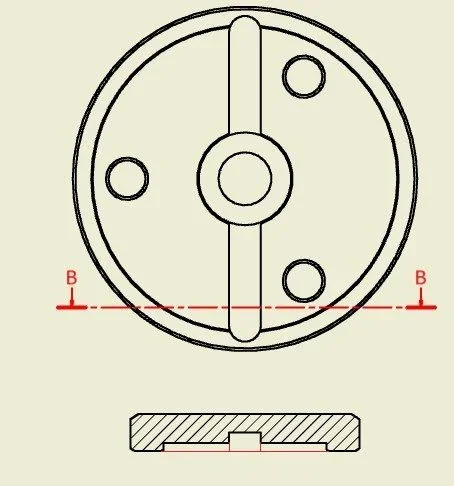
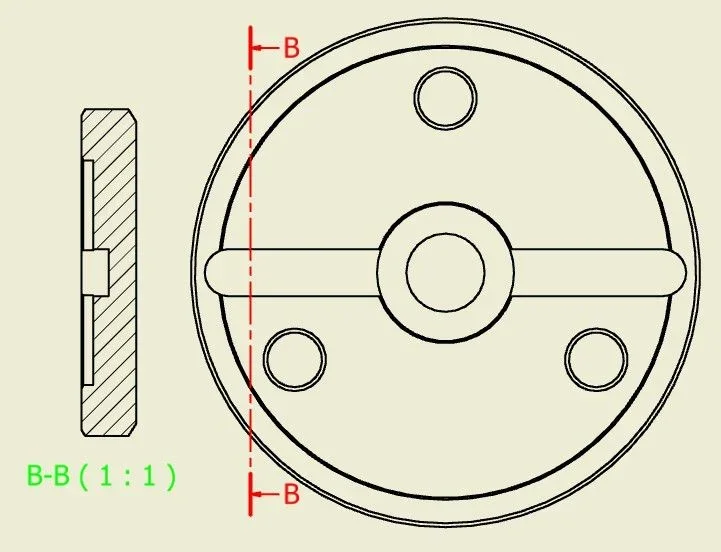
I can't find the way to show, inside a section of a connecting flange of an axis, the edges of the edges behind the section itself (bows and edges of the bevels).
I tried to change the settings in "change Properties section " but I did not find the solution.
Can anyone help me?

thanks and hello2018-05-24_122153.webp
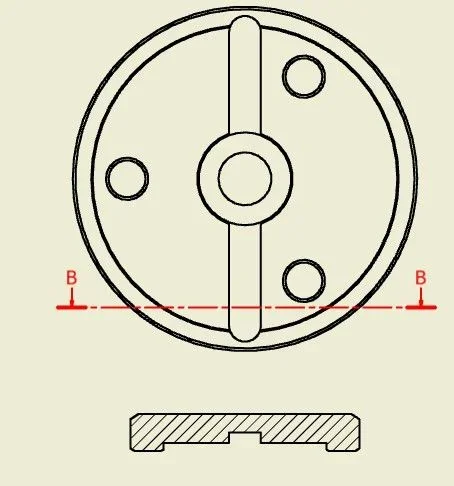
 
the view in section should not be associated with the basic view, then you can change the settings.
if it is associative takes the basic view settings, which in your case does not display hidden edges.
 
hi technomodel and thanks x the answer
Sorry, but I still don't understand. I expect that by doing the section in question the lines that I have now manually added in red are also displayed.2018-05-24_122153 mod.webp What do you mean by "remove the association of the section with the basic view"?

Thanks again..... especially x patience
 
I misunderstood the question, I thought you wanted to see the hidden lines.
seeing only those two views I can't understand, I should see model and table.
If you can post it, I'll take a look.
 
Thank you, but it's work stuff and I don't think I can send it without consent. . .
I'll forget it again if I can let you know
thanks and hello
 
hello and thanks x the answer
I tried to draw the same ring and the thing works including the various options within "change Properties section.
I don't want the problem that I have on the design in question to be related to the fact that I made it using the functions of "design accelerator" for the creation of trees....that is not some kiss... .
I'm still waiting for smoke from the company that sold us the software and did the courses. if I come to a solution place everything
Hi.
 
solved! (thanks to the friend diego)
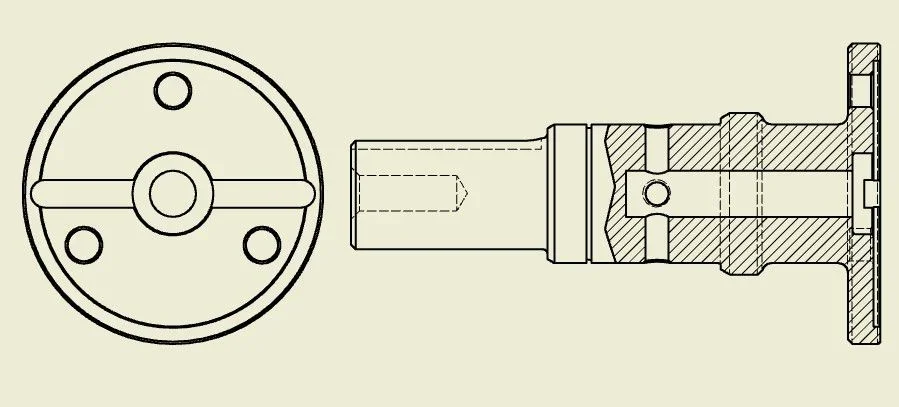
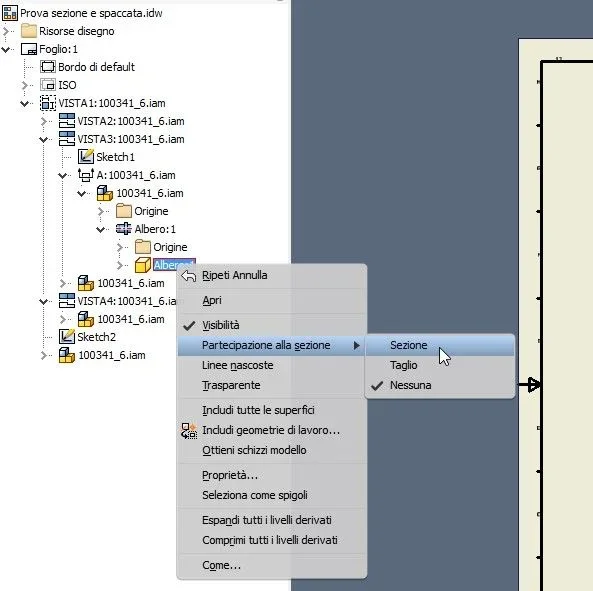
sometimes we forget that despite the thousand commands and even more numerous options remain valid (even for software...) the principles learned when using the tecnigraph: shafts and pins do not separate longitudinally! In fact it does flange in question is part of a tree therefore inventor does not digest completely that you try to make a longitudinal section (except to make a split).05.webpbut the solution is as follows:
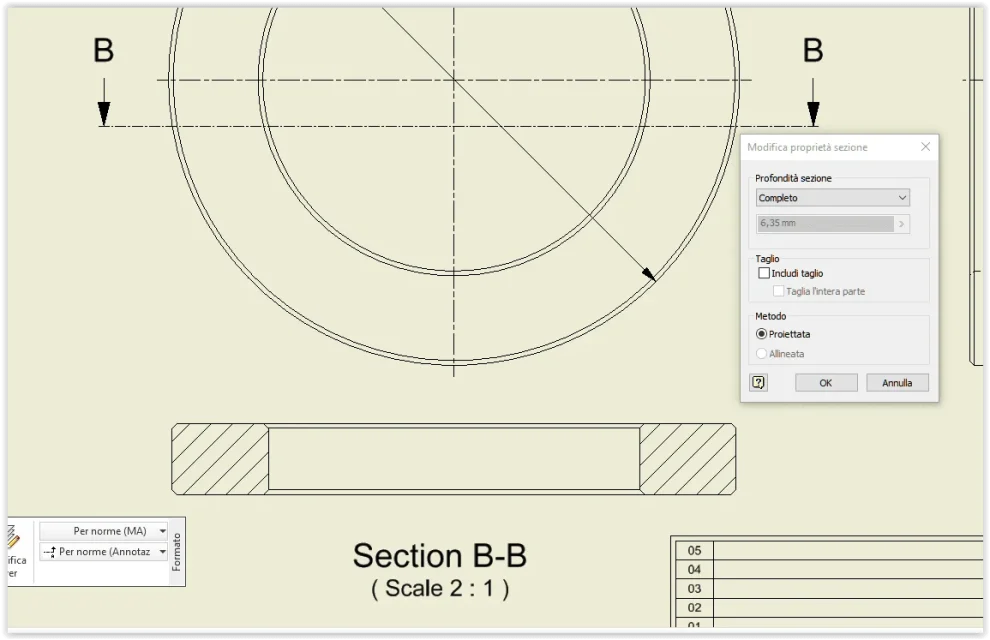
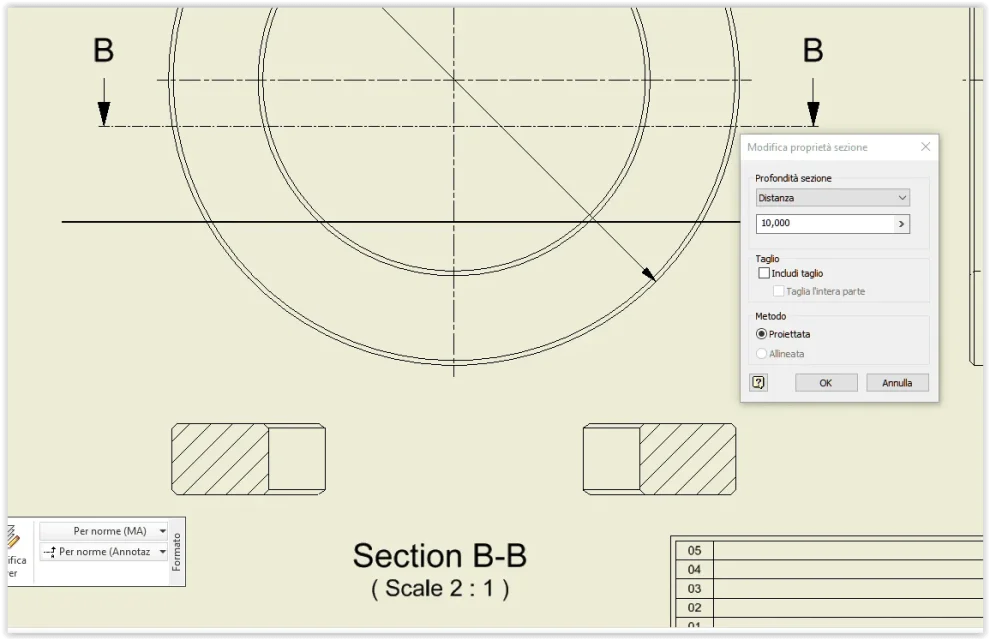
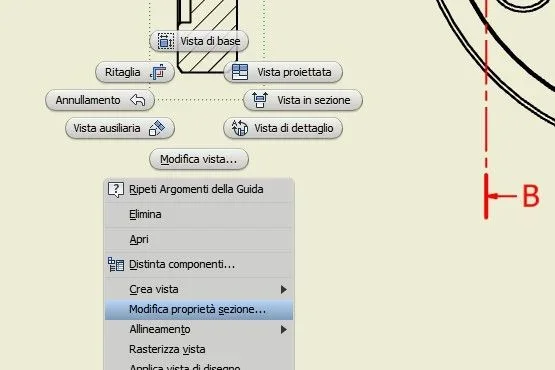
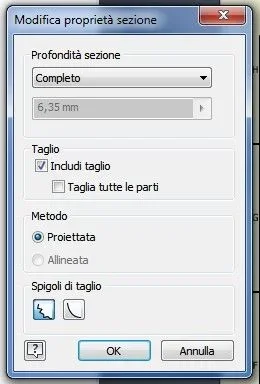
- in the table browser idw locate the view section, expand until you reach the tree part, select it and right-click and choose "to participate in section/section"01.webpto see also the lines in question always select the section also directly on the table , dx key and choose "change property section"03.webpin the window that opens set the spuns as follows 02.webpand here is the result04.webphello and thanks again
 

Forum statistics

Threads
44,997
Messages
339,767
Members
4
Latest member
ibt

Members online

No members online now.
Back
Top