giro_mary
Guest
Bye to all,
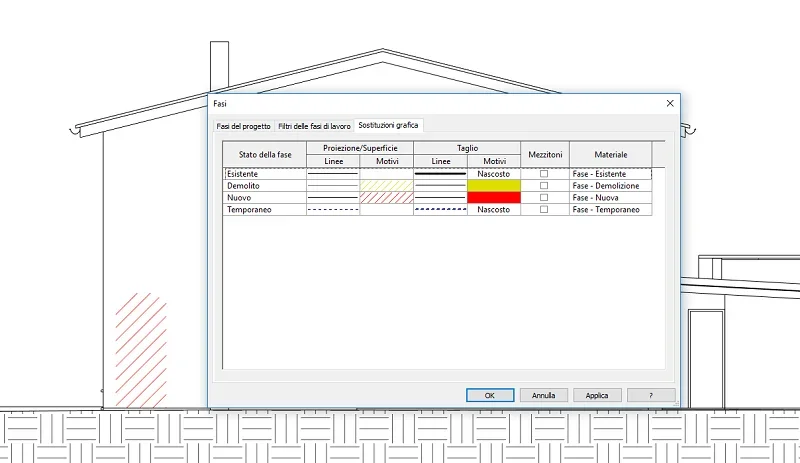
Today I have this "problem". I have a window that in the project is shredded, so I demolished the existing one and created a smaller one in the project phase. the problem is that in the comparison it signals only the creation of the new window and not the demolition of the original one. . You know what? (I attach the images of the three stages).
I then take advantage to ask if there is a way to show the edges of the created and/or demolished parts and not only the sampling.
Thank you.
Today I have this "problem". I have a window that in the project is shredded, so I demolished the existing one and created a smaller one in the project phase. the problem is that in the comparison it signals only the creation of the new window and not the demolition of the original one. . You know what? (I attach the images of the three stages).
I then take advantage to ask if there is a way to show the edges of the created and/or demolished parts and not only the sampling.
Thank you.