manuel
Guest
Bye to all,
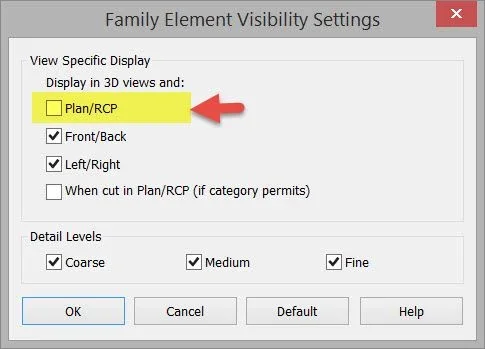
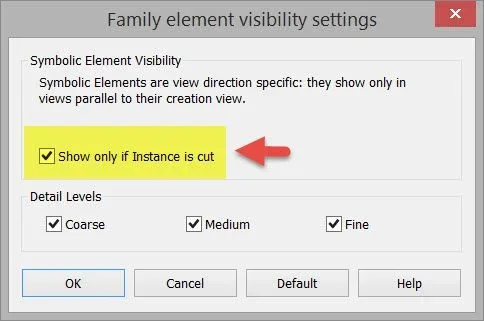
I presented a problem with windows (family) and I think it is a problem of revit (or wrong settings, but I did not find a solution). I want to share it here, too. premetto use revit 2016
in a project insert a window (any system is good) place it on the right altitude (e.g. 1m from the ground). in fact the window is "cut" from the cutting plane and then in the plant you see correctly.
now the same window bring it to the top of the cutting plane (usually the plan is set to 1.2m) thus changing its height from the ground (which for example to 1.8m). and it is here that to me is the problem, in the plant the window (or at least its representation) can be seen even if in theory it should not be seen as above precisely the aforementioned cutting plan.
now do this experiment: change the "window" family or change the category of the window from "windows" to "doors"; reinsert it into the project and carry out the two previous operations or place it so that it is cut from the cutting line and then place it above. the family behaves correctly (you see if cut and "disappear" if it is above).
Has anyone noticed this problem? Is it just me? are there settings to be set correctly?
Thank you.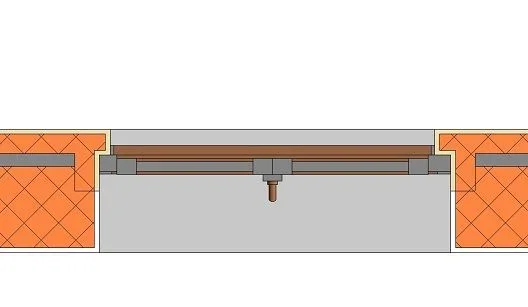 correctly cut window
 window positioned above the cutting floor
 same problem also only for simple sill (if set as category "windows")
I presented a problem with windows (family) and I think it is a problem of revit (or wrong settings, but I did not find a solution). I want to share it here, too. premetto use revit 2016
in a project insert a window (any system is good) place it on the right altitude (e.g. 1m from the ground). in fact the window is "cut" from the cutting plane and then in the plant you see correctly.
now the same window bring it to the top of the cutting plane (usually the plan is set to 1.2m) thus changing its height from the ground (which for example to 1.8m). and it is here that to me is the problem, in the plant the window (or at least its representation) can be seen even if in theory it should not be seen as above precisely the aforementioned cutting plan.
now do this experiment: change the "window" family or change the category of the window from "windows" to "doors"; reinsert it into the project and carry out the two previous operations or place it so that it is cut from the cutting line and then place it above. the family behaves correctly (you see if cut and "disappear" if it is above).
Has anyone noticed this problem? Is it just me? are there settings to be set correctly?
Thank you.
correctly cut windowwindow positioned above the cutting floorsame problem also only for simple sill (if set as category "windows")