• This forum is the machine-generated translation of www.cad3d.it/forum1 - the Italian design community. Several terms are not translated correctly.

written change cat v5

  • Thread starter Thread starter dalmott
  • Start date Start date

dalmott

Guest
Good morning to all,

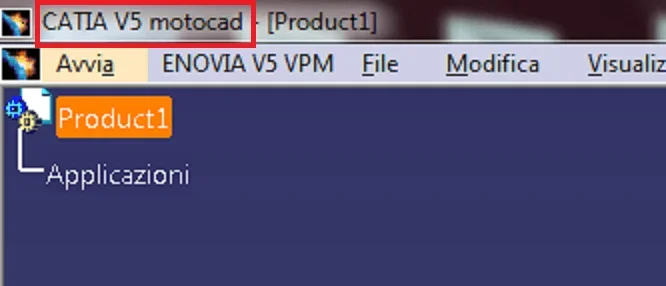
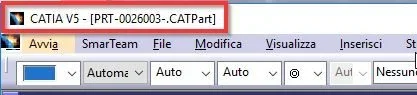
I wanted to ask you if there is the possibility to customize the writing above catia v5, I would like to add the indication of the version, to increase the number of alerts having to use multiple versions.2018-06-26 12_03_46-Cattura.webpThank you very much
Manuel
 
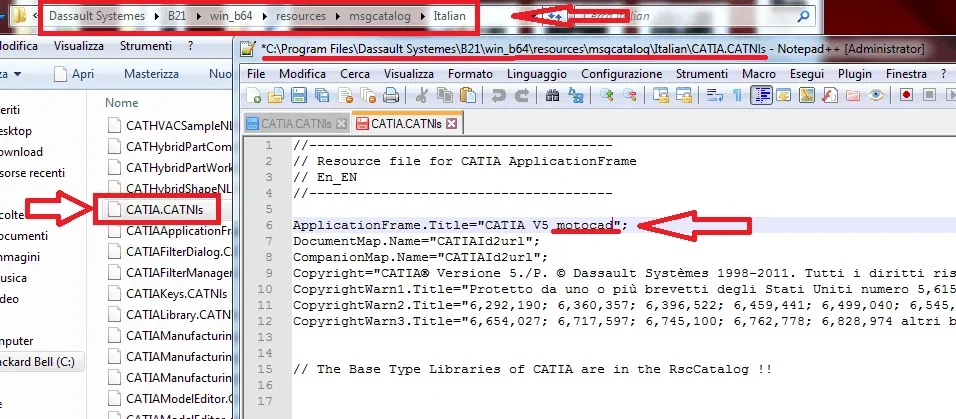
you must edit the file "catia.catnls"
 

Attachments

  • motocadcatia-titlebarImmagine.webp
    motocadcatia-titlebarImmagine.webp
    13.5 KB · Views: 30
  • catia-titlebarImmagine.webp
    catia-titlebarImmagine.webp
    83.2 KB · Views: 34
in addition to the correct suggestion of motocad, I recommend:

1) to use a different background color for each version used, so it is even more noticeable at opening (this must apply to all stations)
2) to create on the desktop more links to caia for the different revisions with clearly reported the revision to which point
3) never start parts and products with double click, but only from catia (just revision) open
4) if you work on the network identify folders using different revisions from the current one with a specific call in the folder name
 
for point 4 I would have an observation:
if you renounce the folder that had previously been used with r26 and now with r28 you may stumble into connection problems of the various files.
you have to be very careful about the links.
without pdm is a bit a mess;-)
 
by curiosity, is there a possibility to change the color of the toolbars? (it seems to me to be 207,207,230)
 
non avevo pensato, data la sfumatura, potesse essere un immagine, e non un parametro.
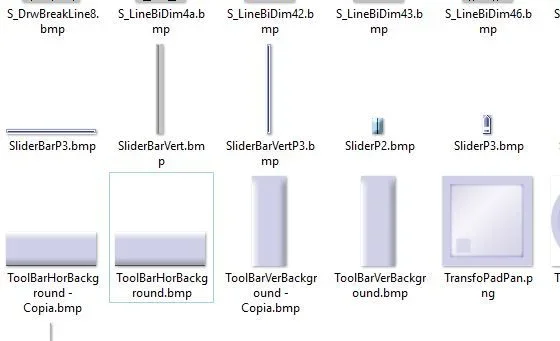
cercando toolbar ho trovato
\win_b64\resources\graphic\icons\
toolbarverbackground.bmp
toolbarhorbackground.bmp
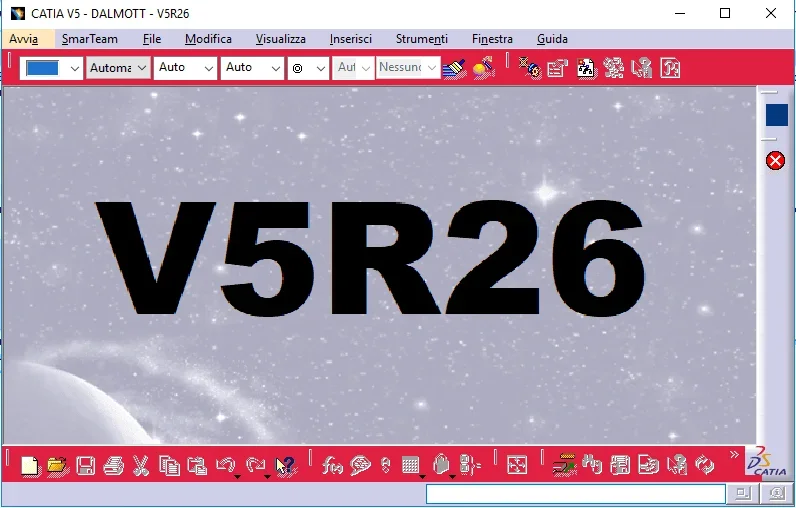
2018-07-04 16_01_24-icons.webpas first proof, I modified the horizontal, putting it totally in black,
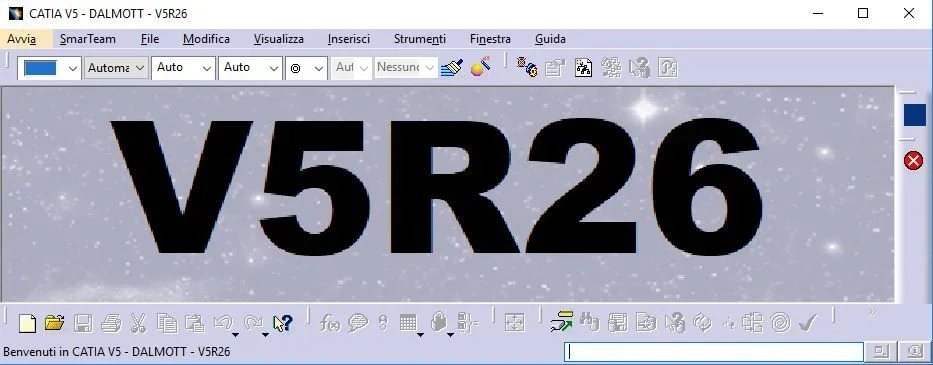
Catia hears the change, but perhaps there is a control
in the horizontal bar there is no more shade, but remains in the vertical (not modified)2018-07-04 15_56_43-CATIA V5 - DALMOTT - V5R26.webp
 
yesterday I modified it in gimp, to change color keeping a little shade
I just tried paint.
It's a start...
Now I have to find the way for the gang above and below, 1530772948203.webp
 
then you edited the original files change color and then you saved everything.
Right?
 
I worked on local copies and then overwritten. the images have a color palette set inside them, and for this reason it had initially problems loading the image; I am not an expert in palette replacements, I am limited at the moment to a solid paint color; with calm also the logo
1530889753880.webp
 
Good morning, I'd like to hang up on this post.

I would have the need to insert in the background as Dalmott wrote that identifies the version to use - a further anti mistake - when you start catia.. .
which file should I edit and where can I find it?
 
Okay that system.. I saw that instead to insert a written in the background like the black one you have to edit the file : clientmdibackgroundnt
Present in the path : program files\dassault systemes\b25\win_b64\resources\graphic\icons
and save it in 24-bit .bmp format
only thing that when it opens it clears the image because the starting one is bigger.. .
but still fits what I wanted.. .
 

Forum statistics

Threads
44,997
Messages
339,767
Members
4
Latest member
ibt

Members online

No members online now.
Back
Top