
• This forum is the machine-generated translation of www.cad3d.it/forum1 - the Italian design community. Several terms are not translated correctly.

3d

  • Thread starter Thread starter zetadierre
  • Start date Start date
But if I have created windows on a wall, then I gate the wall and rebuild it over another one, how can I reinsert the windows?
the cuts (mela+x) before clearing the wall and the cups (balls here) on the new one. but they will not be inserted into the wall; You have to drag them, even together, so that the wall may recognize them and incorporate them.

I'm glad you solved the pillar. The wall recognizes it or at least should... but sometimes it is a little hard to understand;-)
I do.
 
the cuts (mela+x) before clearing the wall and the cups (balls here) on the new one. but they will not be inserted into the wall; You have to drag them, even together, so that the wall may recognize them and incorporate them.

I'm glad you solved the pillar. The wall recognizes it or at least should... but sometimes it is a little hard to understand;-)
I do.
...you will have realized that I with English are worse than the wall with windows but... paste does not mean "paste?" :confused: anyway... to defeat the hardness of the wall I to arrange I had to delete the long wall, to realize 4 pillars and then build from pillar to pillar every field of wall and to put us on the windows.
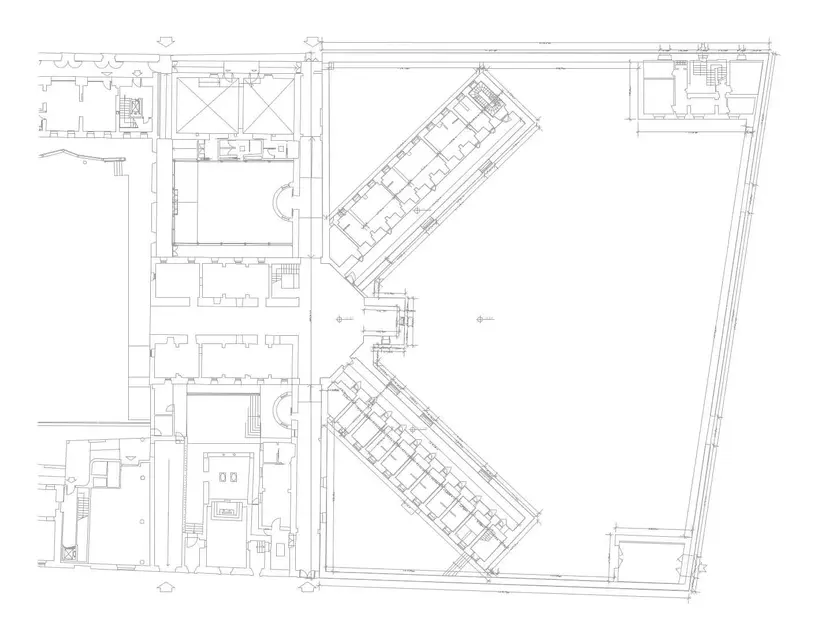
1) but is it possible that I can not first make the wall and then attack the pillars orthogonally to it?

2) pasta in place... Where do you have this command?

3) I have seen that it is possible to create polygons with a bucket, but can I make it work also considering the limits of a filtered level to realize a polygon at the current level?

ps: I give thanks to lory.b, once and for all not to be repetitive, but also not to give them for discount.

ps2: obviously yesterday at midnight and half vw crashed brutally and I was about to launch the mbp from the window because I had not saved anything :36_1_28:
 
I'm worse than the wall with the windows, but... does not mean "paste"? "
and that I don't know the equivalent in Italian, it would literally glue on the spot
I had to erase the long wall, build 4 pillars and then build from pillar to pillar every field of wall and put us on the windows.
it was not necessary to erase it. you can dissect it with the cutter that you find between the 2d tools and then the various pieces collect them with the pillars.
or copy it and paste it on the place and, again, grasping it for the handles to resize it and fitting it with the pillars.
1) but is it possible that I can not first make the wall and then attack the pillars orthogonally to it?
Yes, but sezionandolo. a wall is one entity.
2) paste in place... dove hai questo command
?

in the edit menu, however... I have the international version.
3) I have seen that it is possible to create polygons with a bucket, but can I make it work also considering the limits of a filtered level to realize a polygon at the current level?
sincerely, it's a command I think I've never used, I can only suggest you try.
ps2: obviously yesterday at midnight and half vw crashed brutally and I was about to launch the mbp from the window because I had not saved anything :36_1_28:
typical. . .
insured in the preferences of having active backup copies... at least 5 personal experience :-)
I do.
 
or copy it and paste it on the place and, again, grasping it for the handles resize it and fitting it with the pillars
I think that's the point. What command do I use to collect? the command to collect walls does not work
 
simply by hand. Grab the end of the wall and join the pillar. Sometimes I know you don't, you have to insist.
I have managed, I think, to understand that if you have to join pillars and walls, they must match. so if you have to make a strange pillar, you do as you want, but importantly that a part of the pillar matches exactly with the head of the wall. without this they do not join. anyway I finished, I think, the first floor (I attach images), but I was wondering: I have 3 other equal floors for components but different for heights. can I quickly integrate them into other levels starting from this base?
 

Attachments

  • pianta origine.webp
    pianta origine.webp
    81.4 KB · Views: 4
  • pianta vector.webp
    pianta vector.webp
    45.5 KB · Views: 6
  • vvc.webp
    vvc.webp
    56.9 KB · Views: 6
I have managed, I think, to understand that if you have to join pillars and walls, they must match.
Yes
anyway I finished, I think, the first floor (I attach pictures
)

Well, you'll see that by taking your hand you'll go much faster:-)

I was wondering: I have 3 other equal floors for components but different for heights. can I quickly integrate them into other levels starting from this base?
select everything, copy (mela+c) go to the next layer and paste on the spot. here from the info stand, change the heights of the walls and other elements.
I do.
 
select everything, copy (mela+c) go to the next layer and paste on the spot. here from the info stand, change the heights of the walls and other elements.
I do.
I did what you told me, and the walls set them right away, while the pillars didn't. I put them up the same high but I get this structured view
 

Attachments

  • 2 piani sconnessi.webp
    2 piani sconnessi.webp
    114.5 KB · Views: 2
So... so far it was actually simple, because it was just a matter of placing it online. The point is I did the same thing with Level 2, but something came out that I can't explain: all values are packed by pasting the same things on this level 2, although from the settings of the levels I think I have reasoned well. more delta z and z of the walls do not correspond with those of the levels even if the option that refers to you has appeared... is something that I do not know how to explain. I also put the question to the official videocom forum if you don't mind.

see the image I hope you can understand. level 0= level created level1= level copied and glued that goes ok level 2= a casino...

greetings

ps (the view is obviously a prospectus)
 

Attachments

  • Sti livelli....webp
    Sti livelli....webp
    202.5 KB · Views: 14
I'll tell you, I usually set all the layers by hand, one by floor. I can't understand what the loft layers are for!
I have, for example, the pt layer (ground floor) starting from z=0, deltaz=400; layer p1 z=400, deltaz= 700; etc. and in these I have in all the elements of each floor, including floors.
You must check that in the wall settings there is active that automatically adapts to the layer deltaz.

but what makes me perplexed is your "place it online"... what does that mean?
when you copy and paste one or more objects that must be placed perfectly on the below it is mandatory to use the command "paste reporting" (I downloaded the manual of the version ita ;-))
I'd be curious to see your file, if you can't fix it by yourself, don't make me have a problem with it:-)
I do.
 
I see from your image
p0 z=0 - ζz=448
p1 z=488 - ζz=387
p2 z=915... instead it should be 488+387=875 here something happened.. .
 
other thing that known wrong from the info shovel is that the base 0 of the selected walls should be 0 and not 865, and the (95)z must necessarily have a positive value and not -520!
check the layer settings again
I do.
 
I'll tell you, I usually set all the layers by hand, one by floor. I can't understand what the loft layers are for!
I have, for example, the pt layer (ground floor) starting from z=0, deltaz=400; layer p1 z=400, deltaz= 700; etc. and in these I have in all the elements of each floor, including floors.
You must check that in the wall settings there is active that automatically adapts to the layer deltaz.

but what makes me perplexed is your "place it online"... what does that mean?
when you copy and paste one or more objects that must be placed perfectly on the below it is mandatory to use the command "paste reporting" (I downloaded the manual of the version ita ;-))
I'd be curious to see your file, if you can't fix it by yourself, don't make me have a problem with it:-)
I do.
It can be that by sticking back to solve the problem, even if that was not my problem. the values of the soles in the end do not give much boredom... the speech is that doing the same thing with 2 different planes did not return.. .

However, for pure c*lo (discussed) I do not know why but doing cmd+d and then transferring on the interested loft seems to work. . Once again, I think it's better if I lose some time alone. and ask my guru only in case of extreme necessity. anyway I'm curious to see what they tell me at videocom, even because the problem still at the base remains.. I managed to get two different delta z related to the same gloss... I smell like "stair logic" this:wink:

I'll send you the file when I'm a little more sure to do something nice.


thank you and excuse if sometimes I write in advance to autonomous reasoning but sometimes communication via the internet are... without these education! :redface:

Hi.
 
I see from your image
p0 z=0 - ζz=448
p1 z=488 - ζz=387
p2 z=915... instead it should be 488+387=875 here something happened.. .
875+40 of previous loft = 915! I considered the floors because it makes me set them in the model tax at first!
 

Attachments

  • solaio.webp
    solaio.webp
    29 KB · Views: 2
other thing that known wrong from the info shovel is that the base 0 of the selected walls should be 0 and not 865, and the (95)z must necessarily have a positive value and not -520!
check the layer settings again
I do.
That's the thing that's not right! refers to the shiny floor 2!! but from the layers as you see the delta z of plan 2 is not that! It's not possible, is it?

cmq in another way I solved.. when you do not have to do cmd v!
 
It can be that on the weekend nobody answers you there... ;-)
I am puzzled by the things that happen to you with the heights of the layers. I don't blame you and hope I wasn't too bad in tones, it wasn't my intention! :-)
Instead, I never used the model tax because, in fact, I have always managed the thing by hand (I use this software since '96, when it was still called minicad and things changed!). Now that I'm looking at it I see there are differences with that ita: No layers alone, only foundations, plans and coverage.... now I try to see if setting a design with this tool spins everything smoothly or the same things happen.
I do.
 
Thank you, but don't worry... for the moment the most important thing is that you may have understood that that way of pasting things is wrong. . .

I came to define a roof. let go of the whims and the windows that are a little cakes (not to mention the stairs that come up squarciando la falda :tongue::biggrin::biggrin::tongue:)... but how do you lower that roof?

Anyway, I want you to confirm something terrible. can't you make polylines while you see something in 3d?!?? ! !
 

Attachments

  • tetto.webp
    tetto.webp
    148 KB · Views: 13
You've got a little bit of stuff to fix, but I'd say you did well! :-)
click on one of the dots along the perimeter, the editing window opens and you can then increase or decrease the tilt angle of the bonfires.
polylinese can also draw them in 3d display but remain 2d entity always with the same display. the thing is changed in vw2010, now you can tell an object 2d to follow the views.... option that irritates me for the truth... It is true that habits condition;-)
I do.
 
I'd say you did well!
but is it normal that some windows on the top floor emerge from the wall? !
I recommend you to reconsider the context. try using the "building" tool. but you can also do simple extrusions.
while the base, I usually make a very, very large radius circle that I turn into 3d polygon. In this way, renderings do not perceive the end of the basic polygon.
Hi.
I do.
 

Forum statistics

Threads
44,997
Messages
339,767
Members
4
Latest member
ibt

Members online

No members online now.
Back
Top