Shotfree
Guest
I find myself having to close this portion of surface:
 having only 3 edges how do I create a "attached" face?
having only 3 edges how do I create a "attached" face? having only 3 edges how do I create a "attached" face?
 Just that the operation is really long... .
 I'm here to go.
 4.premo the ok button
 7.choose add.. .
 At this point I should see the blue geometry with the coligoni that I create will export, but I keep not seeing anything.
hi 320i s I think I have identified the reason why I can't take the second direction:the second direction would be better, because if there is a tangency problem, you report it when you bring the surface to the domain.
probably there is still a mistake on the edges of other surfaces (which are the errors that have ruined the original surface you have erased (but you couldn't do otherwise)
other command I command you, is geometry control, where it gives you all the errors detected in the tangence.
errors on the nodes and tangences however verified (the ones in dark violet) are negligible (the solid does the same), instead of unchecked tangences and holes, they must be settled, but this command also finds the microscopic ones.
Maybe put an image of the diagnosis with the errors detected.
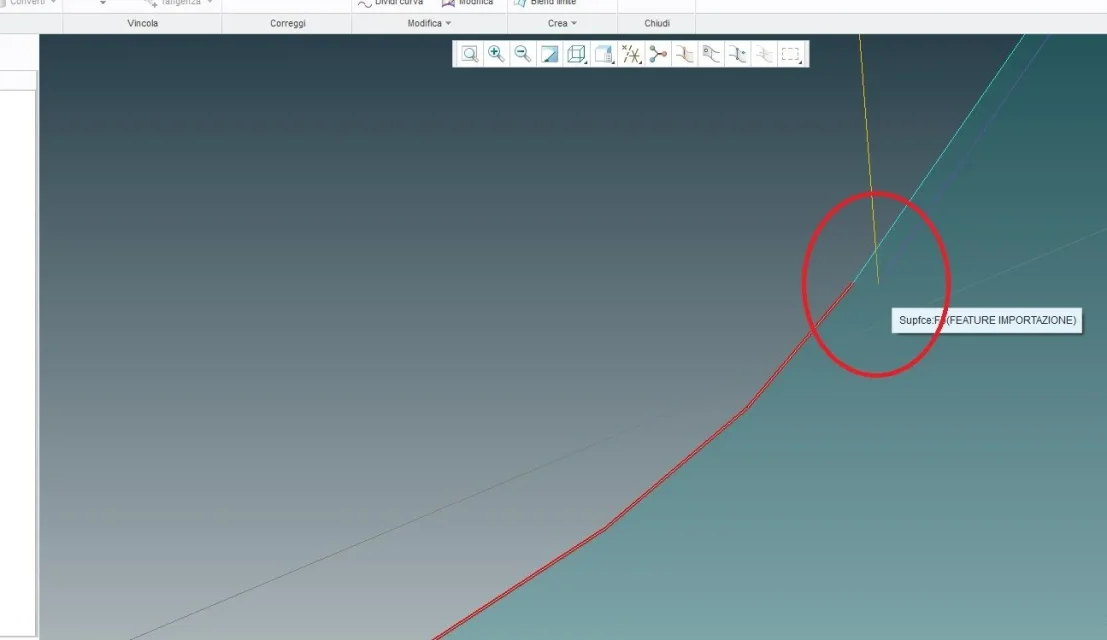 if you make us case the lower curve does not have edges in common with the side.o_o
to select the model without volume select model, right clickperfect, then I'll show you the steps I do like this, if you like, explain to me what I'm wrong:
1.click on file -> save by name
2.imposed as obj format
3.I choose a path (without spaces)
3.I choose a name
View attachment 505974.premo the ok button
5.select everything, then inside the model tree select the coordinate system
6.I choose the definition level by setting rope height and angle control (for convenience now I leave those proposals)
View attachment 505987.choose add.. .
8.I try to select the surfaces I want to include in export (the only thing I can select is the entire geometry)
9. Click on apply to display mesh
View attachment 50600At this point I should see the blue geometry with the coligoni that I create will export, but I keep not seeing anything.
What's the mistake?
Thank you again!
in this case, you have 2 possibilities:hi 320i s I think I have identified the reason why I can't take the second direction:View attachment 50603if you make us case the lower curve does not have edges in common with the side.o_o
hi arni, try:to select the model without volume select model, right click
and take the entire surface.
(x.prt is a volumeless part)
Hi.
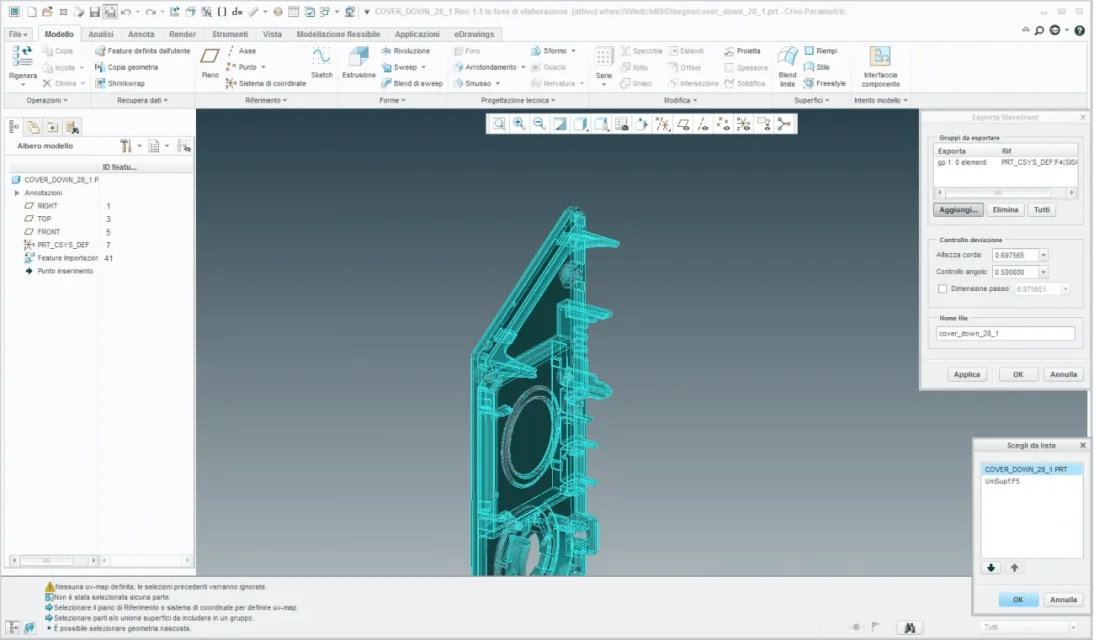

 I will confirm with the station but nothing is exported.
Okay, I know I'm breaking up but be patient, let's take the steps you've indicated to me:in this case, you have 2 possibilities:
1-selections the 2 parts of the line and command at the top "unisci" (you can select multiple segments, but if they are segments of other adjacent surfaces, you cannot join, and in some cases, the union can change the radiation of segments, then better evaluate)
2-with the shift key select the segments for that particular curve, for that particular direction, so as to "close" the contour; but then more surfaces will be created from the system; in the m, where you transpose the new surfaces into the domain, you will notice that a segment, does not close the tangence, because that edge, has 2 surfaces to be combined; then view the nodes, select the entire segment, select the command "divid", approach the intermediate node you see on the curve and click on the node; If everything goes well, you split the segment to the right point and the tangences will be respected.
 holding down the ctrl key select the two curves of which I want to join the tops at the end, then select merge curves:
 as you had predicted I did not get results
 I have no idea what to do.
after "ok" you have to select thehi arni, try:
View attachment 50615
View attachment 50616View attachment 50617I will confirm with the station but nothing is exported.
after "ok" you have to select the coordinate system again.hi arni, try:
View attachment 50615
View attachment 50616View attachment 50617I will confirm with the station but nothing is exported.
perfect works! Thank you so much you saved my life!!!!after "ok" you have to select the
after "ok" you have to select the coordinate system again.
He's asking you. )
Now you see a second export group.
Hi.
hinges

 Thank you 100000000!

