• This forum is the machine-generated translation of www.cad3d.it/forum1 - the Italian design community. Several terms are not translated correctly.

benefits in the use of a graphic tablet?

ClaudioPagnacco

Guest
precisione: una graphic tablet allows to draw with a much greater precision than the computer mouse or touchpad, which makes it easier to make detailed and precise drawings.

comfort: the feeling of drawing on a physical surface, similar to paper, instead of flat and hard surface of the mouse or touchpad, can be much more comfortable and natural.

pressure control: Many graphic tablets are able to detect the pressure of the pen on the surface, which allows to vary the width of the line and to obtain effects of nuance and gradation, as with the pencil and brush.

Speed: Once used to the use of the graphics tablet, many users find that it is much faster and more efficient than using the mouse or touchpad, which means they can complete the job faster.

flexibility: graphic tablets can be used with a wide range of graphics software, from vector design to digital painting, from 3d modeling to animation. This means that users can make the most of their creative skills and work with programs they prefer.

graphic tablets are a valuable tool for creative professionals and digital art enthusiasts, as they allow a level of precision, comfort and control that you cannot get with your computer mouse or touchpad.
 
He talked about it again. but in cad, it is a forum oriented to the cad sector, it is not all roses and flowers. can you post demonstration videos in this area?
 
precisione: una graphic tablet allows to draw with a much greater precision than the computer mouse or touchpad, which makes it easier to make detailed and precise drawings.
a cad doesn't make free hand drawings. It builds primitive geometric type, based on points in space. It could also be a 1megadpi tablet, precision does the software, not the pointing tool.
comfort: the feeling of drawing on a physical surface, similar to paper, instead of flat and hard surface of the mouse or touchpad, can be much more comfortable and natural.
because you don't "drawn" type with the pencil, but you hook points, objects etc., the feedback of the smooth surface I don't think is so perceptible to make it a discriminating one.
pressure control: Many graphic tablets are able to detect the pressure of the pen on the surface, which allows to vary the width of the line and to obtain effects of nuance and gradation, as with the pencil and brush.
what is needed (or could it ever serve) a pressure control on a cad?
Speed: Once used to the use of the graphics tablet, many users find that it is much faster and more efficient than using the mouse or touchpad, which means they can complete the job faster.
This is a point worthy of deepening. but while with the mouse you have the wheel that allows you to zoom back-up and then have an area covered by the mouse movement more or less wide depending on the video zoom, with the tablet you are limited to that area.. .
Speed: Once used to the use of the graphics tablet, many users find that it is much faster and more efficient than using the mouse or touchpad, which means they can complete the job faster.
It can be true.
flexibility: graphic tablets can be used with a wide range of graphics software, from vector design to digital painting, from 3d modeling to animation. This means that users can make the most of their creative skills and work with programs they prefer.
in some areas, I think it is a must have, in others completely useless. can be used everywhere, but they are not useful everywhere.
graphic tablets are a valuable tool for creative professionals and digital art enthusiasts, as they allow a level of precision, comfort and control that you cannot get with your computer mouse or touchpad.
First, I don't think anyone here, whether you use fixed workstations, whether you use portable workstations, has ever dreamed of using the touchpad to work. That's all you need when you forgot to do the last soda on your laptop before you turn it off and turn it on for those 10 seconds before you finally do it again. I switch on the laptop first and then the system, to understand.

Tablets are a precious tool, but oriented to the "pittoric" part, artistic in the purest sense of the term (photographic, pictorial, imaging etc.). but not technical.
as a technician, if I throw a line I want a line, not a faithful representation of the arc generated by the movement of my wrist. or do we put the team on the board and let us slide on the stylus?

p.s.
What manufacturer do you represent? (otherwise the sense of this post I don't explain it to myself... )
 
I use an a5 tablet with inventor and rhino ( + all other programs of productivity and communication) and would never return to a mouse, unless situations of force greater.
 
Well, a graphic tablet is a graphic tablet, more or less performing, sophisticated and expensive, but always tablet is.
My cost was between 60 and 70 heur, no comparison with the same price mouse, infinite life, ergonomic handle, you can put the stylus on the ear as an old carpenter, what you want more.
 
Interesting discussion.
definitely for works of art graphics has huge advantages, I talk about photoshop and similar.
maybe I'm still tied to the memories of the old graphic tablets that were used with the first cads and with their use was like following a tennis game.
on the head.. down the head to aim the icon on the tablet, blessed san mouse.
Obviously things will be changed better and I assume that the pen only serves to position itself on the icons of the video menu.
I talk about my software, with a single hand on the mouse I have the pan zoom and rotation without the help of the left hand with the ctrl key
I wonder:
Why don't the most import cads propose this tool as an alternative to the mouse?
 
I use an a5 tablet with inventor and rhino ( + all other programs of productivity and communication) and would never return to a mouse, unless situations of force greater.
on youtube there are many videos of people using tablets for artistic drawings, but I have never seen anything with cad programs. is it possible to show something about use? do you know videos already available that show how to work?
 
on the head.. down the head to aim the icon on the tablet, blessed san mouse.
more than another anecdote: thanks to this intense eye gymnastics, passing from the tecnigraph to the tablet, my myopia greatly improved. then in time and the natural stiffening of the crystalline I have come to no longer have to use glasses to drive, than enjoy! advice: stay away from lens dealers who just want to increase dose:)
 
more than another anecdote: thanks to this intense eye gymnastics, passing from the tecnigraph to the tablet, my myopia greatly improved. then in time and the natural stiffening of the crystalline I have come to no longer have to use glasses to drive, than enjoy! advice: stay away from lens dealers who just want to increase dose:)
Okay, if it also works for the presbyopia step to the tablet? :
 
more than another anecdote: thanks to this intense eye gymnastics, passing from the tecnigraph to the tablet, my myopia greatly improved. then in time and the natural stiffening of the crystalline I have come to no longer have to use glasses to drive, than enjoy! advice: stay away from lens dealers who just want to increase dose:)
modern tablets, used with video icons, are not suitable for this therapy, you have to resort to old summagraphics, serials, with the power supply and large as the desk.
in my first wacom a5, I had put the simil summagraphics grid, it lasted 2 weeks, then I converted to video icons, vanifying the benefits that the eye gymnastics, with hindsight, would give me.
 
remembrance

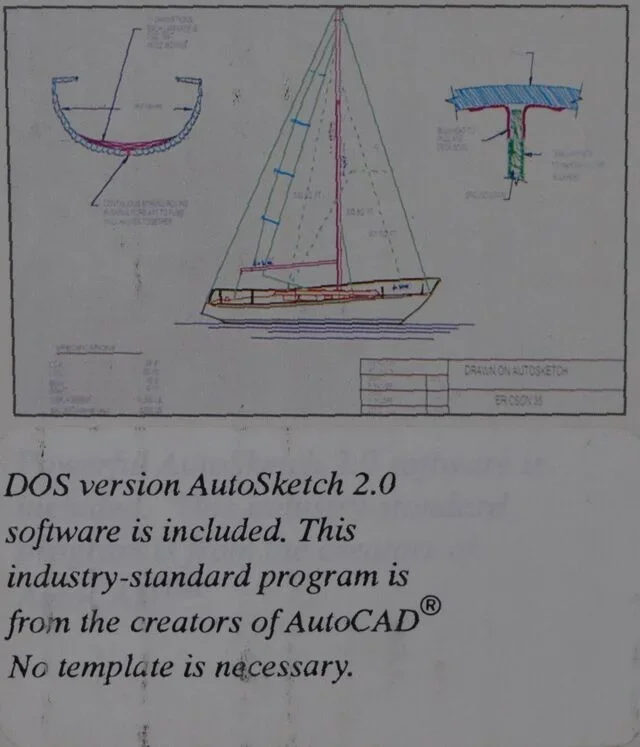
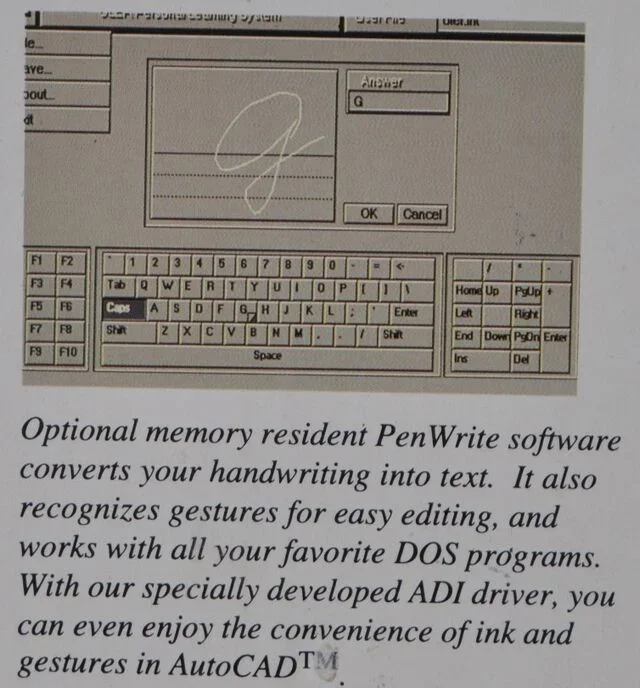
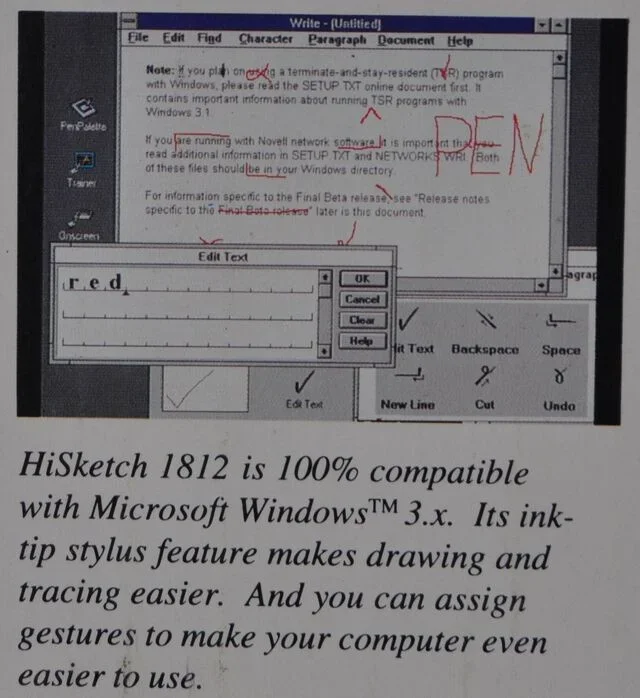
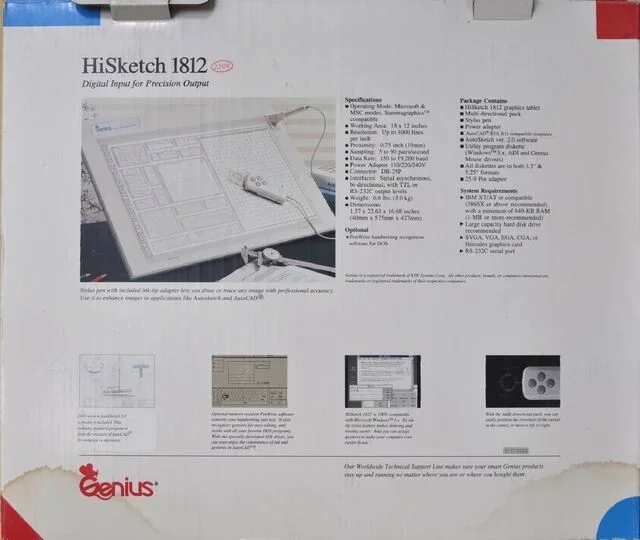
run the year 1992. graphic tablet genius 1812 in use, with flashcad, up to windows xp,

then dismissed for irreperibility of the driver, carefully preserved in the original packaging.
 

Attachments

  • F_01.webp
    F_01.webp
    33.2 KB · Views: 11
  • F_02.webp
    F_02.webp
    35.5 KB · Views: 10
  • F_05.webp
    F_05.webp
    30.9 KB · Views: 10
  • F_03.webp
    F_03.webp
    63.5 KB · Views: 9
  • F_04.webp
    F_04.webp
    54.9 KB · Views: 10
I never used a table for cad 2d 3d, but I can see some videos.
Great!
However, the tablet has nothing to do with it, it needs a touch screen monitor and its pen.
there is a similar software less performing.
I tried it for 15 days, the only defect (by way of saying) is not parametric.barp3d
 
Last edited by a moderator:
In my opinion, working with the tilted tablet/screen in that way, it's okay to make that video, 10 minutes.
Then your arms fall.
an account is to make a babaciotto or a presentation, a walk with navisworks, another draw or shape all day.
ergonomics says: forearm with stylus on the tablet resting on the desk, other hand on 3dconnexion or scratching the pear, eyes on the monitors ( eye gymnastics from monitors sx, central and right, repeat 1000 times a day)
 
Okay. it is clear to me that to recover diotrie better watch tennis matches, ping pong and follow with eyes the cars rub along the way.

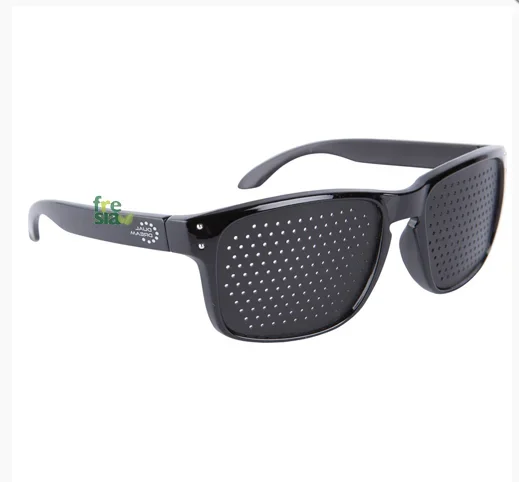
or with these glasses and a particular gymnastics
I also bought them and tried: a cag.. Crazy1678477725166.png
 
Last edited by a moderator:

Forum statistics

Threads
44,997
Messages
339,767
Members
4
Latest member
ibt

Members online

No members online now.
Back
Top