• This forum is the machine-generated translation of www.cad3d.it/forum1 - the Italian design community. Several terms are not translated correctly.

custom sheet

  • Thread starter Thread starter baleritec
  • Start date Start date

baleritec

Guest
Hello everyone, as I have to make a working cycle on solidworks, having already the table made on autocad (.dwg, a4) it is possible to set it as sheet, fixed element, on which then to realize the various designs?

The tables have space to contain the various drawings of the piece in scale 1:2.

inserting the .dwg file into a solidworks design treats it as if it were a view and changing the scale everything is resized. How can I solve this?
 
But, strange.
the result is the white sheet
then you open a new design, insert the new sheet format and these turns out white?

However as it is not clear how then you should manage this table the sheet format may not be the right solution.
the sheet format is fine if you parameterize the table with file properties, either design or pattern, otherwise you should enter each time changing sheet to fill it.
Why don't you make a normal table?
 
But, strange.

then you open a new design, insert the new sheet format and these turns out white?

However as it is not clear how then you should manage this table the sheet format may not be the right solution.
the sheet format is fine if you parameterize the table with file properties, either design or pattern, otherwise you should enter each time changing sheet to fill it.
Why don't you make a normal table?
Yes, the sheet is white. this is the file, with the dwg inserted, in case you want to see how the table is made, attached the screen:
https:/mega.nz/#! 1qzdkcyd!k_itism9lr5z-rep3xlypx0_rika78lldd8iq6rjmscan you make a similar sheet with solid?
 

Attachments

  • Screenshot (89).webp
    Screenshot (89).webp
    42.8 KB · Views: 19
  • Immagine.webp
    Immagine.webp
    36.9 KB · Views: 20
attach files through the appropriate forum function and, not through external sites.
in your profile is not indicated the solid version, update it to allow others to download a file compatible with their version.

but what pieces are in 1:2 format in those squares, washers?

Of course you can make a similar sheet, what does it have different from one with the square and the cartilage? always lines and writings are.
 
attach files through the appropriate forum function and, not through external sites.
in your profile is not indicated the solid version, update it to allow others to download a file compatible with their version.

but what pieces are in 1:2 format in those squares, washers?

Of course you can make a similar sheet, what does it have different from one with the square and the cartilage? always lines and writings are.
Okay, but I can't change the post anymore.

I have to represent a mechanical tree, starting from 35x123mm brushes, until I get to finished tree (which I have already made in the laboratory, with parallel lathe and cnc milling machine) . in scale 1:2 the 9 passages enter quite well, even with quotas.

How do you recommend doing the table? Draw it brutally with lines in the 2d sketch? or is there a setting function, which in case I still have to learn?
 
Last edited:
Okay, but I can't change the post anymore.
And then I'll re-legal as I told you. fr aun year that mega file will no longer exist and if someone reads the post can not open it.
How do you recommend doing the table? Draw it brutally with lines in the 2d sketch? or is there a setting function, which in case I still have to learn?
How did you enter the dwg?
you have to make copy/paste and do not enter>dxf/dwg
 
And then I'll re-legal as I told you. fr aun year that mega file will no longer exist and if someone reads the post can not open it.


How did you enter the dwg?
you have to make copy/paste and do not enter>dxf/dwg
1) I even tried before attaching it but it doesn't make me do it, I don't see any other functions beyond "allega file"

2) When copying paste gives me problems, I can't decide the format and is smaller than the a4 and I can't change it. However yes, I did from "i insert>dxf/dwg" because it makes me decide which format to fit it.

I want to specify that the delivery is Tuesday and do it on solidworks is an option, it should be done by hand, only that the prof who assigned us the task, which is not drawing, but laboratory technology, would be more "content", without obviously giving us notions, only the table made on autocad (which among other things we never touched).
in addition to the school I attend the solidworks course, but we have not yet arrived at the table masses nor to the management/setting of the sheets, in each lesson we take hours even for a function, only in models for now.

I don't demand anything at all, but it seems to me to have to specify it.
 
1) I even tried before attaching it but it doesn't make me do it, I don't see any other functions beyond "allega file"
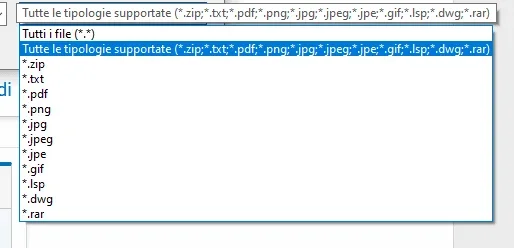
You have to zip it. these supported formats
Immagine.webp
by making copy paste gives me problems, I can't decide the format and turns out smaller than the a4 and I can't change it.
because you probably set a scale factor different from 1:1 and then the design is scaled.
the design area must be 1:1

to change a table like this is a known dimension, you use the scale command and you set the scale factor given by the theoretical/real quota.
 
I opened a 2d in a4, white, without cartilage. from autocad I copied and I'm trying to paste it, but nothing comes out, remains white.
 
You have to zip it. these supported formats
View attachment 56355because you probably set a scale factor different from 1:1 and then the design is scaled.
the design area must be 1:1

to change a table like this is a known dimension, you use the scale command and you set the scale factor given by the theoretical/real quota.
I made the table on solid, customizing it, at least while I learn how to manage autocad, I put myself on track with the job, and I have a backup plan.

Now: is there a way to hide only the odds I used for the rows of the table and leave only those of the various designs?

Let me explain, the lines of the table are not part of any view. each piece is a view to itself (grey rates) in scale 1:2, from the feature manager> annotation>hiding reference quotas removes all quotas, I need those of the views.

later place everything, to correct even the drawings.
 

Attachments

  • Immagine.webp
    Immagine.webp
    23.8 KB · Views: 8
Last edited:
if you are sure that the size of the table will not change it anymore you can also delete the quotas and make everything fixed.

in any case to hide a quota that you do not want to see just select it and choose hide from the context menu.
to select all odds in one gesture just use the selection filter (command bar > selection filter), select the quota icon (stop a few seconds on the icon to see the description) and make ctrl+a (select all)
feature managers> annotations>discounts reference quotas
It has nothing to do with what you try to do
 
I opened a 2d in a4, white, without cartilage. from autocad I copied and I'm trying to paste it, but nothing comes out, remains white.
if you have selected the entities present in autocad and did ctrl+c and then on solid you have made ctrl+v I don't know what to tell you.
your solid version is quite old and maybe you can't do it... mysterious mysteries
 
I realized where the problem of empty creation of the sheet format was.
when you paste your dwg you must first click on the white part of the drawing with the right button and select edit sheet size, then click out of the white part and paste the dwg. at this point you can save the sheet format.
I attach the sheet size even if I am not sure that you can charge it being created with 2019
 

Attachments

I realized where the problem of empty creation of the sheet format was.
when you paste your dwg you must first click on the white part of the drawing with the right button and select edit sheet size, then click out of the white part and paste the dwg. at this point you can save the sheet format.
I attach the sheet size even if I am not sure that you can charge it being created with 2019
I had an unexpected and I'll stay out of the house late, as soon as I get back I see. Thank you.
 
I realized where the problem of empty creation of the sheet format was.
when you paste your dwg you must first click on the white part of the drawing with the right button and select edit sheet size, then click out of the white part and paste the dwg. at this point you can save the sheet format.
I attach the sheet size even if I am not sure that you can charge it being created with 2019
fortuitous absence of the laboratory professor yesterday, postponed delivery to Thursday.

how can I quote from the edge of the sheet? so you can set the table well for printing?

on google I found the function "automargin", I do not know if it is that, but in my version I do not find it on > edit sheet format
 

Forum statistics

Threads
44,997
Messages
339,767
Members
4
Latest member
ibt

Members online

No members online now.
Back
Top