TECNOMODEL
Guest
I am making the various templates because before my arrival you used the default and there was nothing customized.
made ipt and idw with i-properties, squares, paper etc. now I would like to customize lines, colors, aspects etc.
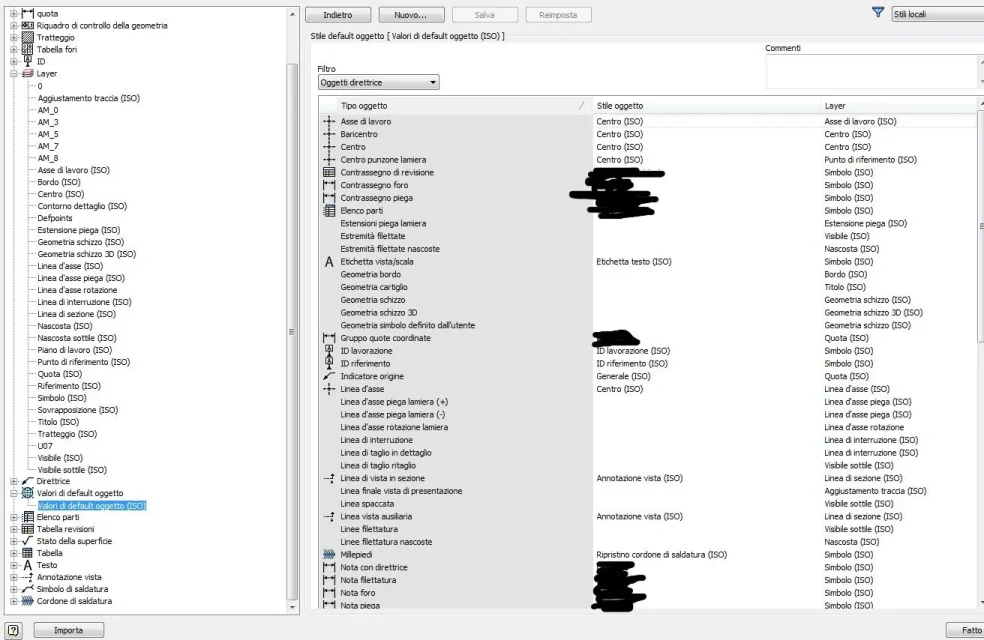
in the design template I find layers with various line color configurations, line type, thickness. I do not understand what they refer to.
are the lines that are created in sketch mode or even those of the view created by the system?
how do I create a sketch, such as the edge, know in which layer is the selected line? Can I change the layer in which it is defined?
regarding the parts, can you change the colors of the various sketch entities?
when I create something and select it I only have a layer to which color change but it keeps it for every sketch geometry, whether it be axis, boundary line or construction line.
If I open the side's style editor I only find the lighting and notes.
Does anyone know how everything works?
made ipt and idw with i-properties, squares, paper etc. now I would like to customize lines, colors, aspects etc.
in the design template I find layers with various line color configurations, line type, thickness. I do not understand what they refer to.
are the lines that are created in sketch mode or even those of the view created by the system?
how do I create a sketch, such as the edge, know in which layer is the selected line? Can I change the layer in which it is defined?
regarding the parts, can you change the colors of the various sketch entities?
when I create something and select it I only have a layer to which color change but it keeps it for every sketch geometry, whether it be axis, boundary line or construction line.
If I open the side's style editor I only find the lighting and notes.
Does anyone know how everything works?