• This forum is the machine-generated translation of www.cad3d.it/forum1 - the Italian design community. Several terms are not translated correctly.

estrusion on surface bitch

  • Thread starter Thread starter Cla
  • Start date Start date
or even faster, realize the sketch and directly apply the offset function from the sketch, using the "normal" option

 
question: how do I create an offset surface made like that? :d I can't use the sketch and project the lines. .
 
the "offset" command you should find it under the "change" menu... if I don't remember badly, I haven't used that version for several years.
you must first select the surface and then apply the command.
 
from 4 clicks, select the surface, offset command, enter distance and direction and confirm. :-)
 
Thank you guys... I never took cad before the thesis... I know that for you are trivial.
Anyway thank you @jambo, very kind :) now I try.
yesterday's modification through surface offset I can't do it because wf5 'offset' means it as enlargement or narrowing of the profile, instead I need to lower it, the surface (also).
I also tried to indicate a reference plan, but I do not activate the ok button, then, from the property tab.. :( definitely the way there is, I just have to master a minimum of functions and combo.. :
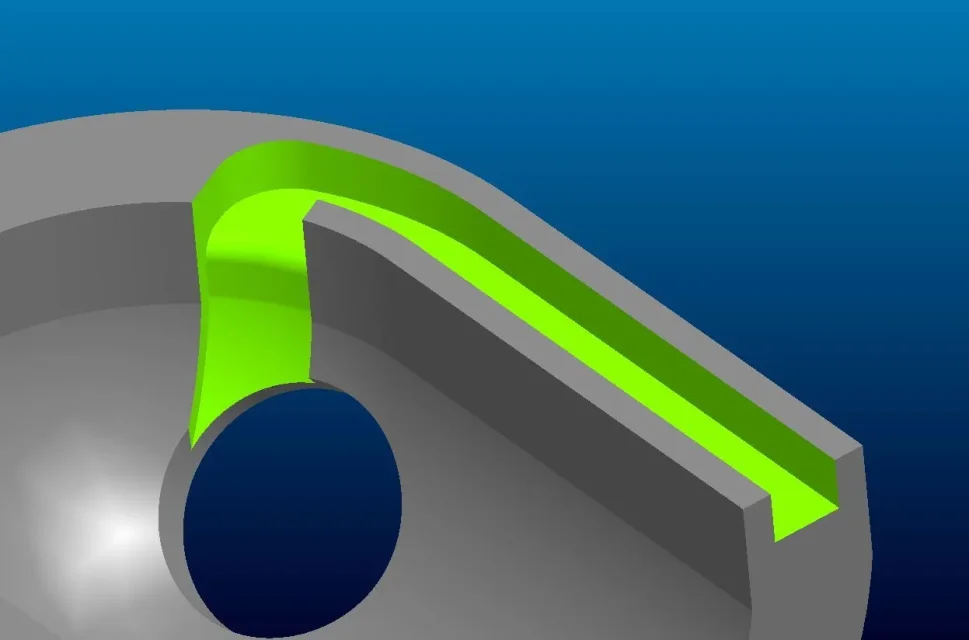
I'll let you know, thank you all
 
It works perfectly! immensi... thank you! I still keep studying the basics... sooner or later I can:)
 

Forum statistics

Threads
44,997
Messages
339,767
Members
4
Latest member
ibt

Members online

No members online now.
Back
Top