
STUDIO PeD
Guest
Hello, everyone! I am completing my first real project with revit 2009 and thanks to this forum I am also learning "the tricks of the craft"! Thanks, thank you very much, but I got to the final stage I have a little problem. .
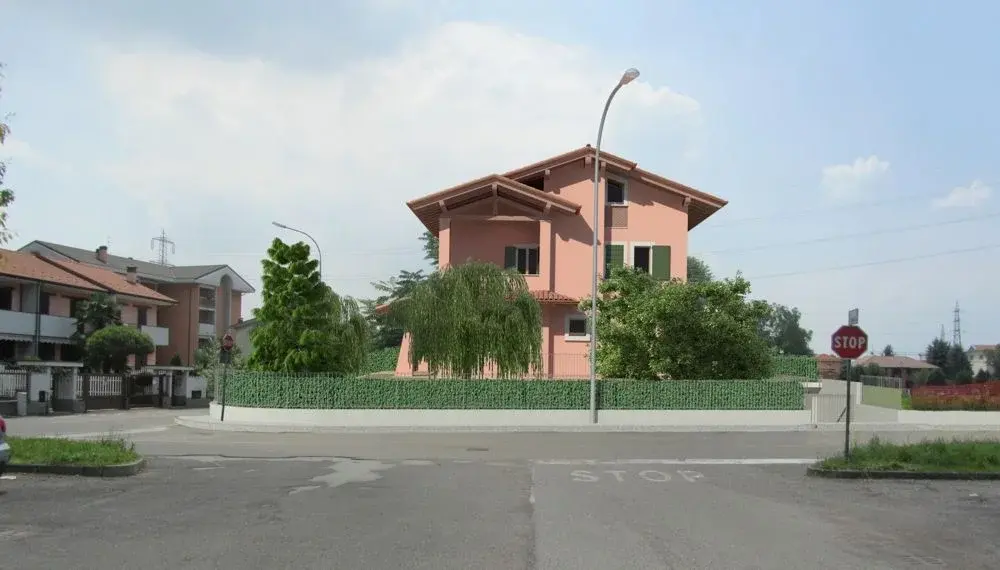
after rendering and exporting it to .png format I overlayed it to a photo to get the background of the real situation, of course through 'import images' since this version of revit does not allow other commands!!! !
Unfortunately, I cannot now cut out and export the only part of the assembly I need.. ..in the sense that a part of the photo used remains uncovered and excluded from rendering and I do not want it to be seen in print..How can I do to eliminate this 'more'? !
thanks and good work. :smile:
after rendering and exporting it to .png format I overlayed it to a photo to get the background of the real situation, of course through 'import images' since this version of revit does not allow other commands!!! !
Unfortunately, I cannot now cut out and export the only part of the assembly I need.. ..in the sense that a part of the photo used remains uncovered and excluded from rendering and I do not want it to be seen in print..How can I do to eliminate this 'more'? !
thanks and good work. :smile:



 rogram files(x86)\gimp-2.0. therefore should be resident in the general program. if I open the help from the gimp, however, the English manual appears to me.