• This forum is the machine-generated translation of www.cad3d.it/forum1 - the Italian design community. Several terms are not translated correctly.

export revit with background

  • Thread starter Thread starter STUDIO PeD
  • Start date Start date

STUDIO PeD

Guest
Hello, everyone! I am completing my first real project with revit 2009 and thanks to this forum I am also learning "the tricks of the craft"! Thanks, thank you very much, but I got to the final stage I have a little problem. .
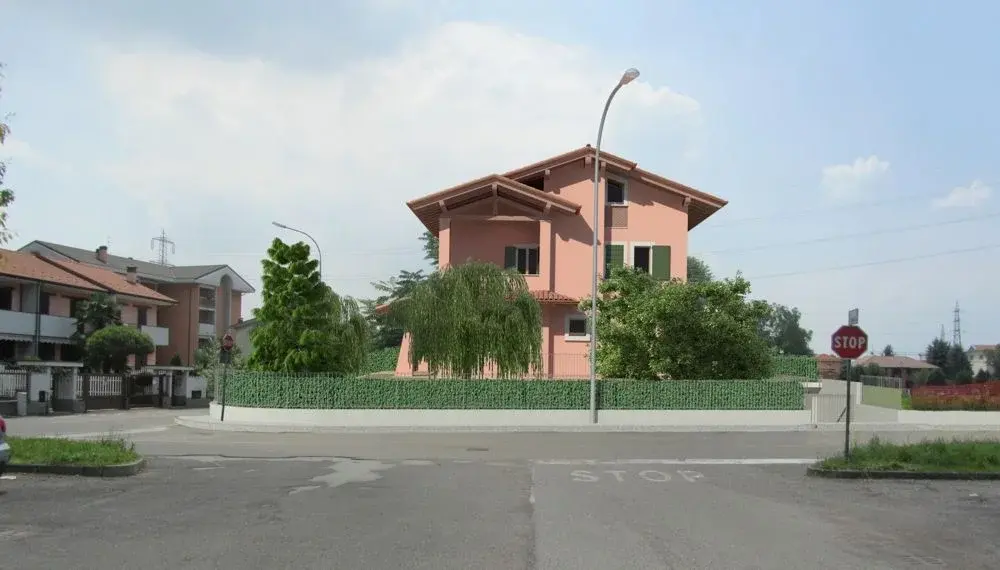
after rendering and exporting it to .png format I overlayed it to a photo to get the background of the real situation, of course through 'import images' since this version of revit does not allow other commands!!! !
Unfortunately, I cannot now cut out and export the only part of the assembly I need.. ..in the sense that a part of the photo used remains uncovered and excluded from rendering and I do not want it to be seen in print..How can I do to eliminate this 'more'? !
thanks and good work. :smile:
 
These things are better to make them in photo paint or photoshop where you have total control of images even of the pictures, some small deformation to your image or background you can give it to adjust and match the perspective
I'll give you an example.
 

Attachments

  • foto da parcheggio.webp
    foto da parcheggio.webp
    82.5 KB · Views: 50
  • Vista 3D 1000.webp
    Vista 3D 1000.webp
    23.9 KB · Views: 53
  • piazzale parcheggi-1000.webp
    piazzale parcheggi-1000.webp
    56.4 KB · Views: 56
so these things, without a photo editing program, can no longer be done?
Yes, but the photo editing gives you an extra march...
...and if it is a question of money remember that there is always the gimp, great photo editing software opensource:finger:
 
thanks for information tristan.
The money aspect has its importance, especially for programs that, perhaps, do not use much.
not seeing much the web are a bit cut out. never there's anything in Italian, but it's fine anyway.
Thank you.
 
right today at euronics I saw the home version of chorel draw x5 to 99 euro (version prof to 800 €)
inside there should be corel draw, corel photo paint and corel capture
I had taken x3 a couple of years ago at this price and it's what I'm using all the time to do those things on post
Consider that it has a fixed code number, so I installed it on both home and office pcs.
 
is it because of those who write on cad3d have a license of the programs (at least of the cad used for construction) ?
at least to use it for a couple of chorel photos I paid 100 euri
around the various bittorrent you find it without problems:biggrin:
his consideration could always be of chorel "photopaint pr"or who does the same things suppergiù to 80 euri

ps.
I went to look for the box, it is not "home" but "special edition"
so I'm not a "pirate":tongue:
 
in the end I entrusted myself to gimp for the overlap, et voilà.. I managed to do everything! :finger: and now ahead with the next project! !
Thank you.
Good week to all!
 
Hello, I downloaded gimp and wandering the site I also found a manual in Taliano that has as set-up gimp-help-2-2.6.0-it-setupwhen installing it he goes to the folder in c:program files(x86)\gimp-2.0. therefore should be resident in the general program. if I open the help from the gimp, however, the English manual appears to me.
Did someone have a chance to try and see what happens?
are 500 pages and read them in English...be a good effort.
Thank you.
 
found.
in the http address that appears when you ask the opening of the manual to replace "en" with "it".
and you have the manual in Italian.
simple.
 

Forum statistics

Threads
44,997
Messages
339,767
Members
4
Latest member
ibt

Members online

No members online now.
Back
Top