• This forum is the machine-generated translation of www.cad3d.it/forum1 - the Italian design community. Several terms are not translated correctly.

limiti macro solidworks

  • Thread starter Thread starter lucadileta
  • Start date Start date

lucadileta

Guest
Hi guys, I've been working a lot lately with cryogenic implants that are essentially made up of hundreds of tube sections. to make a variety of fem analyses, I find myself having to convert the step files of these tubes into models formed by the external surface. essentially I always do the same passage:

1 I create an external surface of the tube with an offset with distance 0

2 eliminate the solid part of the tube

now as I am really a tide I thought to make a macro that essentially does these steps.
I have no experience in this regard and for this I was wondering how much I can make the macro, side or even at the level of together. I try to explain myself better. As I would not like to open every single part and follow the macro I wanted to know if it was possible to run it together, in the sense that they select more parts within a set and the macro does what it has to.

Does anyone have ideas/experiences about it?

thanks as usual to all! :smile:
 
You should understand how these tubes are made, surely there will be longer and shorter, but they are all of the same section? are round or rectangular tubes? Are they intersected by cuts? Are they multi-body?

you need to understand if there is a rule where the macro can interact.

For example, if a tube, whether round or square, is intersected by holes and we want to obtain the outer skin, it should be rather simple to do with a macro, but also the inner surfaces of the hole would be taken away.

if possible, you can make available some parts of some pipe to see and understand feasibility, perhaps it is easier than you think.
 
You should understand how these tubes are made, surely there will be longer and shorter, but they are all of the same section? are round or rectangular tubes? Are they intersected by cuts? Are they multi-body?

you need to understand if there is a rule where the macro can interact.

For example, if a tube, whether round or square, is intersected by holes and we want to obtain the outer skin, it should be rather simple to do with a macro, but also the inner surfaces of the hole would be taken away.

if possible, you can make available some parts of some pipe to see and understand feasibility, perhaps it is easier than you think.
thank you teseo for the article, now I look at it carefully.

Jenuary thanks to you in advance. then the tubes are all circular but have variable thickness and length. What I do now is 4 steps:

1 - Mix wall thickness

2 - I create the outer surface of the pipe

3 - gate the solid part

4 - rename the file with at the end "_xxmm" where xx stands for the thickness of the pipe wall (I then need it in ansys to assign the thickness to the surfaces)

Now for me the ideal would be to be able to launch the macro on a set of selected elements within the environment so as not to have to open every single file and launch the macro in the "part" environment. I have never done macro unfortunately, I am learning now:confused:.

I attach the file first and after with the original names:)
View attachment SW_File.zip are in sw format 2016

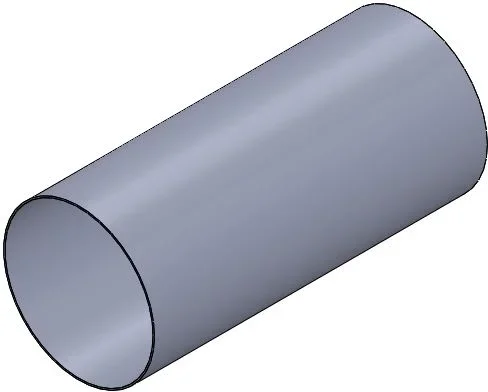
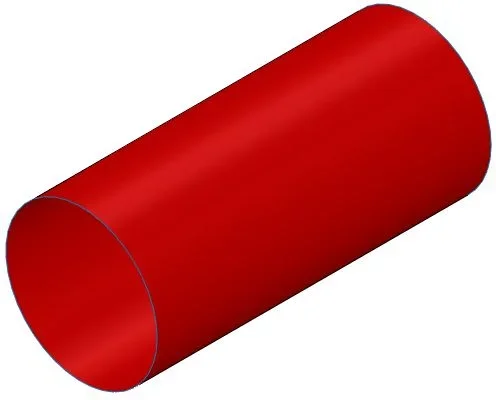
Here is also a photo200102120_Rohr_1.webp 200102120_Rohr_1_2.0mm.webp
 
Hi.
I wrote you a fast macro that works side by side.

prerequisites:
- open part file containing a tube such as example, not picture, eliptic etc.
- the side file if it is an imported, you must already have done import diagnostics, otherwise even if you see a solid, for bees is not a solid, then by mistake.

launches the macro

result:
- a new file containing only the first body is created (if it is a multi body the first body must be a tube)
with the name you asked in the same path of the parent tube, containing the functions of surface offset and deletion of the pipe body.

If you do so, you will have to change it and work it together, but you must have the components all tubes,
otherwise follow the teseo advice and install the savebackground 3.0.
 

Attachments

Hi.
I wrote you a fast macro that works side by side.

prerequisites:
- open part file containing a tube such as example, not picture, eliptic etc.
- the side file if it is an imported, you must already have done import diagnostics, otherwise even if you see a solid, for bees is not a solid, then by mistake.

launches the macro

result:
- a new file containing only the first body is created (if it is a multi body the first body must be a tube)
with the name you asked in the same path of the parent tube, containing the functions of surface offset and deletion of the pipe body.

If you do so, you will have to change it and work it together, but you must have the components all tubes,
otherwise follow the teseo advice and install the savebackground 3.0.
Thank you so much jenuary, now I try it and I study a little:finger:
 
jenuary I'm studying your macro even if I have to say that not being hardwareized in visual basic is not really immediate the thing, thank you very much again!. I wanted to ask you a couple of questions:

1 - Do I have the possibility, in case I have a set, to point the assembling to the new part that I have generated and not to the old?

2 - creating a selection in the environment together could be a work around to run the macro on multiple parts without opening them? Perhaps by calling the selection with a particular name?
 
1 - Do I have the possibility, in case I have a set, to point the assembling to the new part that I have generated and not to the old?

2 - creating a selection in the environment together could be a work around to run the macro on multiple parts without opening them? Perhaps by calling the selection with a particular name?
1 - I think it's a "replaced component", if I'm not mistaken, the command you need, at least that I didn't misinterpret your question

2 - You should pre select the components (tubes) that you want to process in the axieme and then launch the macro.
the macro obviously needs to be changed.

I realized you're studying the macro, but I didn't know if the macro on the part level does what you need.
 
1 - I think it's a "replaced component", if I'm not mistaken, the command you need, at least that I didn't misinterpret your question

2 - You should pre select the components (tubes) that you want to process in the axieme and then launch the macro.
the macro obviously needs to be changed.

I realized you're studying the macro, but I didn't know if the macro on the part level does what you need.
hi jenuary, exact, I really need the function to replace component, in other words I should read the path of the part referred to its set and replace it with the new part.

to pre-select you want to create a "saved" selection or simply select them with your mouse?

p.s. about the macro does exactly what it has to:biggrin: only the above things are missing, once you implement those then I am riding:) now I see what I can understand
 
to pre-select you want to create a "saved" selection or simply select them with your mouse?
I meant a pre selection of components with the mouse and then launch the macro.

question, how many "tube" components do you have in your set to process?
 
I meant a pre selection of components with the mouse and then launch the macro.

question, how many "tube" components do you have in your set to process?
hi jenuary, the assemblies are very variable in size, generally at least I have about fifty for each set. As for the tube sections in their totality I have about 2000 in each plant:frown:

Do you think the number to be processed could be a problem?
 
jenuary, I'm starting to change your macro trying to make it work in the environment together
Code:
dim swapp as sldworks.sldworks
dim swmodel as sldworks.modeldoc2

' aggiunto
dim swassy as sldworks.assemblydoc
dim swselcomp as sldworks.component2
'

dim swselmgr as sldworks.selectionmgr
dim swseldata as sldworks.selectdata
dim vbodies as variant
dim part as sldworks.partdoc
dim body as sldworks.body2
dim swface as sldworks.face2
dim swsurf as sldworks.surface
dim vcylinder as variant
dim vfaces as variant
dim diametro as double
dim diametro_1 as double
dim diametro_piccolo as double
dim selface as sldworks.face2
dim swent as entity
dim bret as boolean
dim ret as long
dim boolstatus as boolean
dim longstatus as long, longwarnings as long

sub main()

set swapp = application.sldworks
set swmodel = swapp.activedoc
'set part = swapp.activedoc

' aggiunto
set swassy = swmodel
'

set swselmgr = swmodel.selectionmanager

' aggiunto
set swselcomp = swselmgr.getselectedobjectscomponent4(1, -1)
'

'set swseldata = swselmgr.createselectdata

    ' vbodies = part.getbodies2(swbodytype_e.swsolidbody, false)
    vbodies = swassy.getbodies2(swbodytype_e.swsolidbody, false)
            diametro = 0
            for i = 0 to 0
           'for i = lbound(vbodies) to ubound(vbodies)
                set body = vbodies(i)
                 vfaces = body.getfaces
                    if not faces then
                        for j = 0 to ubound(vfaces)
                            set swface = vfaces(j)
                                set swsurf = swface.getsurface
                                    if swsurf.iscylinder then
                                       vcylinder = swsurf.cylinderparams
                                        '
                                        debug.print (cdbl(vcylinder(6)) * 1000#)
                                        '
                                         diametro_1 = cdbl(cstr((vcylinder(6) * 1000#)))
                                         '
                                        if (diametro_1) > diametro then
                                            diametro_piccolo = diametro
                                            diametro = diametro_1
                                            set selface = swface
                                            set swent = swface
                                            else
                                            diametro_piccolo = diametro
                                            diametro = diametro_1
                                            set selface = swface
                                            set swent = swface
                                        end if
                                    end if
                        next j
                        bret = swent.select4(false, swseldata)
                        swmodel.insertoffsetsurface 0, false
                        swmodel.clearselection2 (true)
                        '
                         bret = body.select2(false, swseldata)
                        '
                        dim feature as object
                        set feature = swmodel.featuremanager.insertdeletebody2(false)
                        '
                        dim path as string
                        path = left(swmodel.getpathname, instrrev(swmodel.getpathname, "\"))
                        '
                        dim spessore as double
                        spessore = diametro - diametro_piccolo
                        if spessore < 0 then spessore = spessore * -1
                        '
                        dim newfile as string
                        newfile = left(swmodel.getpathname, instrrev(swmodel.getpathname, ".") - 1) & "_d" & cstr(2 * diametro) & "mm_t" & cstr(spessore) & "mm" & ".sldprt"
                        '
                        boolstatus = swmodel.extension.saveas(newfile, 0, 1, nothing, longstatus, longwarnings)

                         swapp.closedoc swmodel.gettitle

                    end if
            next i
end sub
obviously gives me error in correspondence of the string "vbodies = swassy.getbodies2(swbodytype_e.swsolidbody, false)"
Forgive me for the programmatic chestnuts I wrote
 
Intanto:
set swselcomp = swselmgr.getselectedobjectscomponent4(1, -1)

a cyclo for le selezioni:

dim ii as integer
for ii=1 to swselmgr.getselectedobjectscomponent4(ii, -1)
. ..
. ..
Next ii
 
Intanto:
set swselcomp = swselmgr.getselectedobjectscomponent4(1, -1)

a cyclo for le selezioni:

dim ii as integer
for ii=1 to swselmgr.getselectedobjectscomponent4(ii, -1)
. ..
. ..
Next ii
Thank you so much jenaury. the central body of your code would tell me that it has to be contained in this component selection cycle together, tonight I try to implement it and let you know.
 
...I would have done it... I cut and sewed from other code.
Try to finish it otherwise ask yourself.

Hi.
 
...I would have done it... I cut and sewed from other code.
Try to finish it otherwise ask yourself.

Hi.
great jenuary, thank you very much for your interest, I would like to do it myself because I want to make a plan to write macro so that I can be flexible with the software and exploit it so much potential. to date I am trying to understand the syntax of your code so that I can make changes with criterion. However if you have insurmountable problems, I'll let you know, while if I can then we can compare the code that will be left to the posters:-) hello and good weekend!
 
...I would have done it... I cut and sewed from other code.
Try to finish it otherwise ask yourself.
hi jenuary, I put myself away from a simple example of sw. I attach the code (don't mind if in the comments there are written baggianate)
Code:
'---------------------------------------------
option explicit ' obbliga a dichiarare tutte le variabili tramite dim o redim

' dichiarazione delle variabili

    dim swapp                   as sldworks.sldworks
    dim swmodel                 as sldworks.modeldoc2   ' class, allows access to solidworks documents: parts, assemblies, and drawings.
    dim swassy                  as sldworks.assemblydoc
    dim swselmgr                as sldworks.selectionmgr
    dim swselcomp               as sldworks.component2
    dim swselmodel              as sldworks.modeldoc2
    dim nerrors                 as long
    dim bret                    as boolean
    dim componenttomove         as sldworks.component2   'aggiunto
    dim i                       as integer   'aggiunto
    dim swselcount              as integer   'aggiunto
 
sub main()

    const sfilename             as string = "c:\users\lucad_000\desktop\macro_sw\parte.sldprt"

    set swapp = createobject("sldworks.application")    ' "set swapp = application.sldworks", get an instance of solidworks to work with. this is done on this line, crea e restituisce un riferimento ad un oggetto com; accesso al programma
    set swmodel = swapp.activedoc                       ' gets the currently active document.
    set swassy = swmodel                                ' sembrerebbe ridichiarare la variabile, essendo in ambiente assieme la chiama swassy
    set swselmgr = swmodel.selectionmanager
    swselcount = swselmgr.getselectedobjectcount2(0)      'aggiunto ottengo il numero degli oggetti selezionati // indicizzati, array? boh
    
    debug.print "  selvalnum              = " & swselcount   'numero di corpi selezionati
    '------------------------------------------------------------------------
     for i = 1 to swselcount
        set componenttomove = swselmgr.getselectedobjectscomponent4(i, 0)
        debug.print "component to move = " & componenttomove.name2
        debug.print "  selcomppath          = " & componenttomove.getpathname
        bret = swassy.replacecomponents(sfilename, "", true, true)
        debug.print "  replacecomponents    = " & componenttomove.name2 & " with " & sfilename
     next
    '------------------------------------------------------------------------

end sub
In short, this code, once selected parts in the environment, replaces them with a part of which I define the path.
then what I would like to do once you select the parts in the axieme is?

- enter the for cycle defined by the number of selected parts
- with "set componenttomove = swselmgr.getselectedobjectscomponent4(i, 0)" I create an instance to the first selected part
- with "bret = swassy.replacecomponents(sfilename, "", true, true)" I perform the replacement of each part with the prefixed part

I have problems to do this:

1) the first is that with the replacement command is applied to all selection while I would like it to be attached only to the "componenttomove" object

I thought of something like that but it's obviously wrong:

bret = componenttomove.replacecomponents(sfilename, "", true, true)

2) as a second problem: the command "swselmgr.getselectedobjectscomponent4" when applied to a multiple selection of parts together how do you behave? creates an indexed array of selected parts?

what I would like to do is to have a variable index pointer to an array that contains all selected parts so that they can apply to individual parts, varying the index with the for cycle, all the commands I need more or less so:

- selection of parts
- I create the array of selected parts length l_max
- Hole cycle i=1:1:l_max
nesting your code
replacement of the new part with the i-th of the selection
end
debug
creating a log file with the list of replacements made
save together

I hope to have been quite clear :smile:, thank you very much in advance as always and good evening!
 
In short, this code, once selected parts in the environment, replaces them with a part of which I define the path.
then what I would like to do once you select the parts in the axieme is?

- enter the for cycle defined by the number of selected parts
- with "set componenttomove = swselmgr.getselectedobjectscomponent4(i, 0)" I create an instance to the first selected part
- with "bret = swassy.replacecomponents(sfilename, "", true, true)" I perform the replacement of each part with the prefixed part

I have problems to do this:

1) the first is that with the replacement command is applied to all selection while I would like it to be attached only to the "componenttomove" object

I thought of something like that but it's obviously wrong:

bret = componenttomove.replacecomponents(sfilename, "", true, true)

2) as a second problem: the command "swselmgr.getselectedobjectscomponent4" when applied to a multiple selection of parts together how do you behave? creates an indexed array of selected parts?

what I would like to do is to have a variable index pointer to an array that contains all selected parts so that they can apply to individual parts, varying the index with the for cycle, all the commands I need more or less so:

- selection of parts
- I create the array of selected parts length l_max
- Hole cycle i=1:1:l_max
nesting your code
replacement of the new part with the i-th of the selection
end
debug
creating a log file with the list of replacements made
save together

I hope to have been quite clear :smile:, thank you very much in advance as always and good evening!
as regards point 1:

- in the macro that I had laid down I avoided replacing the component, it is not necessary, in fact for each selected component I open it,
I perform offset and body deletion work and then I perform a "Save with Name" using the bee call
boolstatus = swpartmodel.extension.saveas(newfile, 0, 1, nothing, longstatus, longwarnings)

this save automatically renames the file in use, leaving the old file in the directory, not having saved it before the save by name,
the changes are eliminated, getting the same result you were trying to do.
the axieme takes the new references, just remember to save it after the macro has finished.

by point 2:

selcount = swselmgr.getselectedobjectcount()
if selcount
dim swselobj as object
for z = 1 to swselmgr.getselectedobjectcount()
set swselobj = swselmgr.getselectedobject5(z)
set swcomp = swselmgr.getselectedobjectscomponent2(z)
set swcompmodel = swcomp.getmodeldoc

.... now continue with the code, obtaining the path of the component, open it as a file of part, process the body, and save by name
....


end if


I set your way because I know you want to complete it yourself, if you need it in the next steps ask yourself, never give up

Good day
 

Forum statistics

Threads
44,997
Messages
339,767
Members
4
Latest member
ibt

Members online

No members online now.
Back
Top