• This forum is the machine-generated translation of www.cad3d.it/forum1 - the Italian design community. Several terms are not translated correctly.

links/cons on desktops after irreversible autocad error 2010

  • Thread starter Thread starter reggio
  • Start date Start date

reggio

Guest
Good morning to all, I apologize if I write in the wrong place, but this morning I am in emergency with a problem of which I difficult to identify the origin.. .

What happened on my colleague's pc: just arrived this morning launched solidworks that opened without problems, then launched autocad2010 that gave him irreversible error (unfortunately he did not mark the error code) then autocad closed and immediately after that. . .
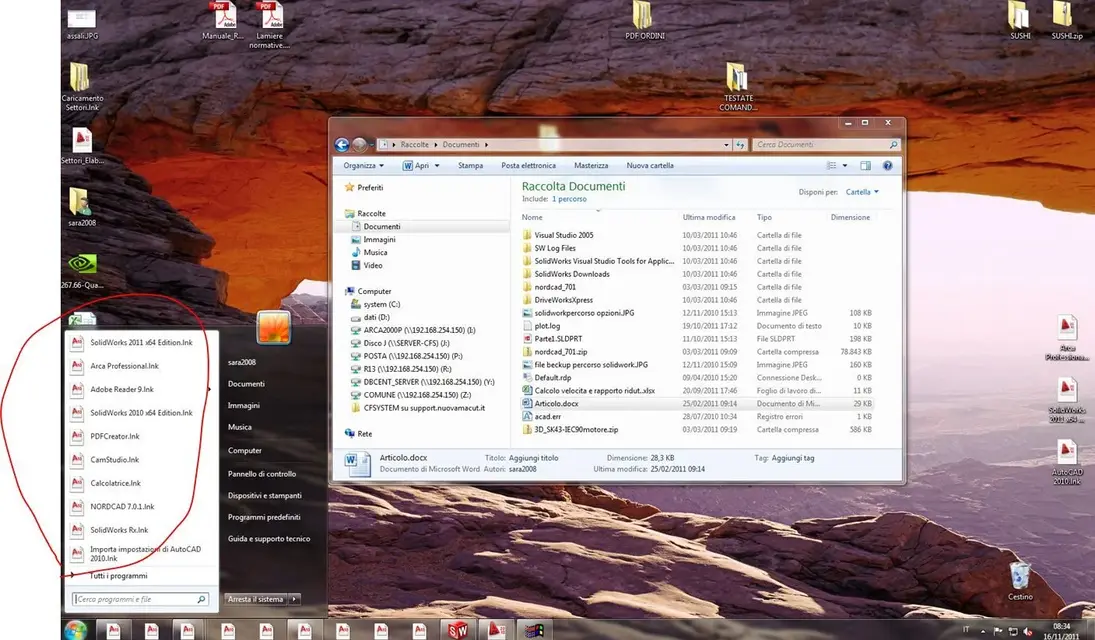
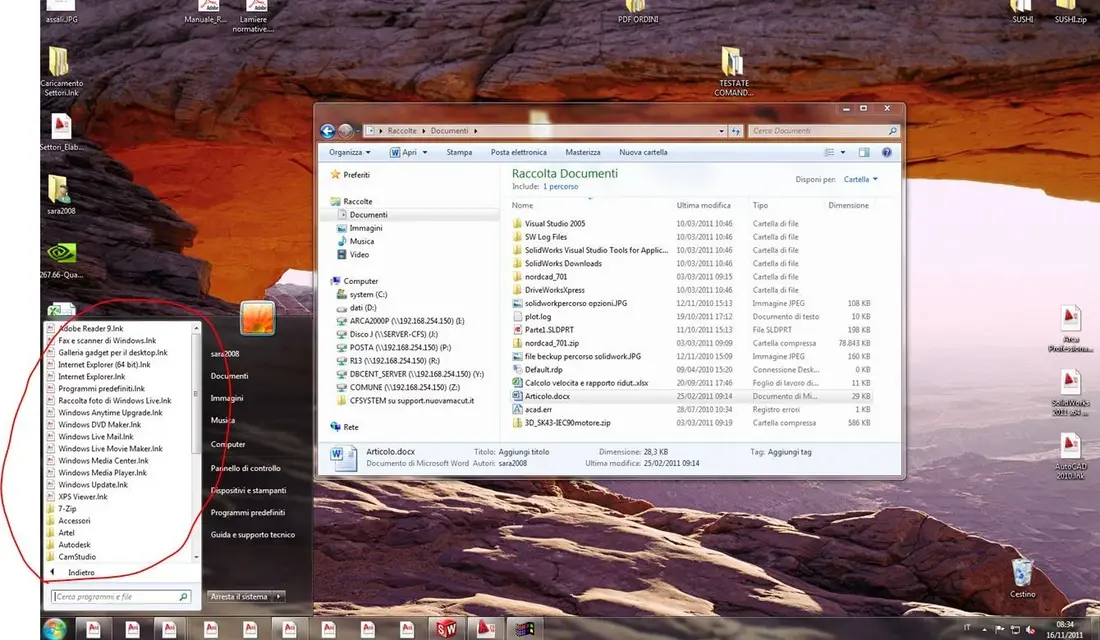
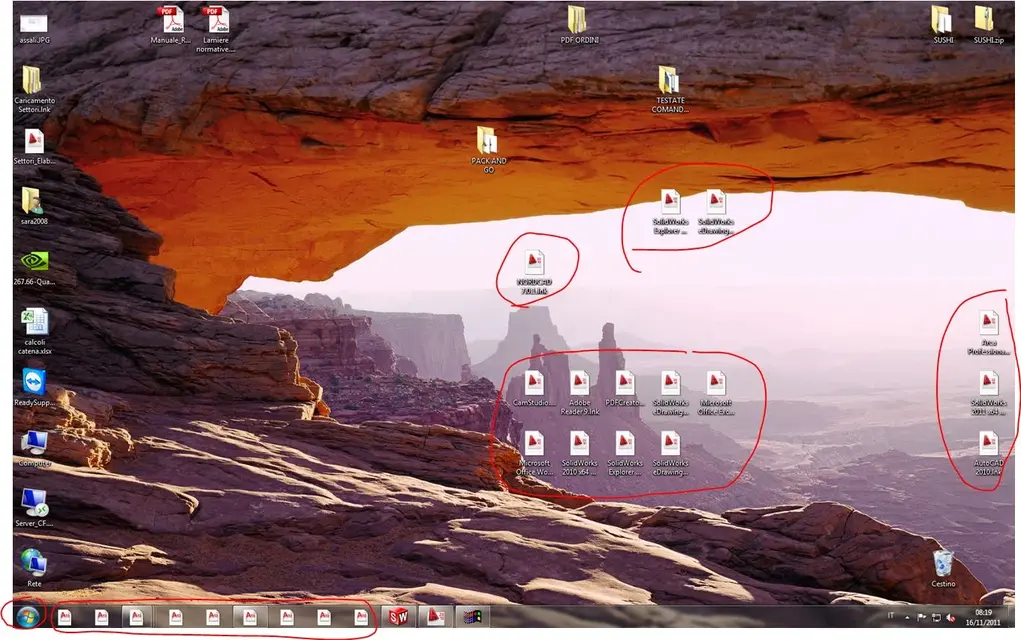
- links icons (only those related to links, because icons related to desktop files have not undergone modifications) have stopped working while maintaining the link within the correct "properties", they took as an icon image that of autocad and the description added the extension ".lnk", in addition to the links icons on the desktop, they also made the same end:
- all icons on the application bar
- all icons inside start and start/programs
....
links no longer work if the address inside the icons is still correct, to open the programs you have to go in c:\programs\...\*.exe, or double clik on a file.. .

Unfortunately also re-creating links, icons are always autocad (also for links of other programs), links inside are correct but do not work :confused:

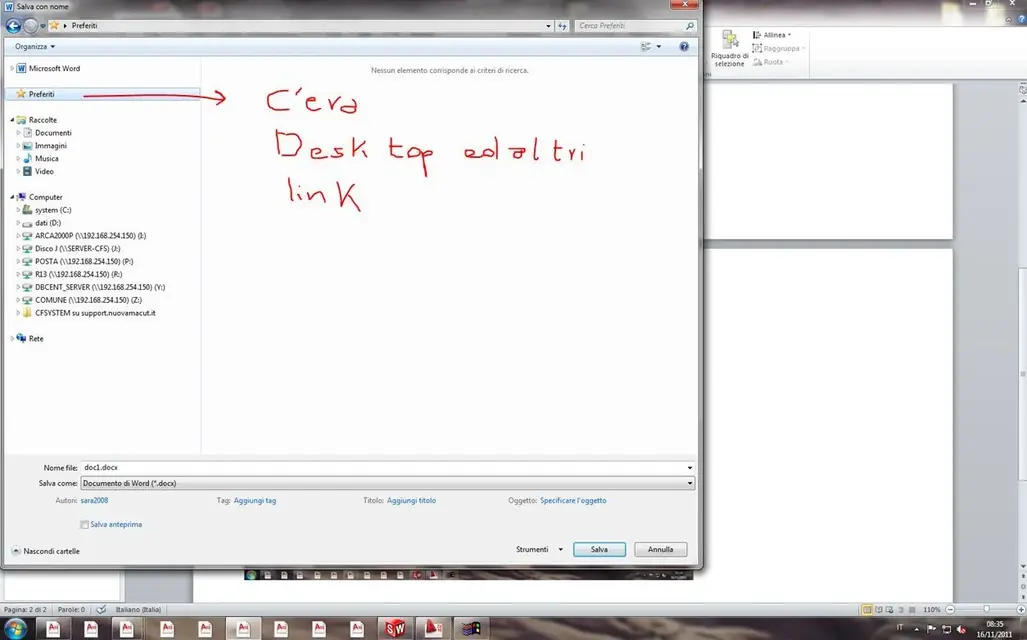
we noticed that within "preferred" resource explorers are missing links to desktops and other folders. . seems almost that the problem lies from those parts, or cmq in that pc because if you go to the various folders of the server, all the icons are in place and obviously the files open with double click... .

Could you help me understand what happened and fix things?
 

Attachments

  • MARCO.webp
    MARCO.webp
    192.6 KB · Views: 21
  • MARCO2.webp
    MARCO2.webp
    174.9 KB · Views: 13
  • MARCO3.webp
    MARCO3.webp
    169.6 KB · Views: 9
  • MARCO4.webp
    MARCO4.webp
    47.3 KB · Views: 9
in windows:
restores a system configuration prior to the problem
bye and thanks :smile:
3 things:
- would the system configuration have had to save us before or fà win7 to each installation?
- Anyway, could you give me directions on how to restore?
- Is the restoration reversible? i.e. if I realize that there is no installation or anything, I can return to the situation of ... today :frown: ?
 
bye and thanks :smile:
3 things:
- would the system configuration have had to save us before or fà win7 to each installation?
- Anyway, could you give me directions on how to restore?
- Is the restoration reversible? i.e. if I realize that there is no installation or anything, I can return to the situation of ... today :frown: ?
In theory, you can seize the day you bring back the system, for example if you had a problem today, you restore it to yesterday, and in theory a problem like this should not be there anymore. and you will lose the data to "today" keeping everything else. (on how to do I recommend you to hear a technician, I did it on the xp I would not tell you wrong things), for the reversible I do not think it is reversible, but you can segliere una giorno any of the last months, I don't think you will have any problems with the installations.
 
As a system administrator, 10 clients and a server, I adopted a simple strategy:

1) Once installed the system and "indispensable" programs, I create an image with norton ghost.

2) before installing or unintenting any program, I create a step
next of the original image.

3)if in performing oction 2) something should go wrong, restore
I'll take my mind off.

I have set up 3 incremental backups, one per week, which remain saved either on the network or locally, and so doing I have the opportunity to restore the os that best suits me.

in almost 4 years I managed to fix situations that would take full days.
I am aware that the post is not "repair" to your request, but preventing is easier than cure... .

ps: in the first days after installing w7, I had a similar problem, all icons had the same look and did not work, I adopted point 3 and everything returned to place.
I couldn't help you if I didn't tell you to try to reinstall the os by running it as an update and not as a new installation.

ps2: restore windows (disabled at first start) never convinced me, sometimes creates double folders and risks to make a slaughter.

Hi.
 
restoration is a picture of the system at a certain date and does not concern data (if these reside in specific locations)
If we say the day x you have installed an application and return to a situation of the day x-2gg, you will no longer find the application installed. but this means you can reinstall it, not that you will make a new recovery on the x date, adding the 2ggs you had previously removed.

data is not normally touched, unless they are in particular positions (if they are on the desktop, or in the program folder you may have problems).
but this is easily bypassable, just move them, before doing the restoration, in quiet positions (for example c:\lavori)

for the problem of only icons you can see in folders (view -> file types if not erro), while for links I don't know how to tell you why they don't work.
safe recovery should solve all problems.
 
thanks to all of heart, abemus rendereltum with system configuration reset ...
... we do not know what happened or why (it has not installed anything and has not updated anything).. the only thing you can see is that this night at about 03.00, the system made a last point of recovery... (automatic update is disabled) is not well, but there is good so... :
As a system administrator, 10 clients and a server, I adopted a simple strategy:

1) Once installed I create an image.
2) before installing or detolating I create a step
3)if something goes wrong, restore the image
...
I am aware that the post is not "repair" to your request, but preventing is easier than cure... .
ps2: windows restore never convinced me

Hi.
just mounted win7 I put myself (only in my pc though...) to create restore points after each install, then, with time and rush I stopped... :redface:
today I could appreciate the restoration of windows even if the previous ones did not convince me. . .

everything ok so, now I only have one last curiosity on the pc marco, not linked to this event because he told me that he did it even before: if you click 2 times on a solidworks file to explore resources, this does not open, trying from other pc on the same file in the same location instead opens.... but this is a topic here is ot and then I go to open another tread in the forum solidworks.

Thanks again to everyone.
 

Forum statistics

Threads
44,997
Messages
339,767
Members
4
Latest member
ibt

Members online

No members online now.
Back
Top