• This forum is the machine-generated translation of www.cad3d.it/forum1 - the Italian design community. Several terms are not translated correctly.

loft

  • Thread starter Thread starter Elvis
  • Start date Start date

Elvis

Guest
Excuse me if I interfere,
I need your help.
I try to study the nx6 program but I don't know where I can find teaching materials, if you know at least how to generate a loft (two sketches on two different planes and a sche extrusion joins them).
Thank you.
 
Hello elvis,
First of all, I suggest you learn some terminology: explaining me better, in nx, there is no comado called loft.
There are, as for all cads, the objectives to be achieved for which some tools are more suitable than others.
If you put an example, I'll be happy to give you some tips.
bye:
 
Hi ceschi1959.
Sorry is the first time I participate in a forum,
the loft command that exists in caia and inventor is to create two sketches on different planes and to generate an extrusion from a sketch to the atro.
but I think if I could find some material for learning the program would be better!
Hi:
 
As long as I don't know about the inventor, from your description I would say that you can get the desired result simply with a "ruled" or "through curves". certainly as it hinted at baskets an example would make it easier to help you! :finger:
Hi.
 
Hello, Omen.
I don't know what to say anymore.
I think that ruled is what I look for, but in Italian as they are called (ruled and through curves)?
Thank you.
 
Hello, Omen.
I don't know what to say anymore.
I think that ruled is what I look for, but in Italian as they are called (ruled and through curves)?
Thank you.
For example, I meant maybe an image ... in fact the choice of a command or the other must be made according to any adjacent surfaces.
However ---> ruled= regatta
through curves=mediate curves

Hi.
 

Attachments

  • doc1.webp
    doc1.webp
    191.9 KB · Views: 33
I think the didactic material would not be right, as if you look for lofts in nx manuals you wouldn't find anything, for that I told you to appropriate the terminology 'specifica'.
as Omen says you have to see what you have to do, the honors to the 'round'.
in the image that place there are some ways to connect two sketches on different planes to you which would be okay?

Hi.
 

Attachments

  • superfici.webp
    superfici.webp
    12.9 KB · Views: 24
Thank you all.
I try and let you know, if you don't mind, I'll give you a couple of pictures.
Thank you.
 
Bye to all,
Sorry I'm late, but I have problems with the phone line.
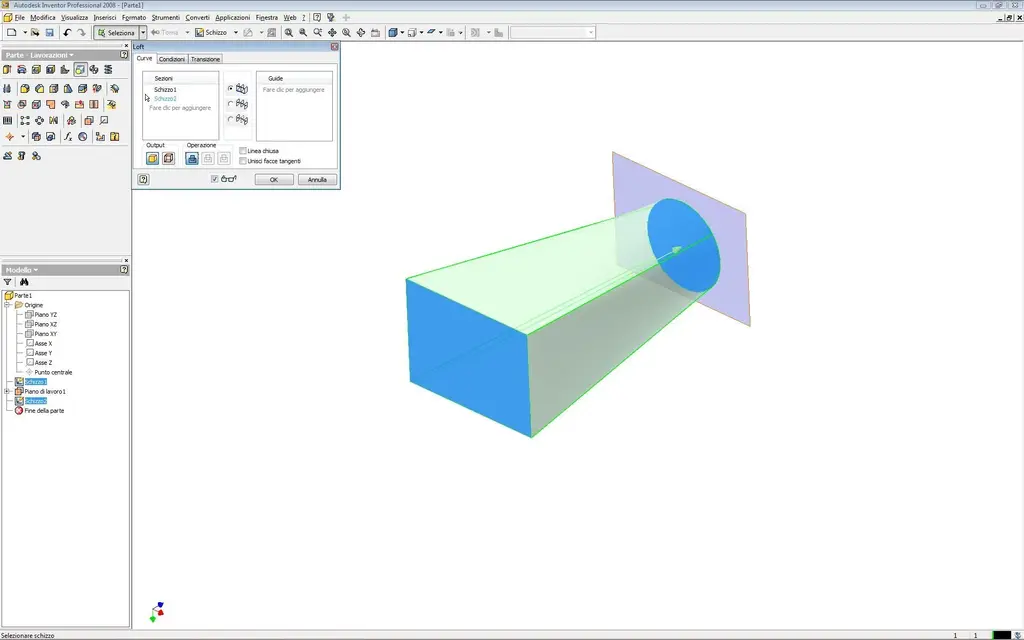
I have prepared a couple of pictures, it seems to have found the command but I would like to find the way to get the processing as from the inventor program.
follows second message with pictures from nx
 

Attachments

  • comando Loft inv.webp
    comando Loft inv.webp
    68.1 KB · Views: 16
  • Imm inv 2.webp
    Imm inv 2.webp
    20.6 KB · Views: 7
  • Imm inv 1.webp
    Imm inv 1.webp
    15.7 KB · Views: 4
Part two.
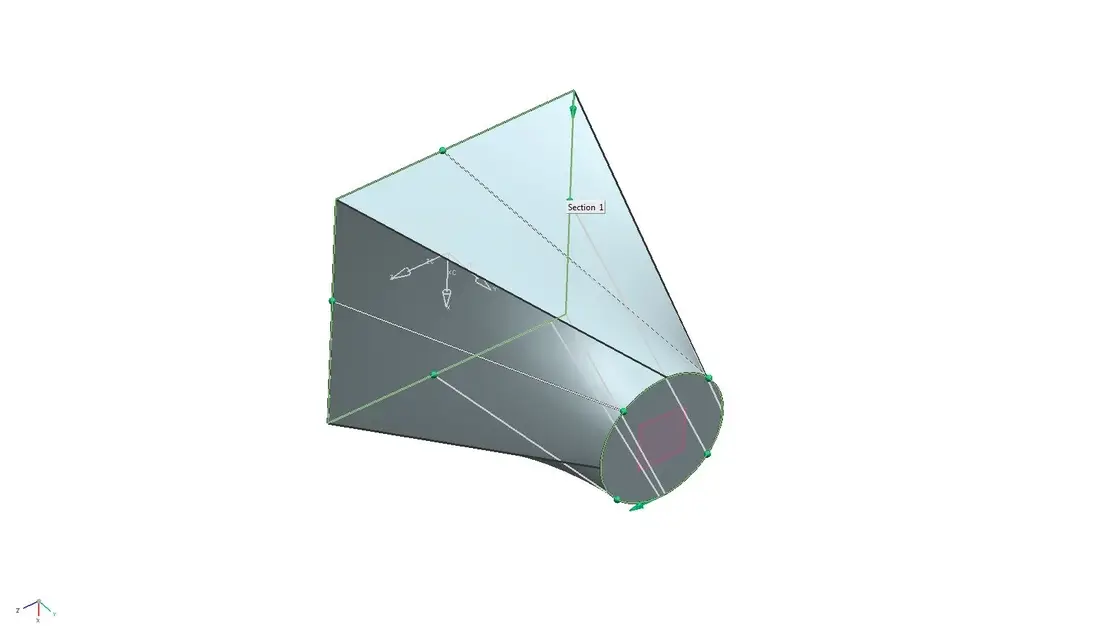
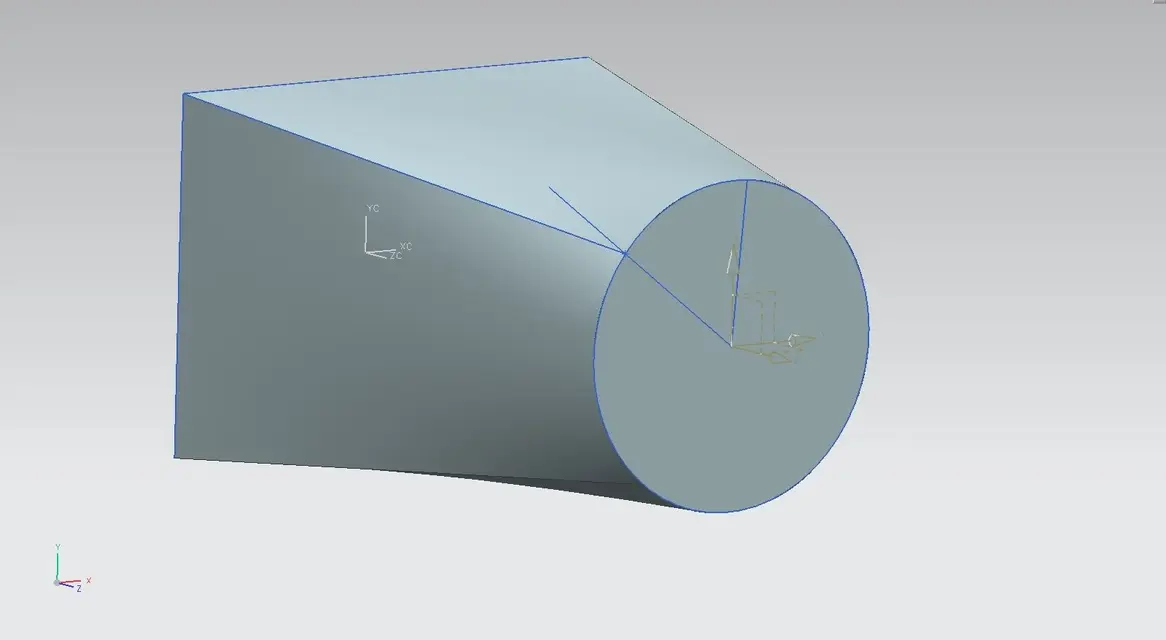
from nx6 I get this object. but I can't fix the points in order to get the result like those of inventor.
that is to place tracks or give to the points of precise values.

Thank you.
elvis:
 

Attachments

  • comando utilizzato.webp
    comando utilizzato.webp
    103.5 KB · Views: 20
  • immagine1.webp
    immagine1.webp
    12.9 KB · Views: 10
  • immagine2.webp
    immagine2.webp
    26.8 KB · Views: 13
Put a datum plane on the middle of the square, then go to the circle, do a new intersection of the datum with the circle.

then turn (ctrl t) point to poitn, take the final point of the circle and move it to the intersection point found
 
I mean, you don't have to move the point, but turn it...
 

Attachments

  • model1.webp
    model1.webp
    21.7 KB · Views: 13
Thank you.
If I understand, I'll make him a track.
I try and let you know

Thank you.
e. :smile:
 
Finally with some pictures you made yourself understand.

In the images I attach you will find, I hope, the solution to your problem.
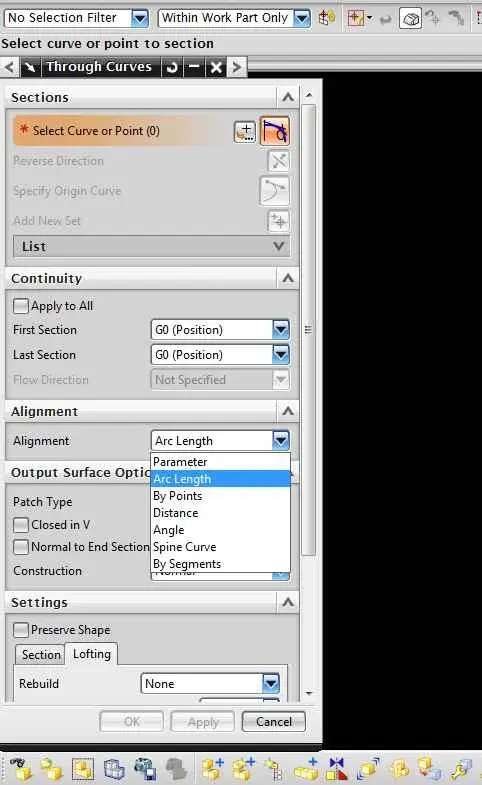
in caramel0 there is the command menu you used (there are others doing these things), with alignment options.
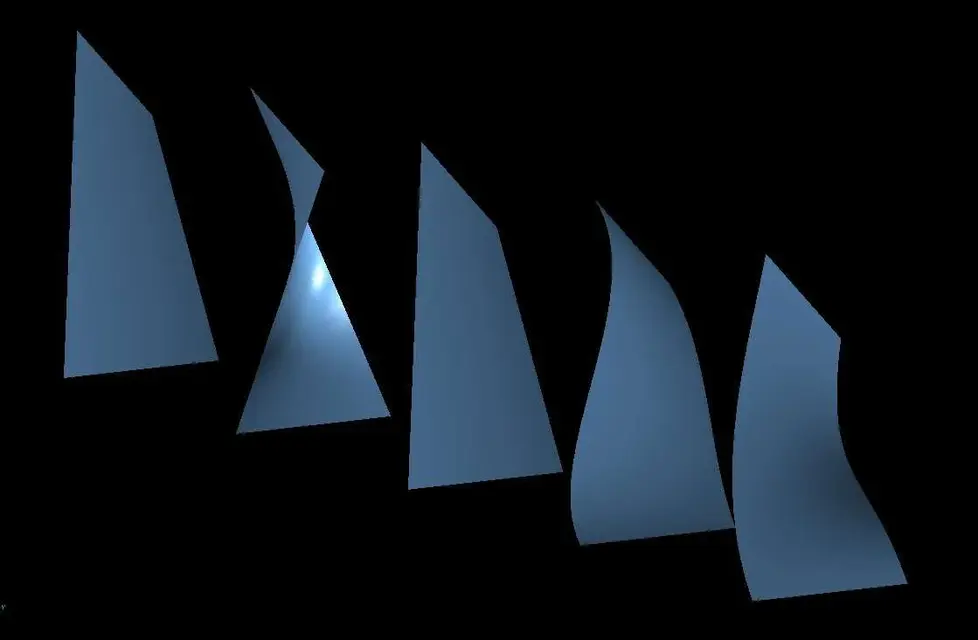
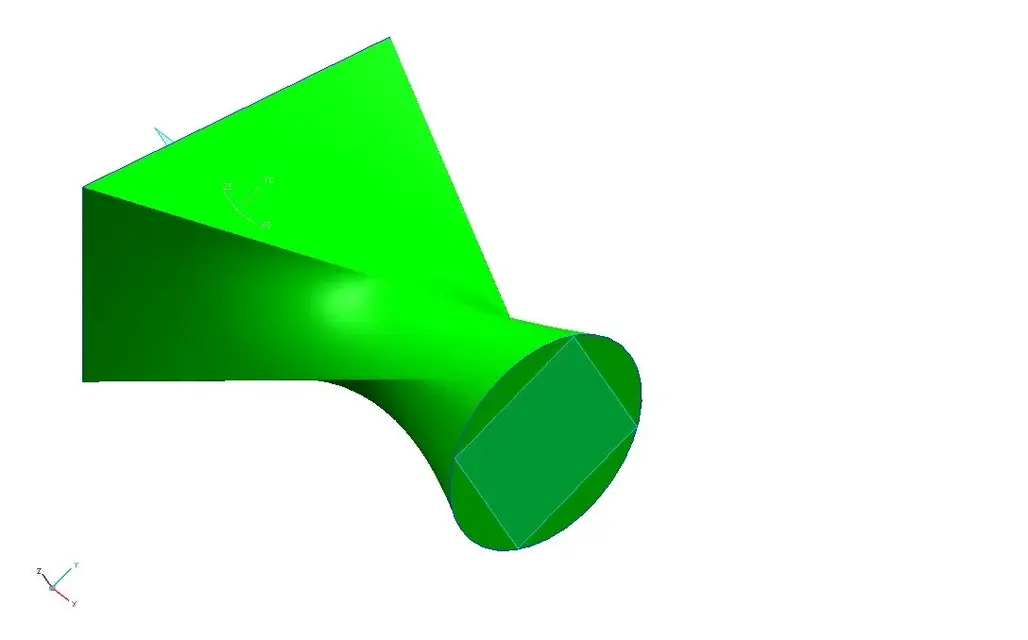
caramel1 is the surface created with 'parameter' option, caramel2 instead was created with the 'spine' option (the thorns is the circle itself).
p.s. I called the caramel images because a surface created incorrectly gives this effect.

bye:
 

Attachments

  • caramella0.webp
    caramella0.webp
    38.5 KB · Views: 29
  • caramella1.webp
    caramella1.webp
    13.3 KB · Views: 19
  • caramella2.webp
    caramella2.webp
    13.7 KB · Views: 16
hi ceschi1959,

It is not that you have skipe and we can do it in sieme, it always comes with caramel effect.
or tell me how we can do it.
Thank you.

elvis
 
yes I have skype and other modern world devils:smile:
However, I recommend that you crush the f1 key when you activate a command and so the online guide will appear.
Bye.
cesing
 
hi ceschi1959,

It is not that you have skipe and we can do it in sieme, it always comes with caramel effect.
or tell me how we can do it.
Thank you.

elvis
in the search guide "scarta", usually with candy works:biggrin:
 

Forum statistics

Threads
44,997
Messages
339,767
Members
4
Latest member
ibt

Members online

No members online now.
Back
Top