• This forum is the machine-generated translation of www.cad3d.it/forum1 - the Italian design community. Several terms are not translated correctly.

logic pattern and solidworks dentate wheels

  • Thread starter Thread starter fofo22
  • Start date Start date

fofo22

Guest
Hi! I'm a master mechanical engineering student and I'm having to draw for the first time with solidworks while my companions have already experienced since we have a different background.

I have to draw a speed reducer with 3 trees, a tree with a toothed wheel of piece, a tree with a toothed wheel of piece and a connected by tab and another tree with a toothed wheel connected by grooved profiles. bhe, I would like to know where to start :eek:, in the sense I already understood how to draw a tree, I saw that the dense wheels can be taken from the toolbox but... now I explain my doubts:
- How do I draw the dense wheels of piece? I have seen that there is the option of having the wheel with the hub but the latter is symmetrical or there is the option of having the hub only on one side of the wheel
- in the environment together I take the wheel with the long hub when all the tree and do the various finishings?
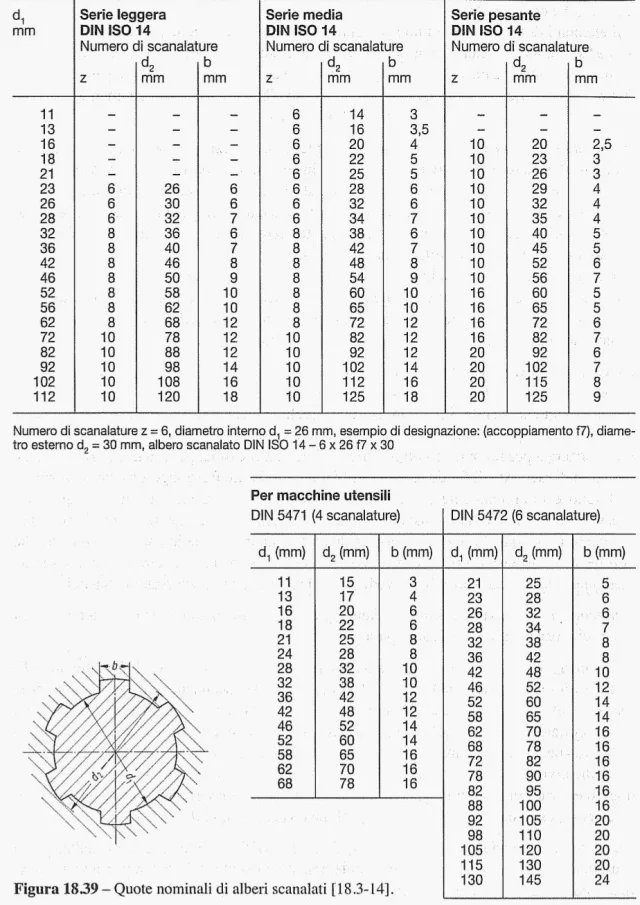
-I don't think I found the wheels with grooved profiles in the toolbox
I hope to have explained and thank you already from now on:)
 
read, take breath and rewrite because you have not understood anything.
how do I draw the dense wheels of piece
Meaning?
I have seen that there is the option of having the wheel with the hub but the latter is symmetrical or there is the option of having the hub only on one side of the wheel
Is that a statement? If the answer is no then the question is missing!
in the environment together I take the wheel with the long hub when all the tree and do the various finishings
incomprehensible phrase
I don't think I found the wheels with grooved profiles in the toolbox
What kind of wheels are they?

starts doing tutorials and I understand how the program works; if your colleagues already know how to use it helped by them and maybe do design sessions together
 
You're right, I try to explain myself better.
how do I draw the dense wheels of piece
What does that mean?
so draw a tree and I can drag a toothed wheel (:roflmao:), the problem arises when I have to draw a toothed piece wheel with the tree, what should I do?
I have to drag a toothed wheel and then with the option "hub style" (checking type c, i.e. toothed wheel with symmetric hub) I model the shaft? I mean, I turn off the hub that comes out with the wheel, doing as long as the tree
In this case, however, I would have precisely the problem that the hub is symmetrical and I do not need a symmetrical shaft compared to the wheel
or I draw my tree and then when I draw the wheel there is some command that makes it "beautiful" thus making the tree with toothed wheel made of piece?

I hope I have been understandable :)
 
Now it is clear even if the definition of piece has never felt. I repeat that you have to do the tutorials because this question would have already found answer.
you create the toothed wheel, with hub or without, with hole or without and then change the part model creating the functions to make the tree.
 
working with toolboxes is a suicide especially if you have to customize a gear.
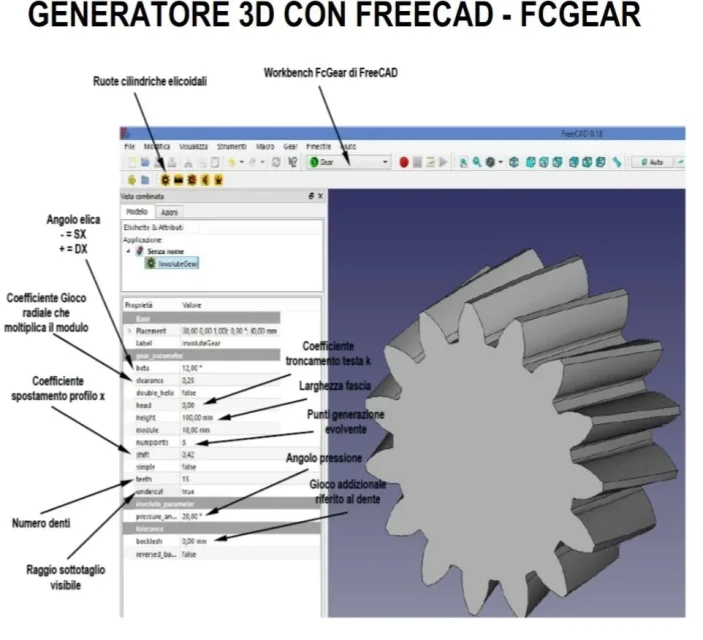
I recommend freecad with the workbench gear and save you the gear as step and amount in solidworks and do everything you want.
 
also the toolbox you can convert it into step to reopen as a solid part. working on an imported allows you to gain in performance by being released from all equations that has a toolbox file, especially gears
 
Now it is clear even if the definition of piece has never felt
I don't know how to explain otherwise

ah ok, then would you advise me not to use the toolbox? neither for wheels nor for anything else? because I have seen that the bearings can download them from the skf site instead of the skf folder of the toolbox, a tab I don't put anything to draw it, but for example for the seeger rings? I confess, however, that I have not seen the recommended site yet, maybe there are also those there.
 
Mechanicalmg recommends you to use freecad and its gear module and export it in step to have a lighter and more stable file than the toolbox. all files tooòlbox have within the equations that parameterize the model according to the selected features; These equations are deadly to weight files and their management. If you already know the parameters of the gear carrying behind the equations is useless.
then you should import a step file, which as I wrote you can do it also from solidworks and that is, after creating the toolbox file save it with step203 extension and open it the latter by finding a side file with a no-function copro... on this you will model the book.
for the seeger or you draw them, it takes nothing, and confiscate the file so you have the whole range of measurements or go to a library like tracepart and download the files of the individual sizes
 
with freecad fcgear you can achieve much more configurable gears than the toolbox parameters.
in fact you can manage displacement coefficient, games, subcutting etc.
IMG_20190603_201242.webptoolboxes are complicated and maintain ties with the generator and you struggle to disconnect functions unless you also save a step there.
seeger and seals I would say that traceparts has everything. I prefer direct skf for bearings.

As far as the grooves are concerned, I'd say you do before drawing it.Screenshot_20190516-014741.webp
 
Last edited:
simple curiosity: but all these extra data that has no toolbox need to be brought into model 3d, excluding making fem calculations or other, is it not enough to insert them into a table in the drawing?
 
simple curiosity: but all these extra data that has no toolbox need to be brought into model 3d, excluding making fem calculations or other, is it not enough to insert them into a table in the drawing?
If you tell me? I tell you that I put them in the table but I'm a little fixed that I really want to see the engraving and for that I want the model pretty faithful, then I make the axes beams and then I need not to miss and therefore having a little push needs I prefer the model true.
 
with freecad fcgear you can achieve much more configurable gears than the toolbox parameters.
in fact you can manage displacement coefficient, games, subcutting etc.
View attachment 53678toolboxes are complicated and maintain ties with the generator and you struggle to disconnect functions unless you also save a step there.
seeger and seals I would say that traceparts has everything. I prefer direct skf for bearings.

As far as the grooves are concerned, I'd say you do before drawing it.View attachment 53680
but does freecad also make inner dense wheels?
 
but does freecad also make inner dense wheels?
I have never made internal wheels, it would be necessary to try if you can easily with the pre-set modules but I think there is to be dismantled instead of programming code. As soon as I have a moment I try and tell you.
 
on the various freecad forums indicate the method of subtraction of solids to make the internal wheels and we all know that they are not properly correct with this procedure.
 
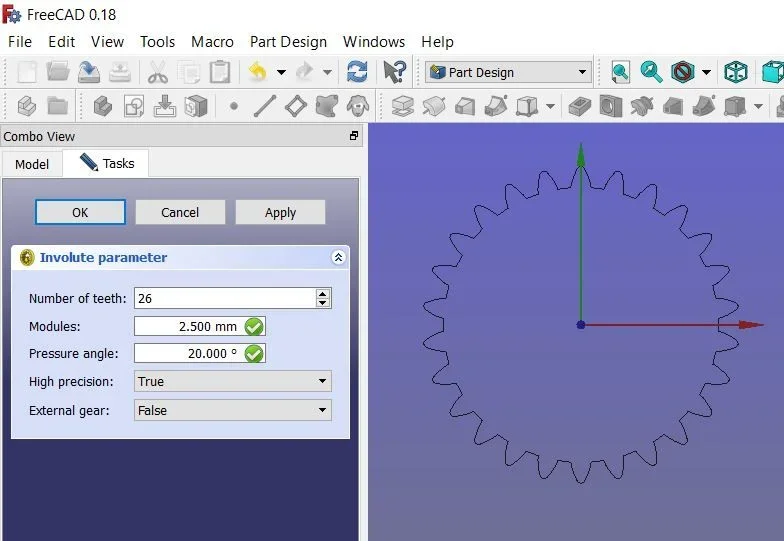
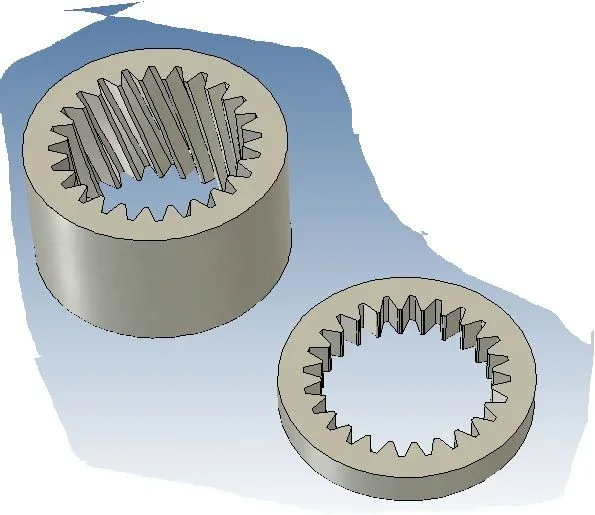
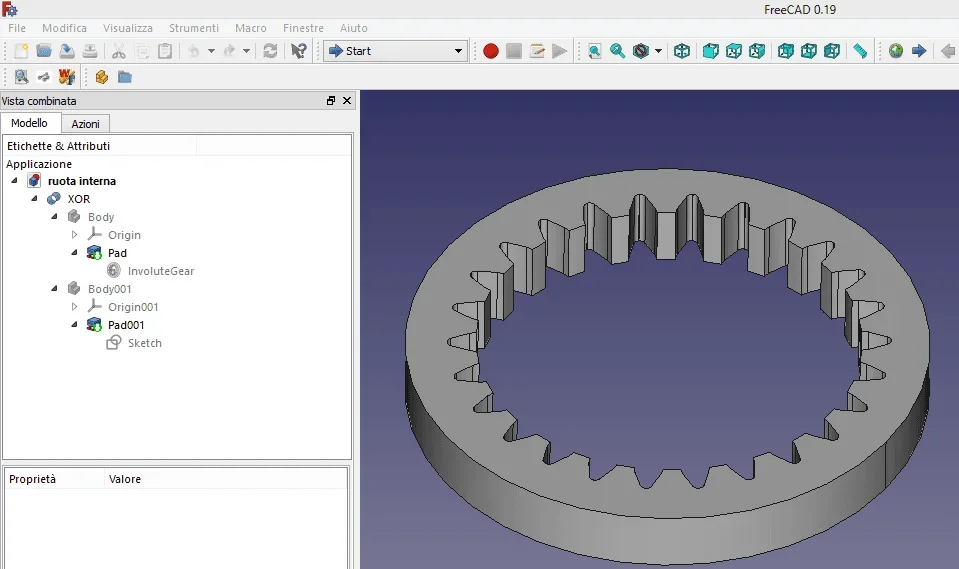
here is the inner wheel with straight teeth made with freecad.ruota interna.webpyou create two bodies, of which one cylinder and the other is the involute internal (or external if you want to make external wheels) and through boolean operation of xor you get the internal gear.

Similarly, a little more complex can be done for the propeller to add and then make a helical internal gear.

if you want to manage profile shift for internal wheels and what else you need to program in pyton but I don't know yet. Maybe there's some better dedicated macros than fcgear.

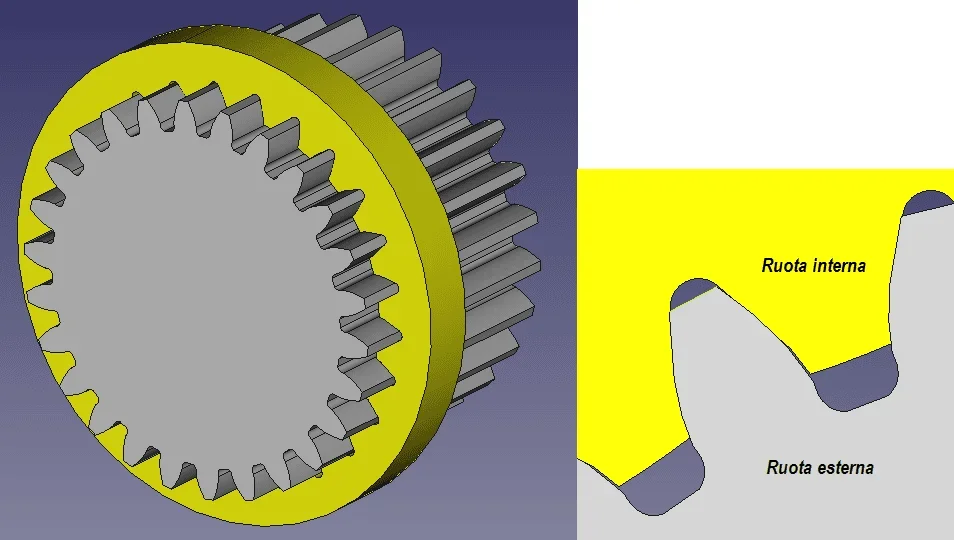
all in all it does not seem bad comparison of ingration with the external wheel of equal characteristics.interna.webp
 
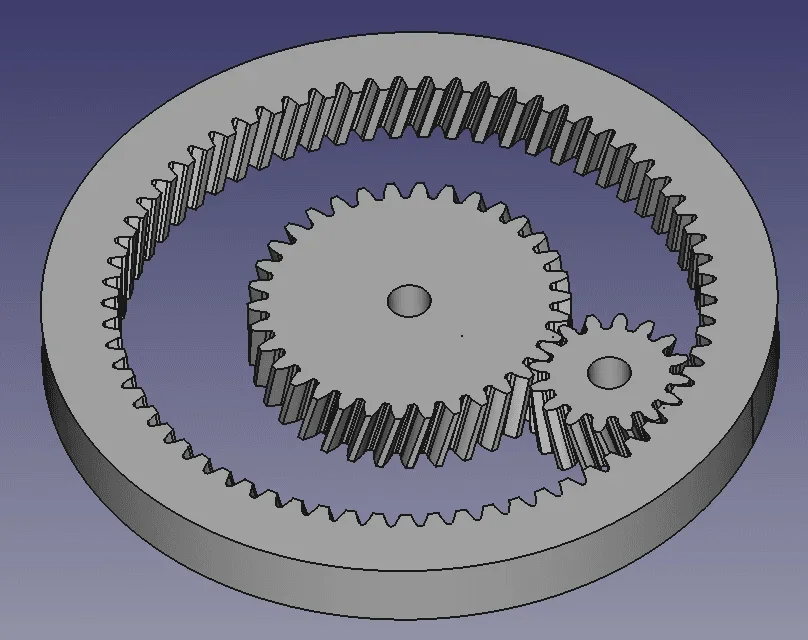
I found a man website where there is freecad pyton code to make an epicloidal gear to helical teeth.
and the result is this.planetary_gear-1.webp
 
Last edited:

Forum statistics

Threads
44,997
Messages
339,767
Members
4
Latest member
ibt

Members online

No members online now.
Back
Top