reggio
Guest
hi, I follow the recent post on pv360 (I open another one to separate the under arguments hoping not to do what wrong) and then I pass to formulate my questions/dubbi... :tongue:
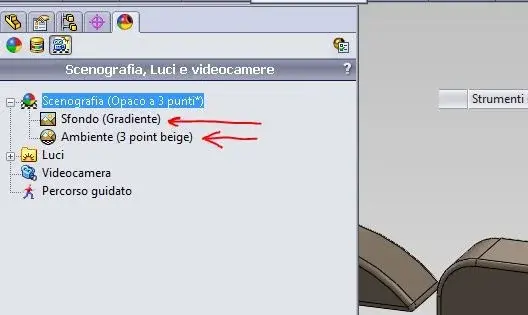
- 1st attachment: we can choose "background scan" or "environmental scan": What is the difference between background and environment? double click on one or the other always brings us to Annex 4/5....
How do I rule?
where I find / how can I create my hdr files?
where I find / how can I create my p2s files?
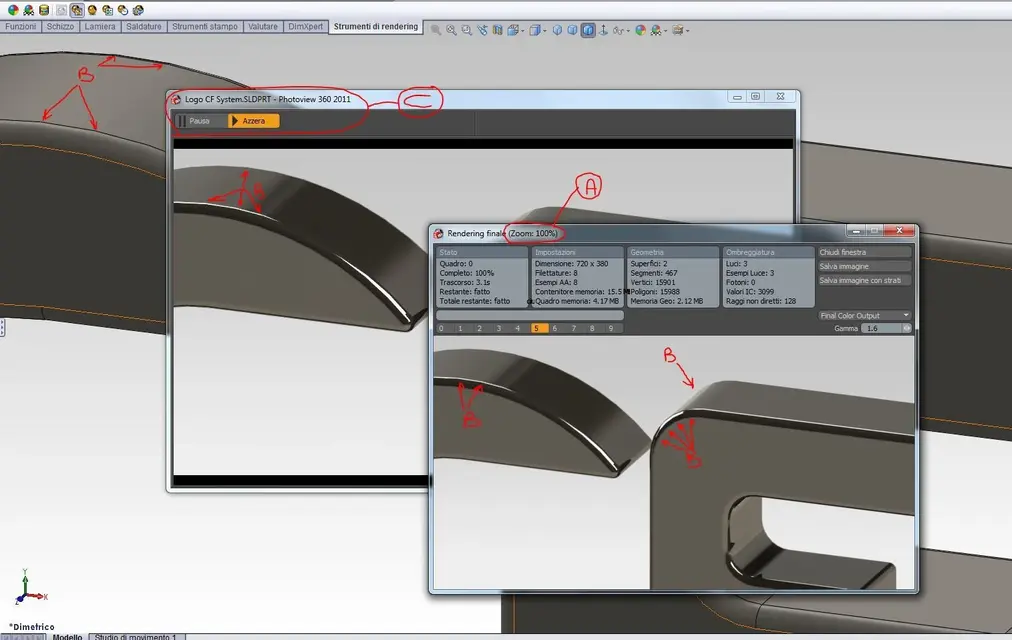
- 2nd attachment: what is the preview between the model and the render window? (to me, for now ends before the render that the preview...) can be eliminated?
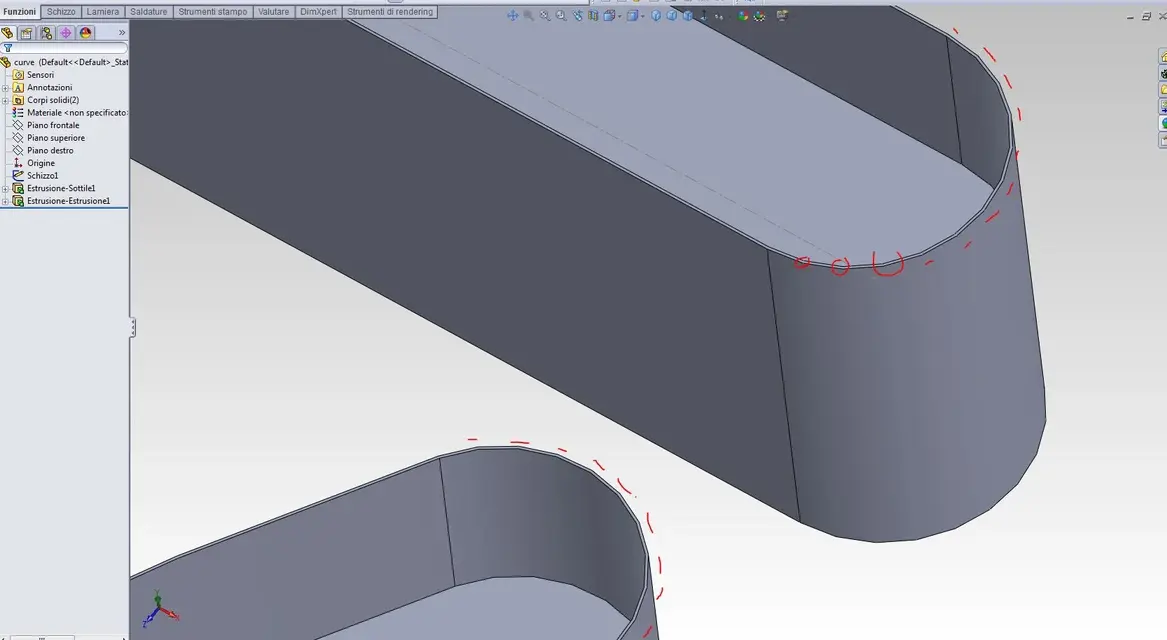
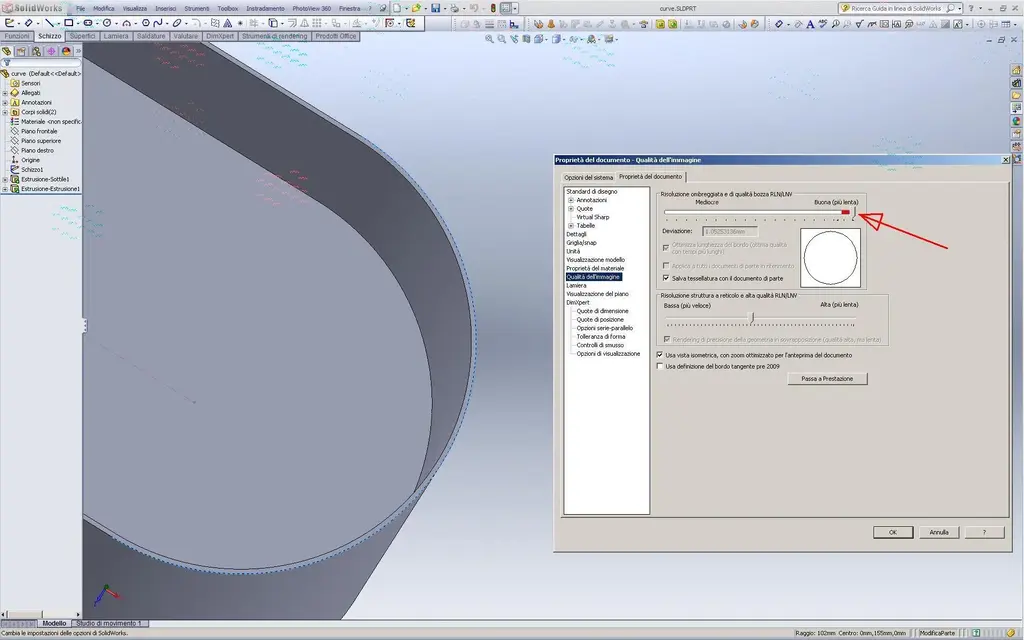
- 3rd Annex: the points "b" show the points of imperfection of the render, it is known that the curve has been "poligonized" while having put to the maximum the value
options/propieta del doc/qualita dell'imm/resolution umbrellagg
and selected optimizes lungh of the edge....
"a": why does it indicate 100%? does not seem to me (ahimè) you can zoom differently in the window making... What? )
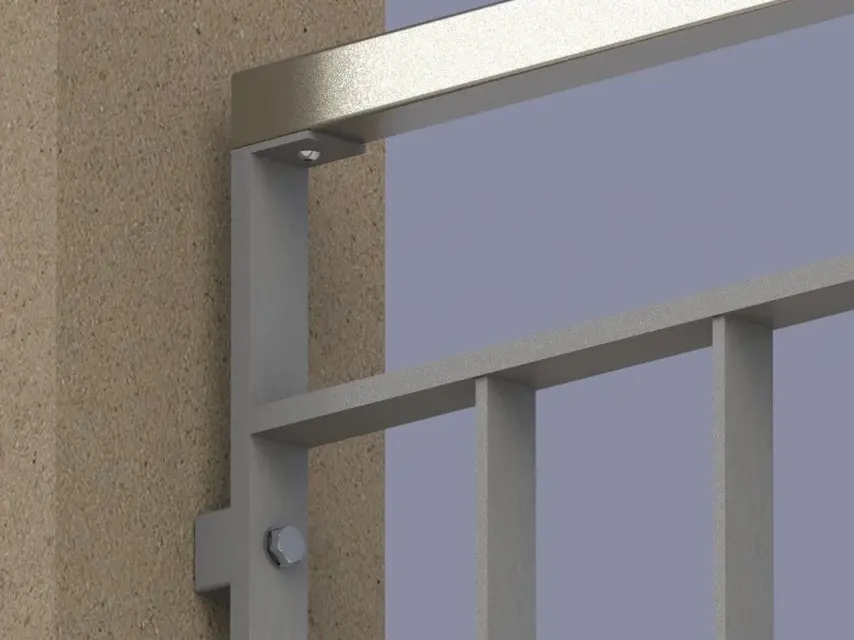
- Annex 4 and 5: background and environment are repeated in multiple places (5) ... are the same thing or how?
...you can see these "cosucce";-p I would like to open a further argument always for pv360 2011 in which to try to insert a part in a "window image.jpg or hdr or ...?" align it, lean it on the ground, frame the part well, apply the aspects and the lights then render everything (to the desired quality)... in short a sort of tutorial to share. . .
- 1st attachment: we can choose "background scan" or "environmental scan": What is the difference between background and environment? double click on one or the other always brings us to Annex 4/5....
How do I rule?
where I find / how can I create my hdr files?
where I find / how can I create my p2s files?
- 2nd attachment: what is the preview between the model and the render window? (to me, for now ends before the render that the preview...) can be eliminated?
- 3rd Annex: the points "b" show the points of imperfection of the render, it is known that the curve has been "poligonized" while having put to the maximum the value
options/propieta del doc/qualita dell'imm/resolution umbrellagg
and selected optimizes lungh of the edge....
"a": why does it indicate 100%? does not seem to me (ahimè) you can zoom differently in the window making... What? )
- Annex 4 and 5: background and environment are repeated in multiple places (5) ... are the same thing or how?
...you can see these "cosucce";-p I would like to open a further argument always for pv360 2011 in which to try to insert a part in a "window image.jpg or hdr or ...?" align it, lean it on the ground, frame the part well, apply the aspects and the lights then render everything (to the desired quality)... in short a sort of tutorial to share. . .