• This forum is the machine-generated translation of www.cad3d.it/forum1 - the Italian design community. Several terms are not translated correctly.

problem with feritoia

  • Thread starter Thread starter Emergent
  • Start date Start date

Emergent

Guest
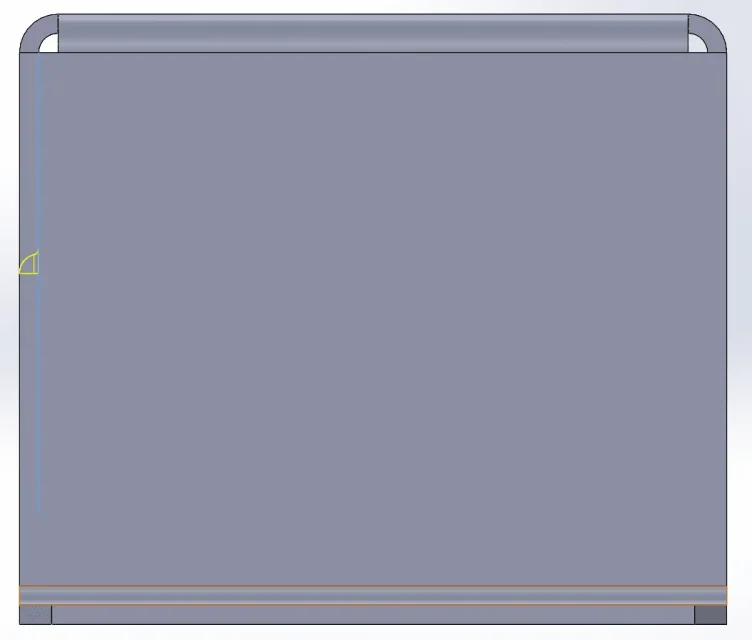
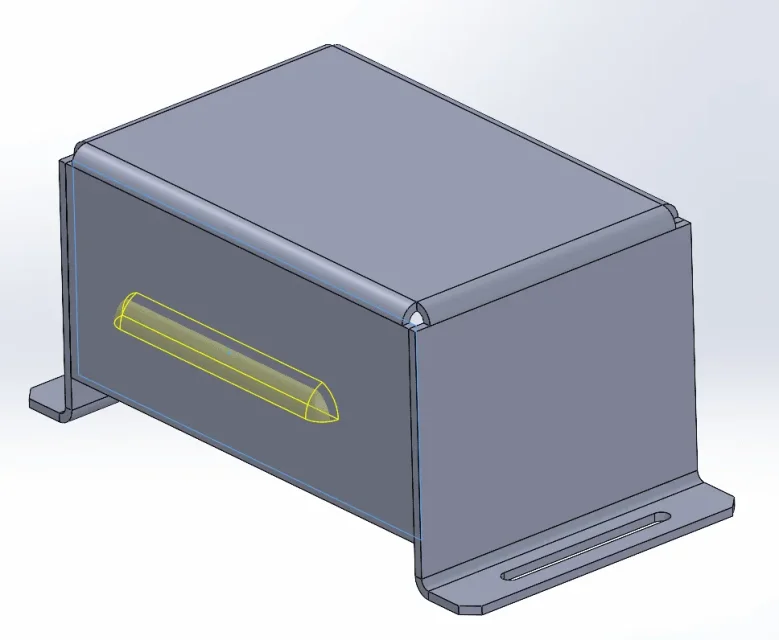
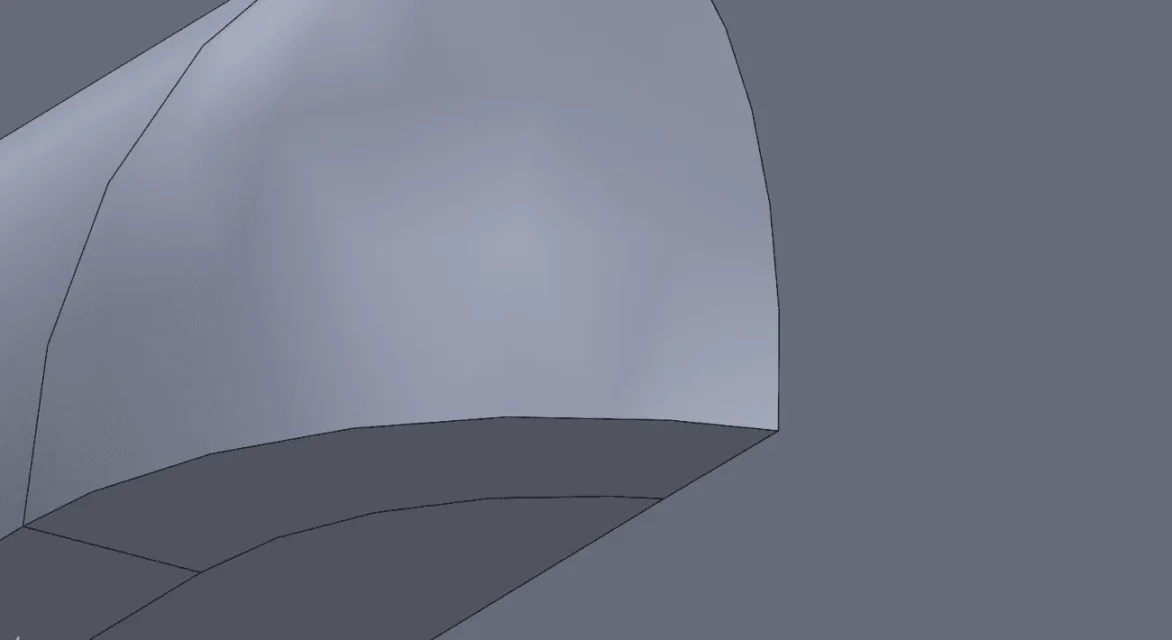
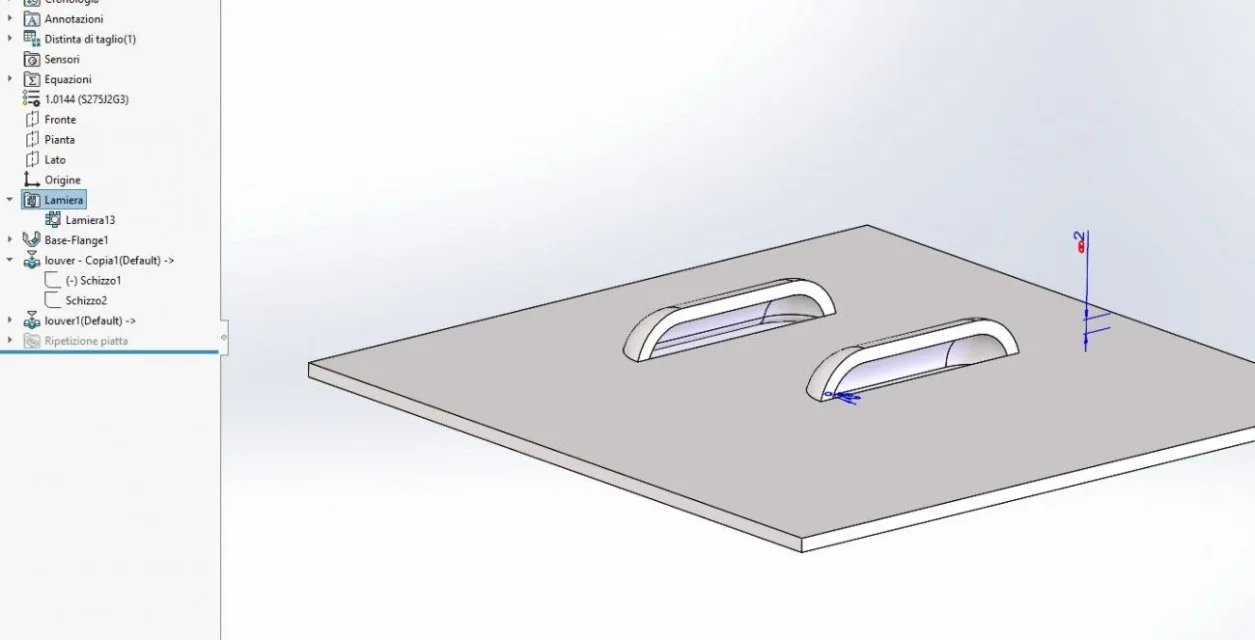
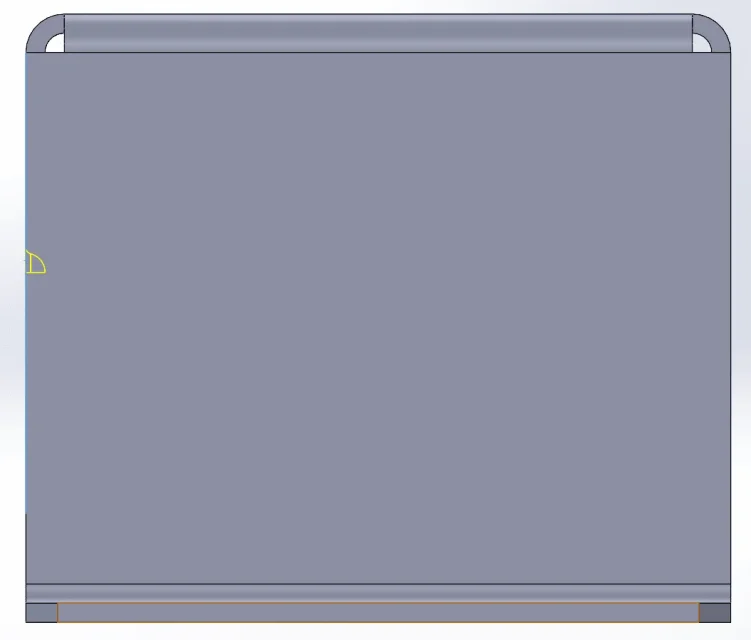
I attach two images from which you can better understand my problem.
insert the wound in the file with the sheet and place it on the face where it has to go.
while using inverted tool the wound is as if it developed within the thickness of the sheet and not outward.
I don't know how to make the wound go to "support" on the right face.
Could someone help me?
Thank you!
When I drag the wound on the model, no face lights up.
with solidworks there are no other ways to make the wounds, if not passing by the forming tool?
from what I understand, for each wounder (who will have its particular quotas) I must have a part saved between the forming tools or a part with different configurations.
Right?
in solid edge there is a dedicated function and it seems much more intuitive and quick.
 

Attachments

  • 1.webp
    1.webp
    6.2 KB · Views: 21
  • 2.webp
    2.webp
    7.3 KB · Views: 22
  • Lamiera.zip
    Lamiera.zip
    267.9 KB · Views: 1
Figure 2 is correct. seems the height of the wound not congruous with the thickness of the sheet
 
I used a different wound.
this has correct measures.
I am sure because they are the same measures (lower and sheet) used in solid edge, obtaining a correct result.
using reverse tool you switch from image 1 to 2
 

Attachments

  • 1.webp
    1.webp
    32.8 KB · Views: 8
  • 2.webp
    2.webp
    7.3 KB · Views: 7
  • 3.webp
    3.webp
    7.3 KB · Views: 9
I don't understand what you want to get, image 1 and 2 represent the same thing and that is the outside opening to the box.
image 3 represents the wounding with the internal opening.
if you show us the correct result is easier to understand the situation
 
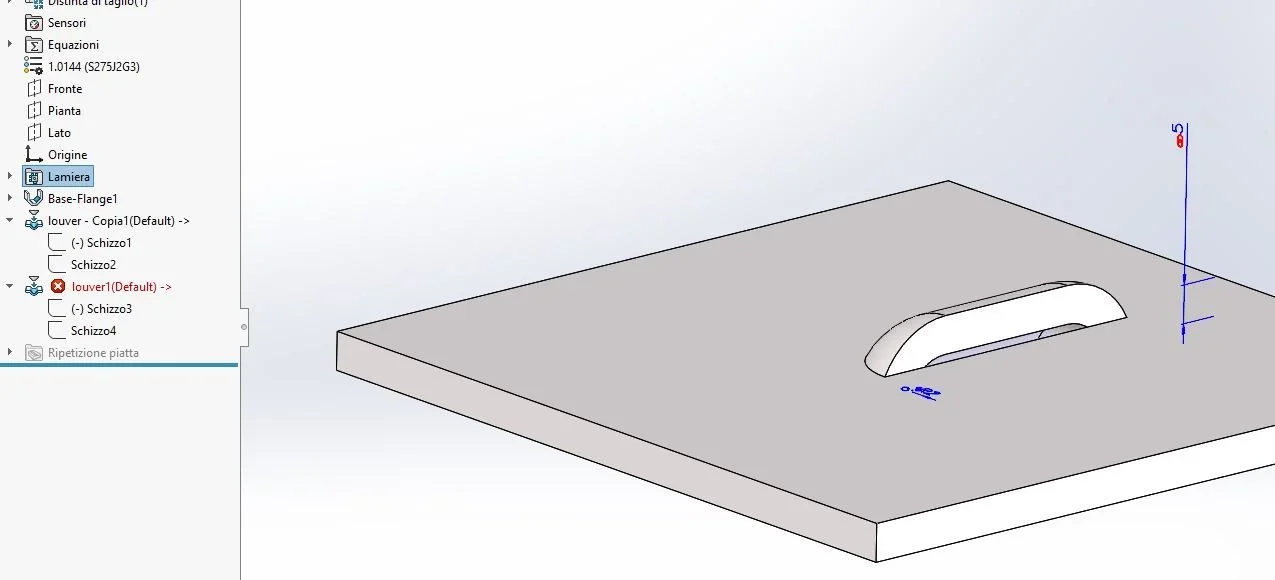
It gives me this error message.
from solid edge, what I would like to get.
 

Attachments

  • 1.webp
    1.webp
    14.3 KB · Views: 10
  • 2.webp
    2.webp
    15.9 KB · Views: 9
  • 3.webp
    3.webp
    27.4 KB · Views: 7
Finally write that there is a mistake that prevents you from function.
What's the problem? read the message, look at image 2, adjust the size.
 
I can't interpret the error message.
"the thickness must be less than the minimum radius of curvature of the shape instrument."
by thickness is that of the sheet? It's 6 mm.
what would be the minimum radius of curvature of the shape instrument?
 
but I do not have in my wound.
is it not possible to make in solidworks a wound without fitting?
 
I've done the wound, with the fitting.
so it works well, but it seems strange that you can't make a wound without fitting.
 

Attachments

  • 1.webp
    1.webp
    40.6 KB · Views: 3
then do not use a forming with fitting


just create a new form or change the existing one
I don't understand.
I did a first injury without a connection and I'm having trouble.
a second wound with fitting (with radius greater than the thickness of the sheet) and there is no problem.
to do a wounder without fitting what should I do?
use a different tool because the forming tools is not okay?
 
you have written
but I do not have in my wound.
that I mean that in the result you want to get you do not want the radius and you see it also in the image of solidedge. so I tell you that if you don't want the connection you don't have to use a forming function that includes the connection.
to do a wounder without fitting what should I do?
use a different tool because the forming tools is not okay?
no, forming tools is fine; you have to create a new forming function
 
If I insert a wounder without fitting the software gives me error.
I found a solution. I don't know how orthodox.
if I insert a wound with fitting equal to the thickness of the sheet I obtain a forming without fitting.
 
so I tell you that if you don't want the connection you don't have to use a forming function that includes the connection.
Maybe I still don't understand and I'm wrong.
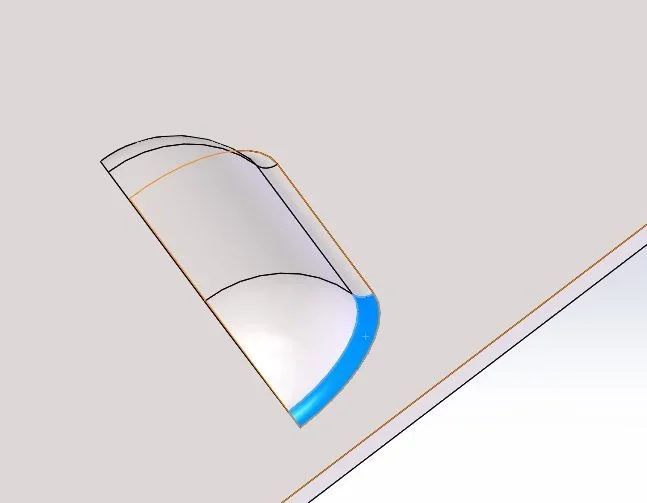
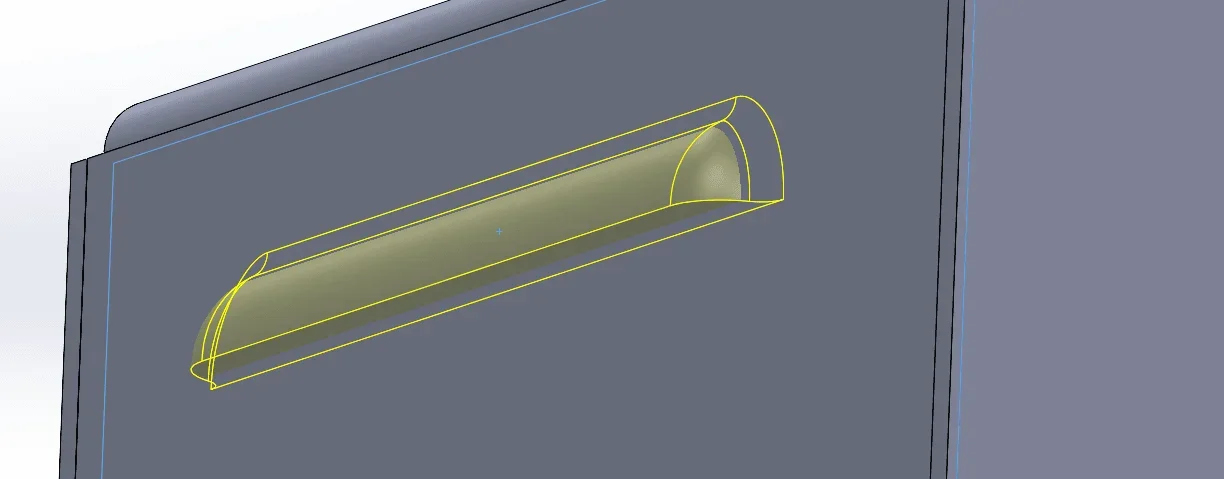
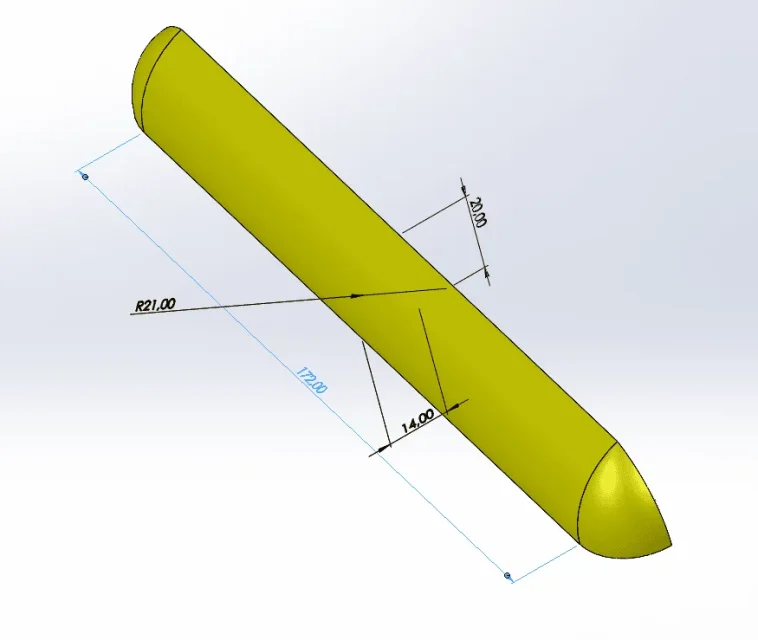
this is my wounding, without fittings (images 1 and 2)
If I put it in, I'm mistaken, the minimum radius.
it is as if it detects or wants to detect a fitting (which is not there) and therefore considers it less than the thickness of the sheet.

inserting, instead, a wound with fitting equal to the thickness of the sheet (picture 3) there is no error and the model gets a forming without fitting.
 

Attachments

  • 2.webp
    2.webp
    8.8 KB · Views: 2
  • 1.webp
    1.webp
    2.5 KB · Views: 2
  • 3.webp
    3.webp
    23.5 KB · Views: 1
  • 4.webp
    4.webp
    18 KB · Views: 1
  • 5.webp
    5.webp
    23.6 KB · Views: 3
If I insert a wounder without fitting the software gives me error.
That's not true. just tried and works
image1 forming function without fitting
image2 forming on thickness equal to radius
image3 forming on thickness above radius
 

Attachments

  • Cattura.webp
    Cattura.webp
    36 KB · Views: 4
  • Cattura2.webp
    Cattura2.webp
    35.6 KB · Views: 4
  • Cattura3.webp
    Cattura3.webp
    31.7 KB · Views: 5
the fact that you made it makes me very pleased, because with my solution (ringing radius equal to the thickness of the sheet, I get high (in table 2d) some quotas.
in the image 2 say thickness equal to the radius: the thickness is 2mm, the radius to what it refers to?
I don't understand that.
I thought you were referring to the connection radius, but if there's no connection, what radius is it?
Thank you very much for the help and I apologize for the confusion I definitely did.
 
Last edited:
the ray to what it refers
of the basic radius I had highlighted in blue in post #8; it is the same thing you did
if I insert a wound with fitting equal to the thickness of the sheet
I thought you were referring to the connection radius, but if there's no connection, what radius is it?
the fitting is within the forming function

attached the function of forming without radius
 

Attachments

ok...I understand (maybe and hopefully).
you did a joint wound, then you suspended the fitting function.
I, on the other hand, had done a wound without fitting.
 

Attachments

  • 2.webp
    2.webp
    15.5 KB · Views: 1

Forum statistics

Threads
44,997
Messages
339,767
Members
4
Latest member
ibt

Members online

No members online now.
Back
Top